
HBase同步到Hive
本文提供HBase同步Hive场景的实施思路、配置示例和验证方式,可作为实际项目配置参考。
案例
将HBase2.1.0版本的数据库同步到hive3.1.3数据库中
前提
原生flink,仅支持hive2.3.0版本以上
将zhiqingyun-agent的lib目录下的hadoop-HDFS-client-3.3.5.Jar 包换成当前依赖的hadoop版本 例如:当前用户hadoop版本为3.0.0,则需要删除默认的3.3.5包,下载3.0.0的依赖包
rm ~/zhiqingyun-agent/lib/hadoop-hdfs-client-3.3.5.jar
cd ~/zhiqingyun-agent/lib/
wget https://zhiqingyun-saas.isxcode.com/tools/open/file/hadoop-hdfs-client-3.0.0.jar
解决方案
创建Flink SQL作业类型,添加以下依赖 下载对应的HBase、hive依赖版本和hadoop对应的版本
- flink-connector-HBase-2.2-4.0.0-1.18.jar下载
- flink-connector-HBase-base-4.0.0-1.18.jar下载
- HBase-client-2.1.0.jar下载
- HBase-common-2.1.0.jar下载
- HBase-protocol-2.1.0.jar下载
- HBase-protocol-shaded-2.1.0.jar下载
- HBase-shaded-miscellaneous-2.1.0.jar下载
- HBase-shaded-netty-2.1.0.jar下载
- HBase-shaded-protobuf-2.1.0.jar下载
- flink-connector-hive_2.12-1.18.1.jar下载
- hadoop-common-3.0.0.jar下载
- hadoop-mapreduce-client-core-3.0.0.jar下载
- hive-common-3.1.3.jar下载
- hive-exec-3.1.3.jar下载
- hive-metastore-3.1.3.jar下载
- libfb303-0.9.3.jar下载
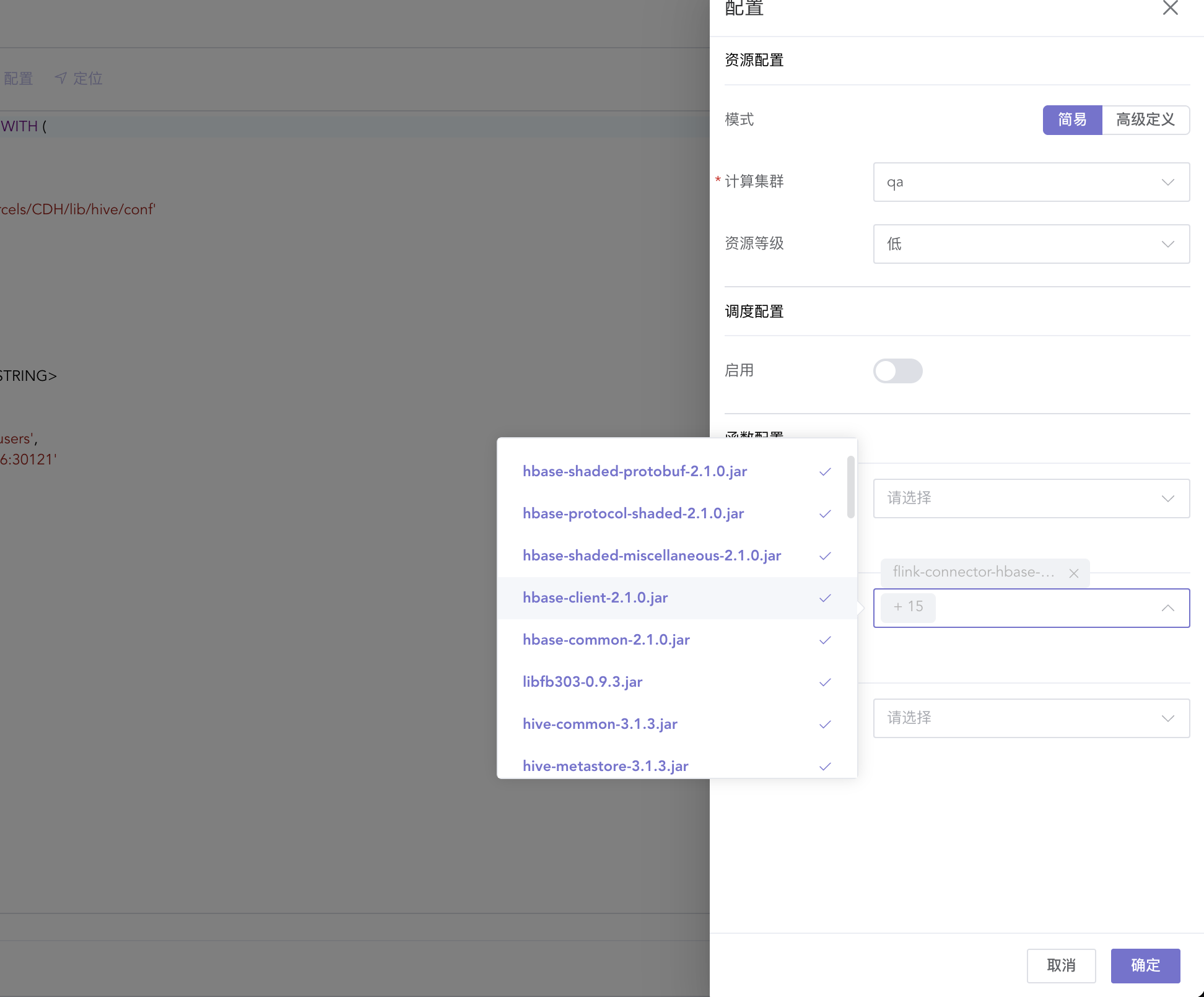
示例sql如下:
CREATE CATALOG my_hive_catalog WITH (
  'type' = 'hive',
  'hive-version' = '3.1.3',
  'default-database' = 'ispong_db2',
  'hive-conf-dir' = '/data/cloudera/parcels/CDH/lib/hive/conf'
);

USE CATALOG my_hive_catalog;
DROP table hTable;

CREATE TABLE hTable (
   rowkey string,
   cf1 ROW<username STRING, age STRING>
) WITH (
  'connector' = 'hbase-2.2',
  'table-name' = 'ispong_namespace:users',
  'zookeeper.quorum' = '127.0.0.1:2181'
);

INSERT INTO users (username)
SELECT cf1.username FROM hTable;