Doris integrates SmartBI
This article provides an implementation plan for Doris integrated SmartBI scenarios, including configuration examples, execution steps, and parameter descriptions.
Case description
Synchronize the data in the SQL Server data source to the Doris database in real time, and open it as an API interface service to integrate SmartBi
Docker quickly installs Doris
Create a Doris target table, which can be completed by creating a
JDBC query job
CREATE TABLE users (
  username VARCHAR(255),
  age INT
) UNIQUE KEY(username)
DISTRIBUTED BY HASH(username) BUCKETS 1
PROPERTIES ("replication_allocation" = "tag.location.default: 1");
insert into users values ("zhangsan",13);
select * from users;
Docker quickly installs SQL Server
- [Reference document: Quickly install SQL Server with Docker](https://ispong.isxcode.com/db/SQL Server/SQL Server%20docker%E5%AE%89%E8%A3%85/)
Create a SQL Server source table, which can be completed by creating a
JDBC query jobSQL Server source table must have primary key
CREATE TABLE users_cdc
(
  username  VARCHAR (32) primary key ,
  age       INT
);
insert into users_cdc values ('zhangsan',13);
select * from users_cdc;
Enable SQL Server CDC
Specify the users_cdc table to enable cdc, which can be completed by creating a
JDBC query job
-- 启用数据库的CDC功能
EXEC sys.sp_cdc_enable_db;

-- 查看数据库CDC是否已经启用,ispong_db库
SELECT name, is_cdc_enabled FROM sys.databases WHERE name = 'ispong_db';

-- 添加cdc监听表
EXEC sys.sp_cdc_enable_table
     @source_schema = N'dbo',
     @source_name = N'users_cdc',
     @role_name = NULL,
     @supports_net_changes = 1;

-- 删除cdc监听表
EXEC sys.sp_cdc_disable_table
    @source_schema    = N'dbo',
    @source_name      = N'users_cdc',
    @capture_instance = 'all';

-- 查询表是否启动CDC功能
SELECT * FROM cdc.change_tables;
Upload job dependencies
Resource center uploads Jar dependencies required for job running
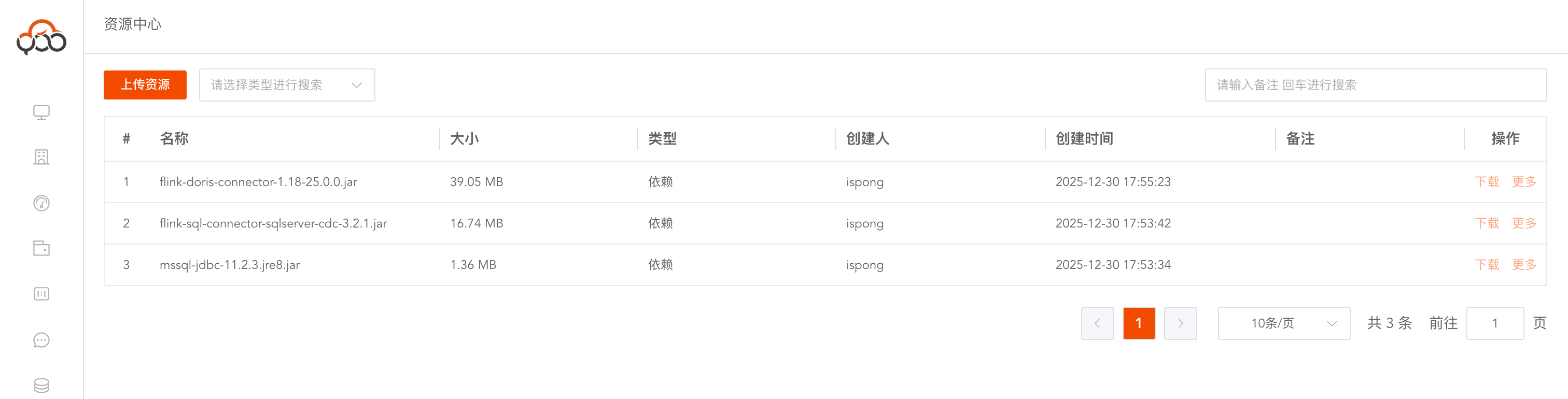
- flink-doris-connector-1.18-25.0.0.jar download
- [flink-sql-connector-SQL Server-cdc-3.2.1.jar download](https://repo1.maven.org/maven2/org/apache/flink/flink-sql-connector-SQL Server-cdc/3.2.1/flink-sql-connector-SQL Server-cdc-3.2.1.jar)
- [mssql-JDBC-11.2.3.jre8.jar download](https://repo1.maven.org/maven2/com/microsoft/SQL Server/mssql-JDBC/11.2.3.jre8/mssql-JDBC-11.2.3.jre8.jar)
Create a real-time data synchronization job
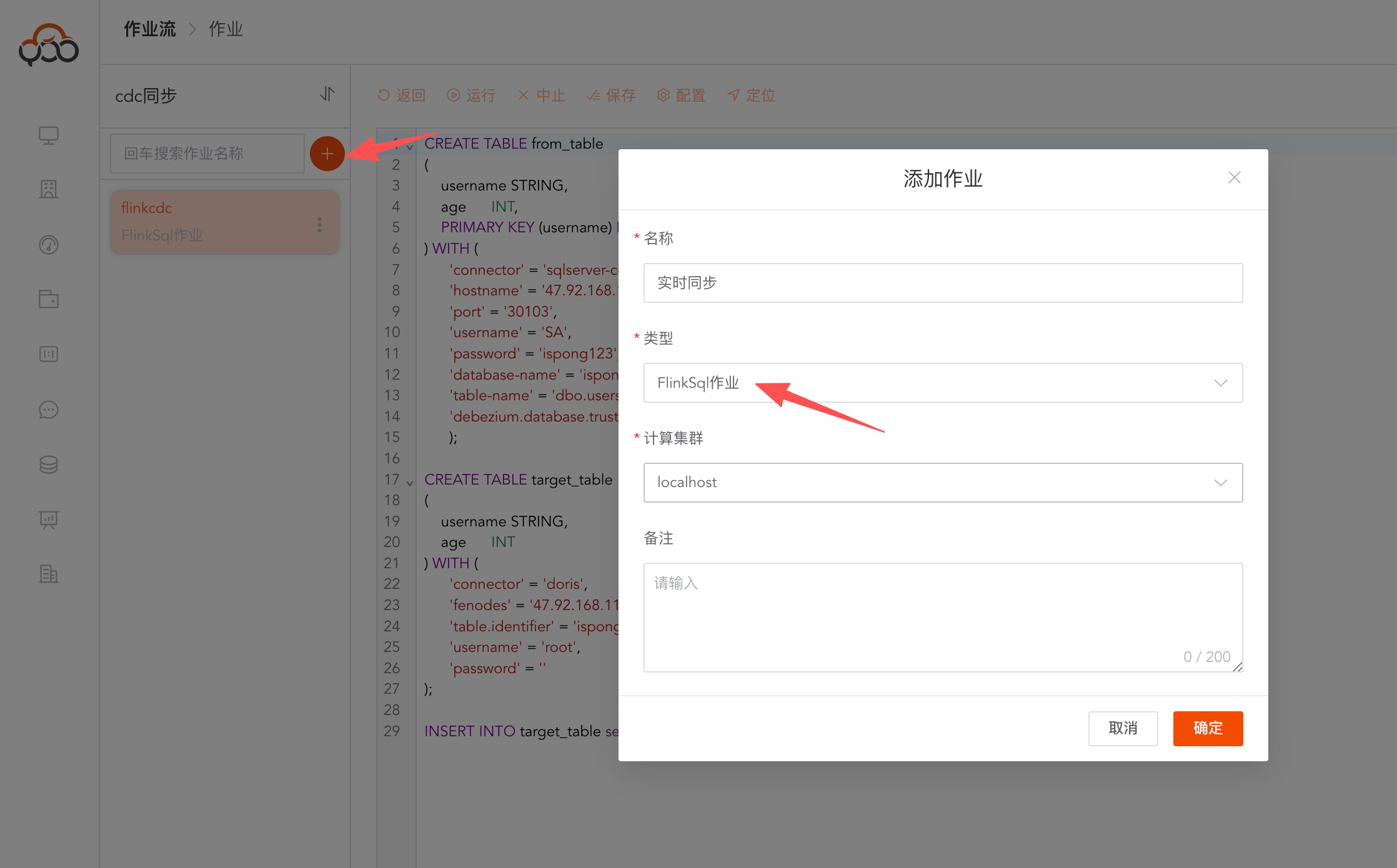
Create a new Flink SQL job
Modify advanced configuration
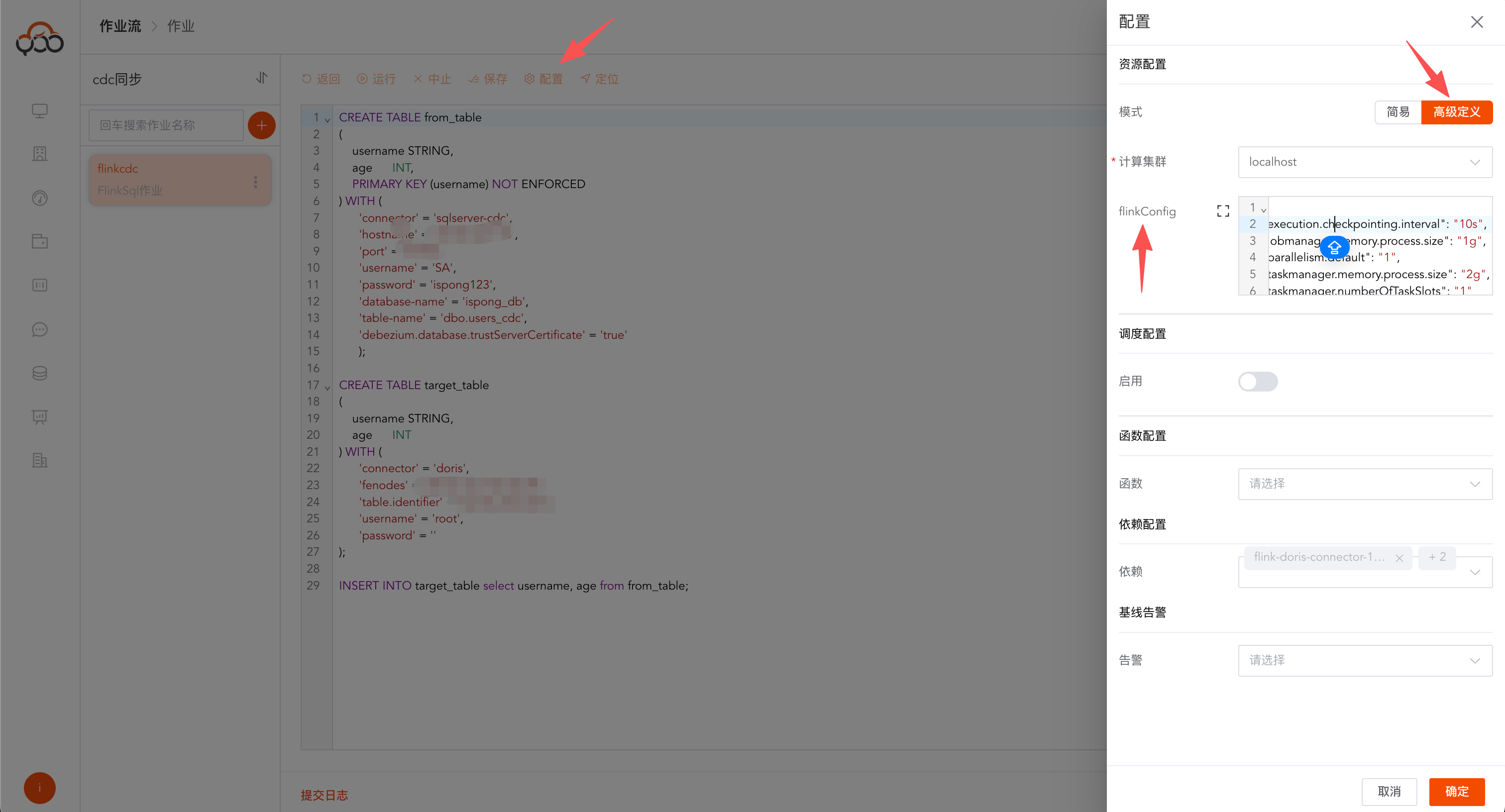
{
  "execution.checkpointing.interval": "10s",
  "jobmanager.memory.process.size": "1g",
  "parallelism.default": "1",
  "taskmanager.memory.process.size": "2g",
  "taskmanager.numberOfTaskSlots": "1"
}
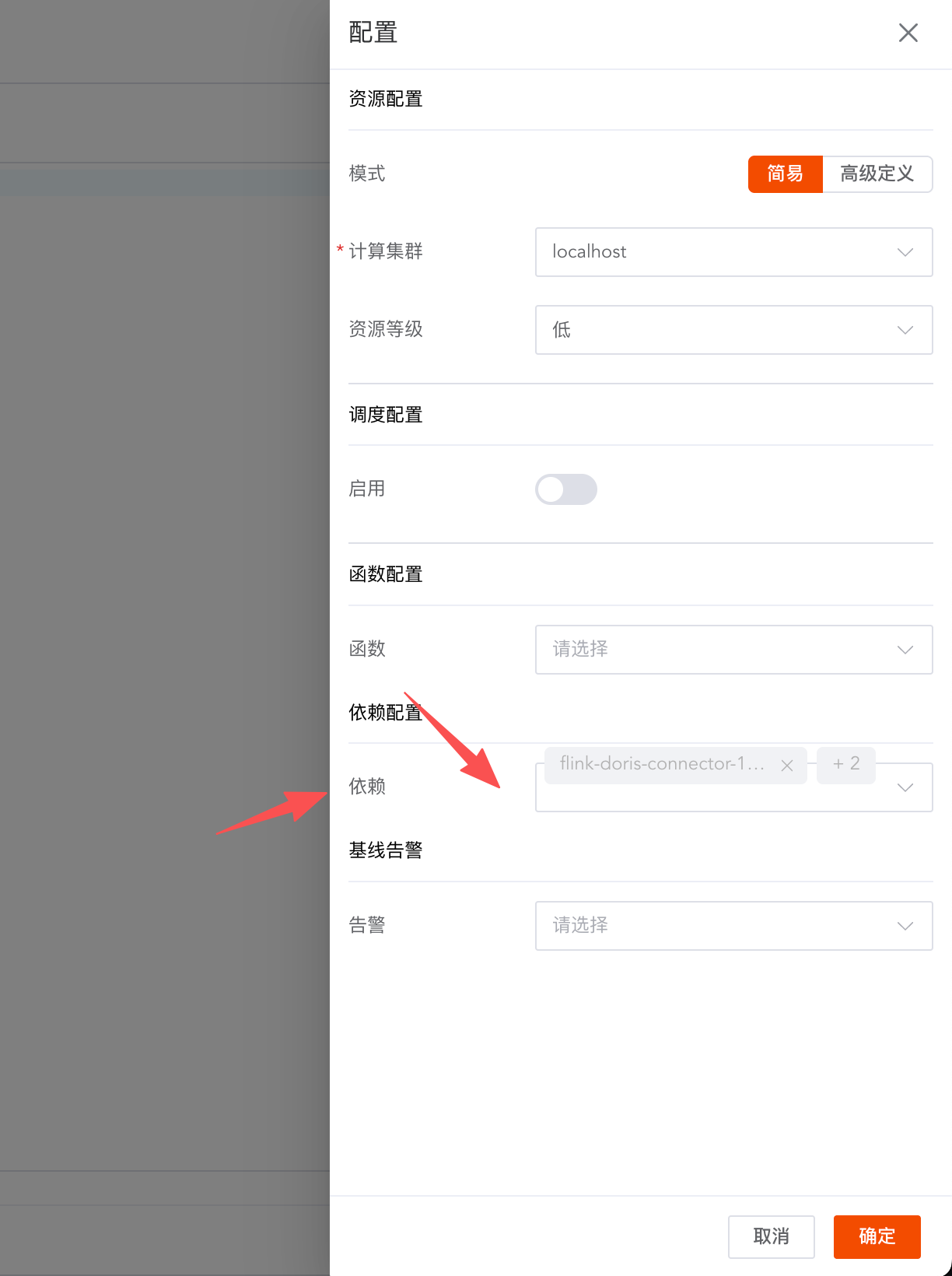
Add job dependencies and select three uploaded dependency packages
Writing Flink SQL SQL Server real-time insert into Doris
CREATE TABLE from_table
(
    username STRING,
    age      INT,
    PRIMARY KEY (username) NOT ENFORCED
) WITH (
      'connector' = 'sqlserver-cdc',
      'hostname' = '127.0.0.1',
      'port' = '1433',
      'username' = 'SA',
      'password' = 'ispong123',
      'database-name' = 'ispong_db',
      'table-name' = 'dbo.users_cdc',
      'debezium.database.trustServerCertificate' = 'true'
      );

CREATE TABLE target_table
(
    username STRING,
    age      INT
) WITH (
      'connector' = 'doris',
      'fenodes' = '127.0.0.1:8030',
      'table.identifier' = 'ispong_db.users',
      'username' = 'root',
      'password' = '',
      'sink.properties.format' = 'json',
      'sink.properties.read_json_by_line' = 'true',
      'sink.enable-delete' = 'true',
      'sink.label-prefix' = 'doris_label'
);

INSERT INTO target_table select username, age from from_table;
Real-time addition, deletion, modification and checking of test data
This can be done by creating a
JDBC query job
-- 插入sqlserver
insert into users_cdc values ('lisi', 123);
select * from users_cdc;

-- 查询doris,doris中的数据实时变化,支持增删改查
select * from users;
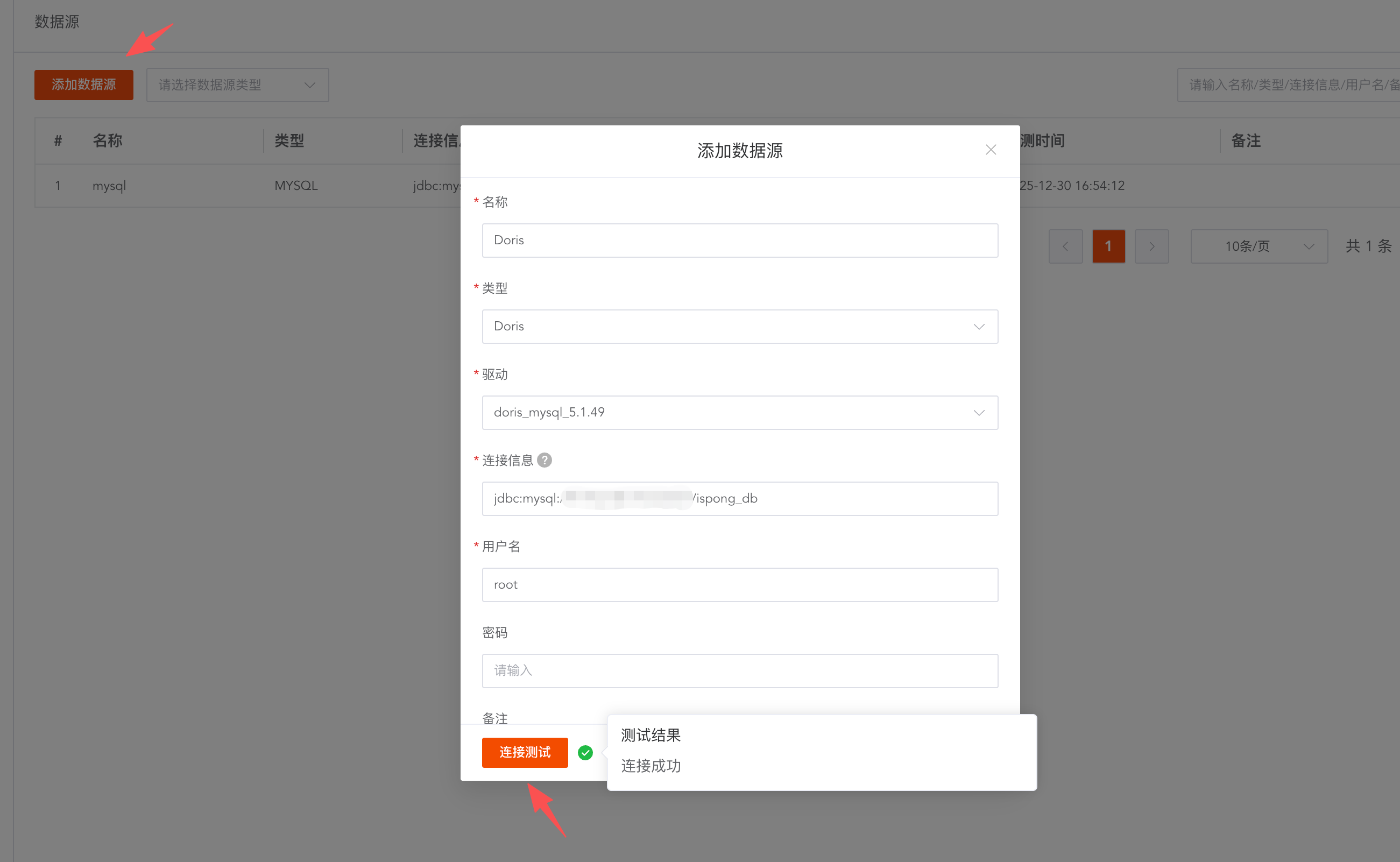
Add doris data source
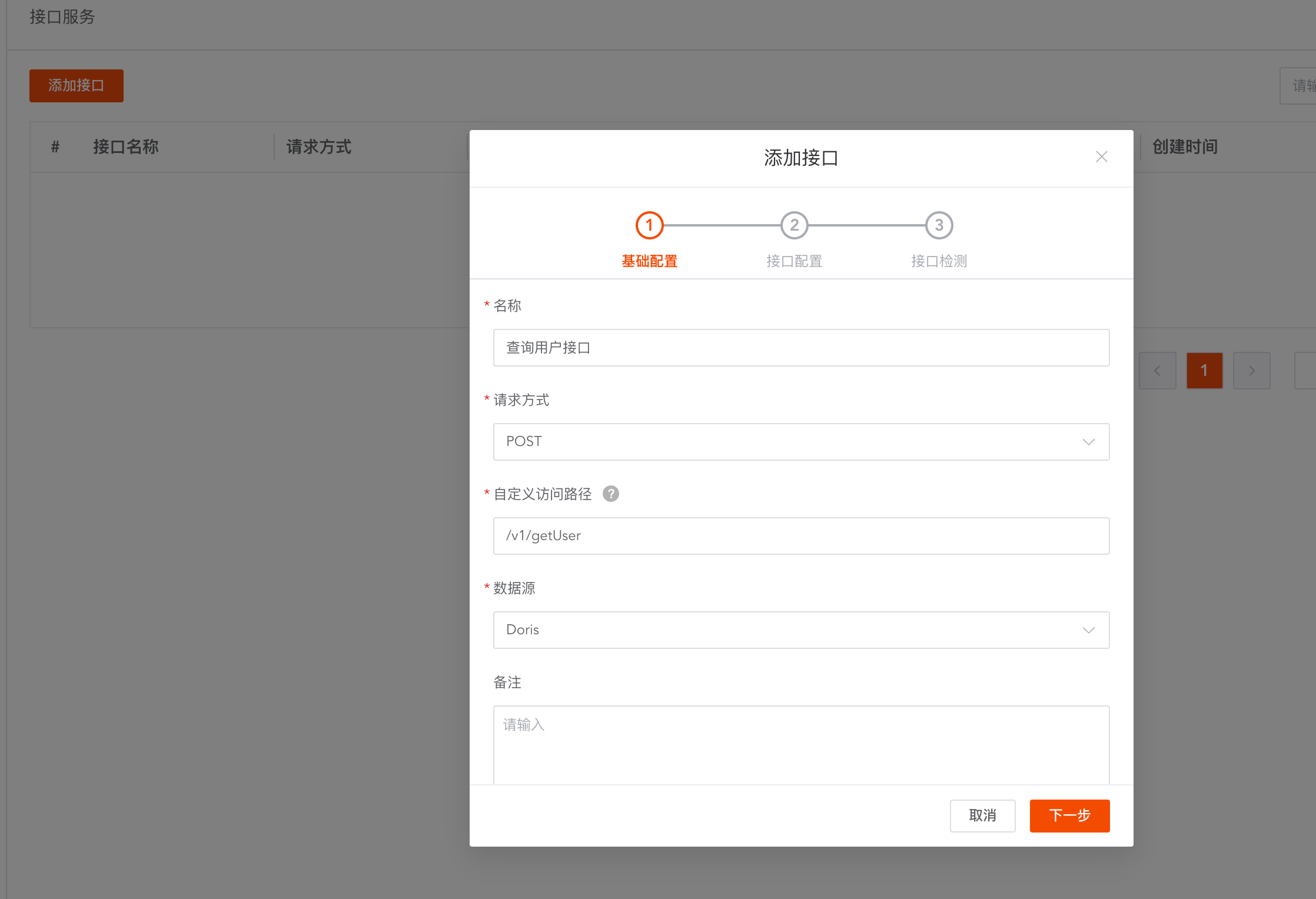
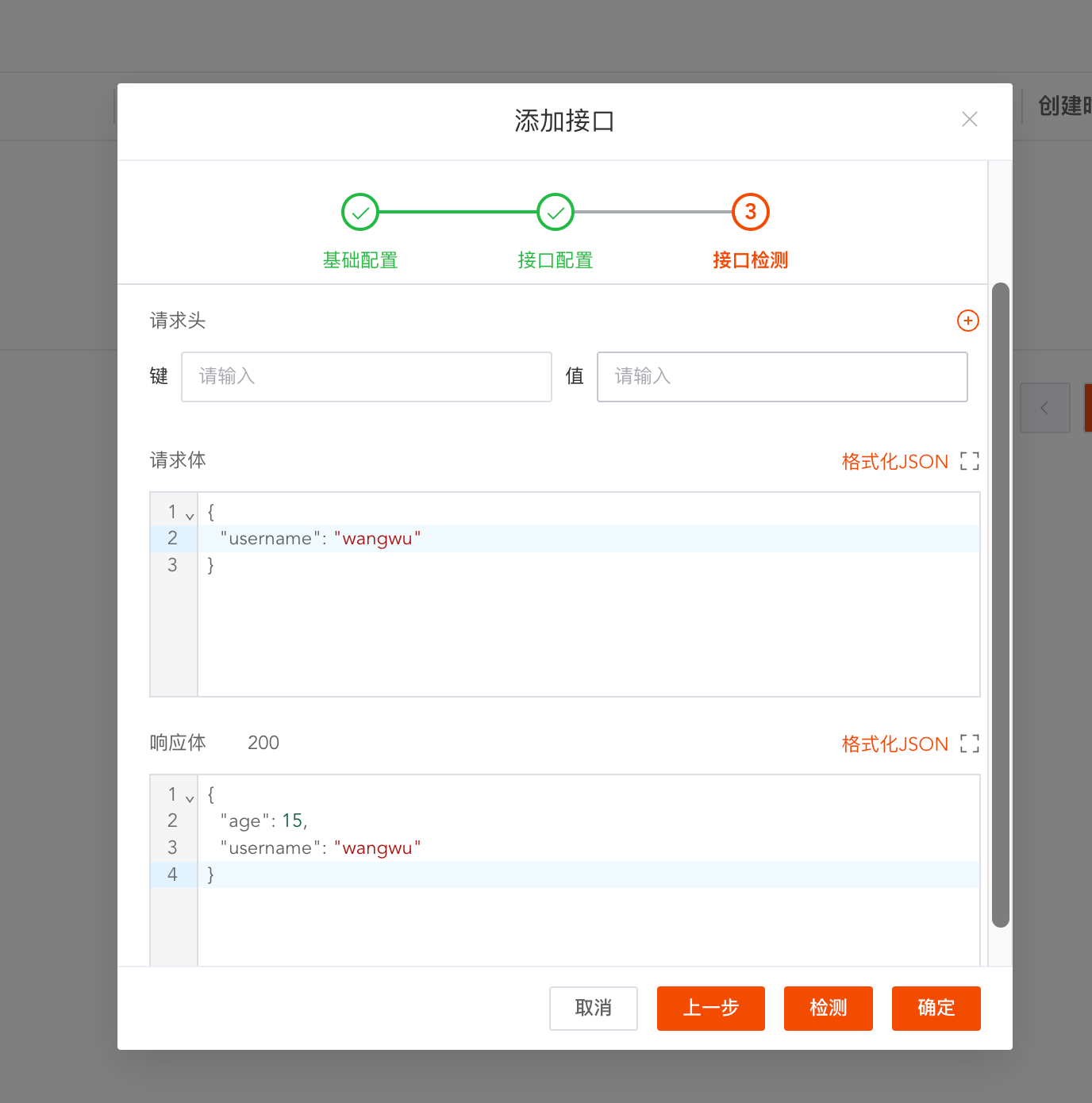
Create interface service
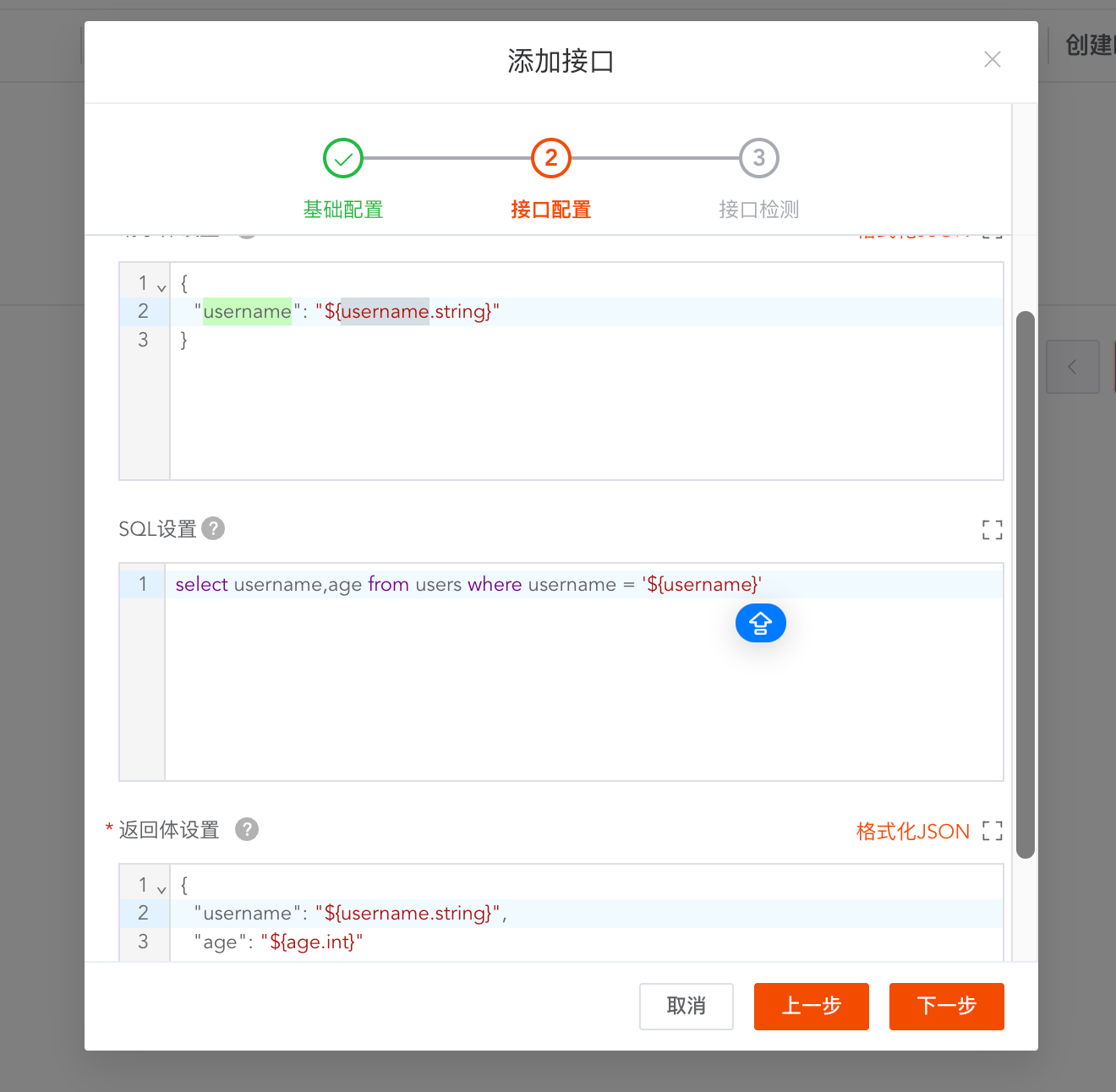
Support custom JSON request format
{
  "username": "${username.string}"
}
Support custom sql processing logic
select username,age from users where username = '${username}'
Support custom JSON response format
{
  "username": "${username.string}",
  "age": "${age.int}"
}
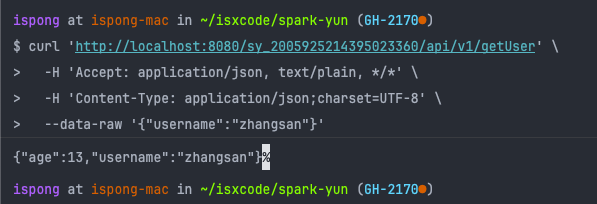
Test interface service
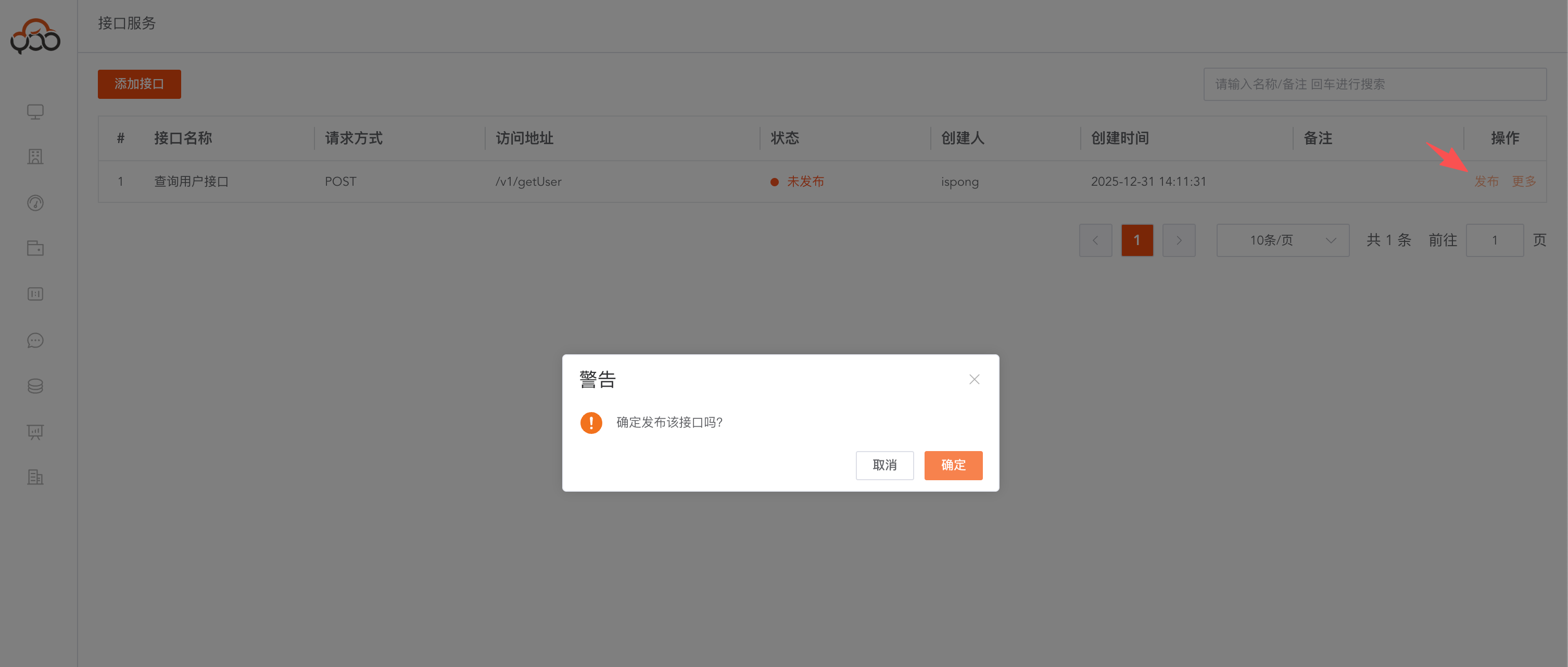
publish interface interface
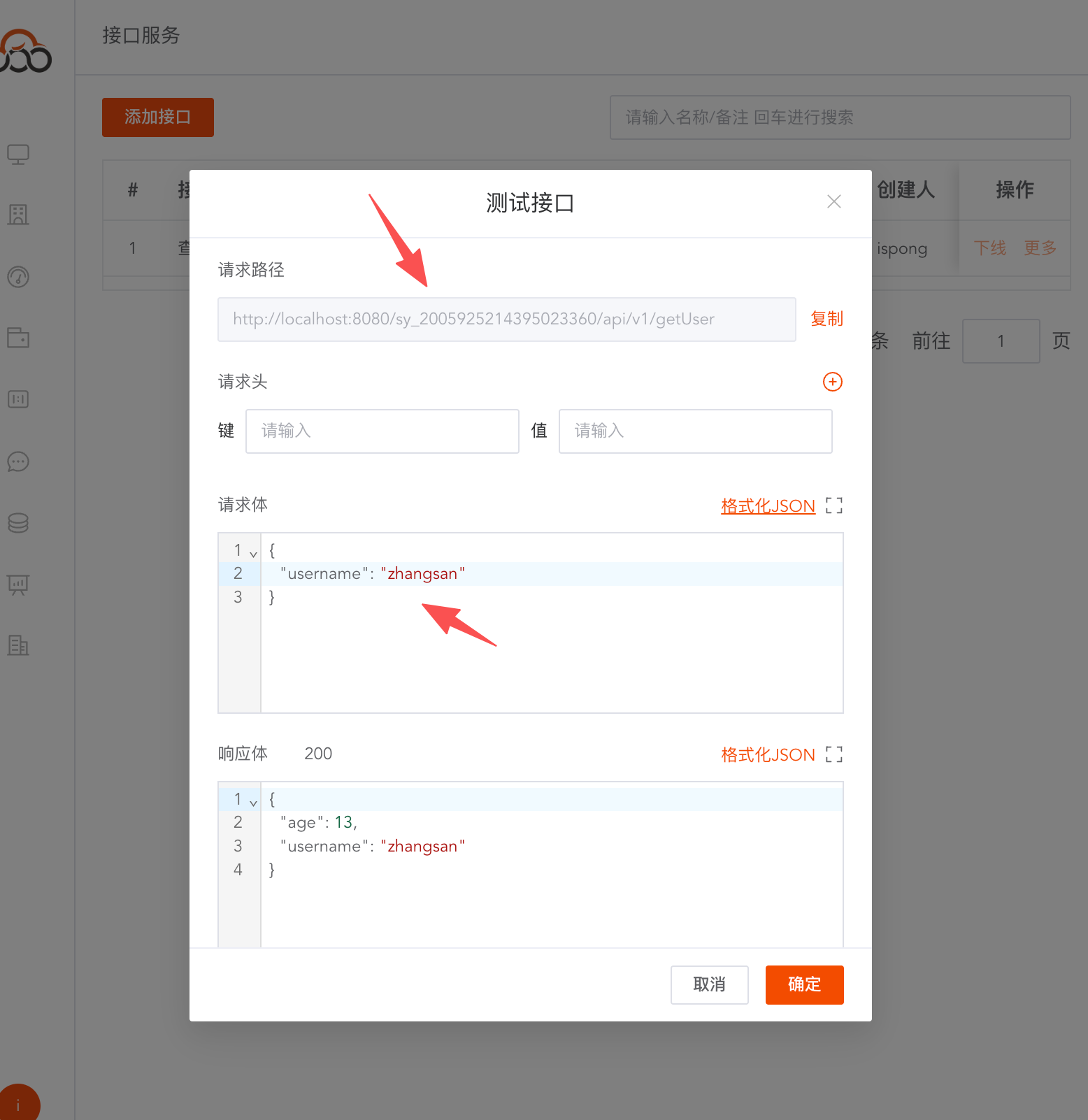
curl 'http://localhost:8080/sy_2005925214395023360/api/v1/getUser' \
  -H 'Accept: application/json, text/plain, */*' \
  -H 'Content-Type: application/json;charset=UTF-8' \
  --data-raw '{"username":"zhangsan"}'