
Read Hive data
This article provides implementation ideas, configuration examples, and verification methods for Hive data reading scenarios, which can be used as a reference for actual project configuration.
Case
Print hive3.1.3 version data
Note
Native flink only supports hive2.3.0 or above.
Replace the hadoop-HDFS-client-3.3.5.Jar package in the lib directory of zhiqingyun-agent with the currently dependent hadoop version For example: if the current user hadoop version is 3.0.0, you need to delete the default 3.3.5 package and download the dependency package of 3.0.0
rm ~/zhiqingyun-agent/lib/hadoop-hdfs-client-3.3.5.jar
cd ~/zhiqingyun-agent/lib/
wget https://zhiqingyun-saas.isxcode.com/tools/open/file/hadoop-hdfs-client-3.0.0.jar
solution
Create a Flink SQL job type and add the following dependencies Download the dependent version corresponding to hive and the dependent version corresponding to hadoop
- flink-connector-hive_2.12-1.18.1.jar download
- hadoop-common-3.0.0.jar download
- hadoop-mapreduce-client-core-3.0.0.jar download
- hive-common-3.1.3.jar download
- hive-exec-3.1.3.jar download
- hive-metastore-3.1.3.jar download
- libfb303-0.9.3.jar download
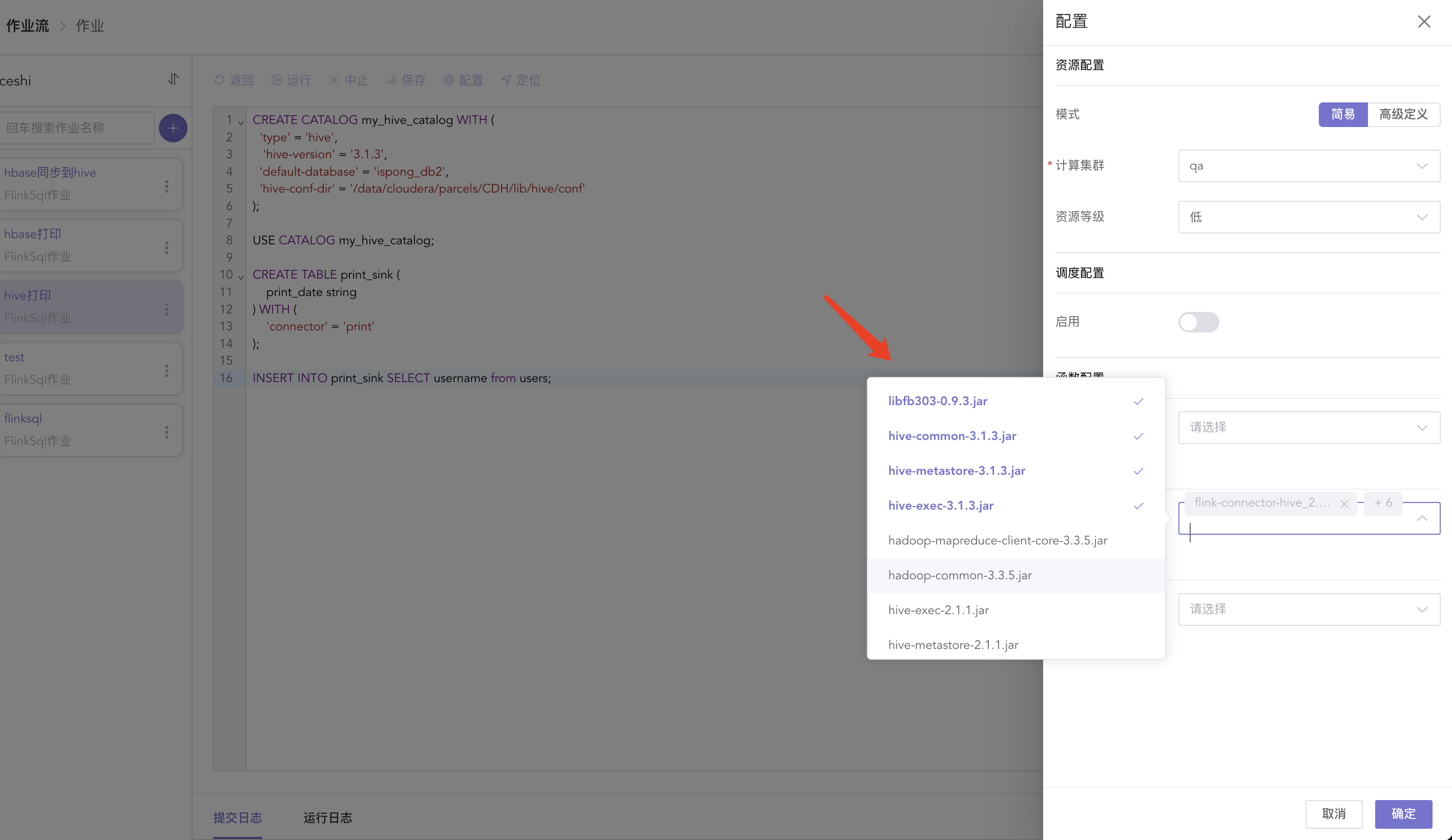
The sample sql is as follows:
CREATE CATALOG my_hive_catalog WITH (
  'type' = 'hive',
  'hive-version' = '3.1.3',
  'default-database' = 'ispong_db2',
  'hive-conf-dir' = '/data/cloudera/parcels/CDH/lib/hive/conf'
);

USE CATALOG my_hive_catalog;

CREATE TABLE print_sink (
    print_date string
) WITH (
    'connector' = 'print'
);

INSERT INTO print_sink SELECT username from users;