
SQL Server offline synchronization
This article provides implementation ideas, configuration examples, and verification methods for SQL Server offline synchronization scenarios, which can be used as a reference for actual project configuration.
Implement offline synchronization of data from the result table to the target table in SQL Server (2017)
Case
Offline synchronization of data in t_source to t_target in SQL Server
solution
Create a Flink SQL job type and add the following dependencies
- [mssql-JDBC-11.2.3.jre8.jar download](https://repo1.maven.org/maven2/com/microsoft/SQL Server/mssql-JDBC/11.2.3.jre8/mssql-JDBC-11.2.3.jre8.jar)
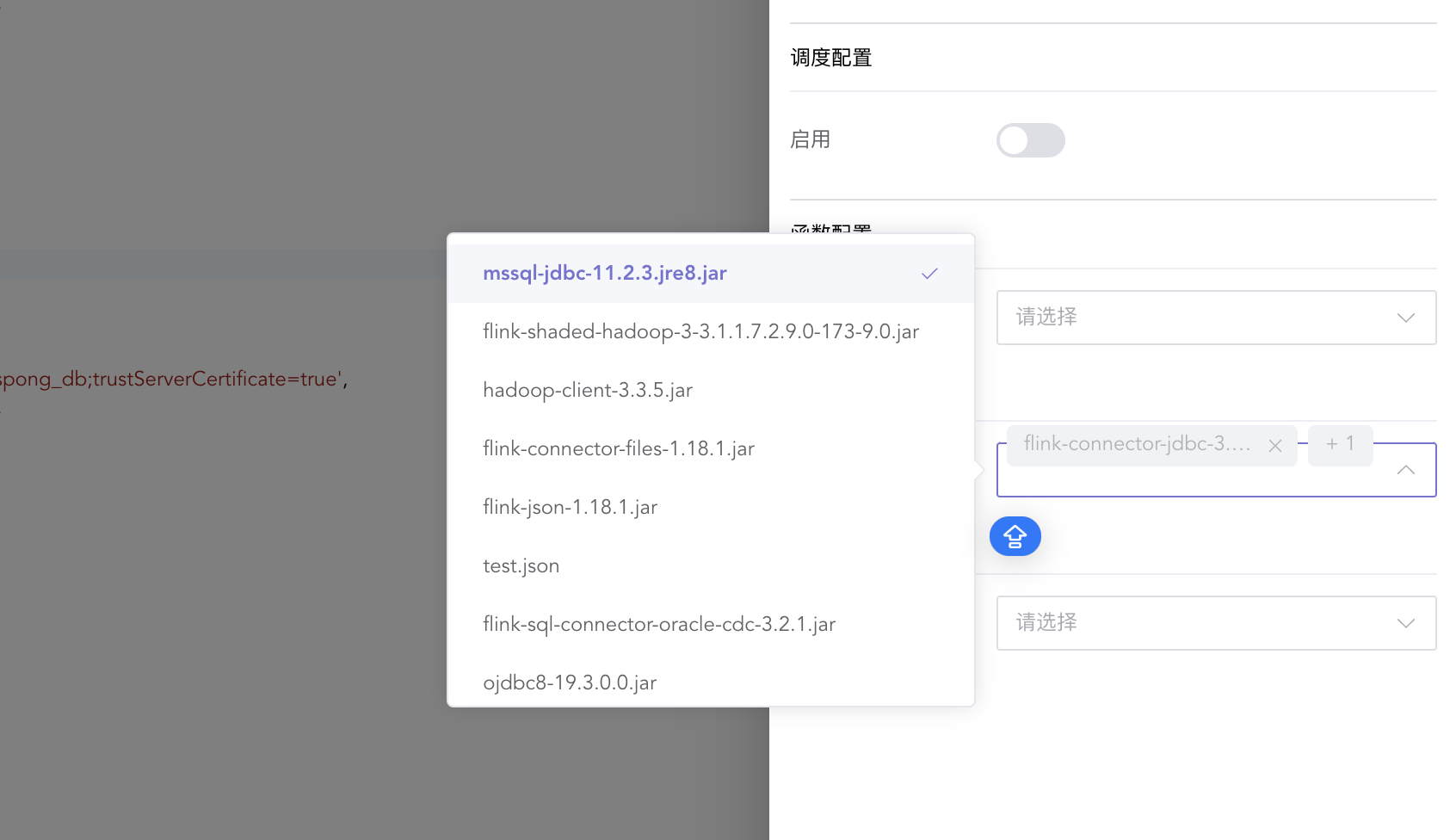
CREATE TABLE from_table
(
    username STRING,
    age      INT
) WITH (
      'connector' = 'jdbc',
      'url' = 'jdbc:sqlserver://127.0.0.1:3030;database=ispong_db',
      'driver' = 'com.microsoft.sqlserver.jdbc.SQLServerDriver',
      'table-name' = 't_source',
      'username' = 'SA',
      'password' = 'ispong123',
      'scan.fetch-size' = '1'
      );

CREATE TABLE target_table
(
    username STRING,
    age      INT
) WITH (
      'connector' = 'jdbc',
      'url' = 'jdbc:sqlserver://127.0.0.1:3030;database=ispong_db',
      'driver' = 'com.microsoft.sqlserver.jdbc.SQLServerDriver',
      'table-name' = 't_sink',
      'username' = 'SA',
      'password' = 'ispong123',
      'sink.buffer-flush.max-rows' = '1');

INSERT INTO target_table
select *
from from_table;
| Configuration items | Description |
|---|---|
| connector | Connection method |
| url | Database connection url |
| driver | Data source driven |
| table-name | table name |
| username | Data source account |
| password | Account password |
| scan.fetch-size | How much data does each operation |
| sink.buffer-flush.max-rows | How many pieces of data are merged into one transaction? |