
license
This article introduces the usage scenarios, operation procedures, and key configurations of the license function to help users complete daily management and business operations.
Check license
The license is an important certificate for the normal operation of the Zhiqingyun platform and controls the use rights of the platform functions.
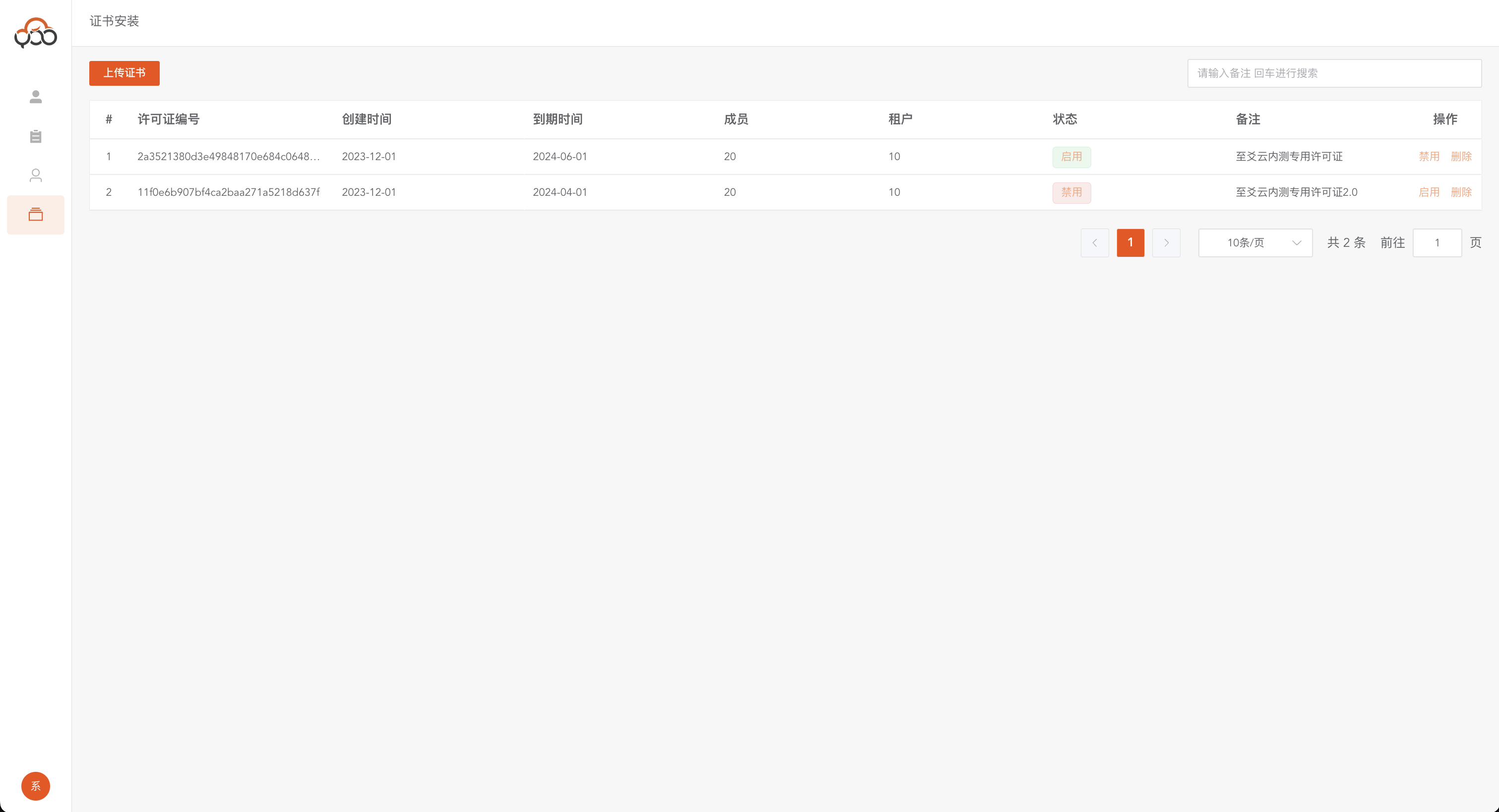
- Use the backend administrator account to log in to the Zhiqingyun platform
- Click the Certificate Installation menu in the left navigation bar
- View details of all licenses within the platform
License download
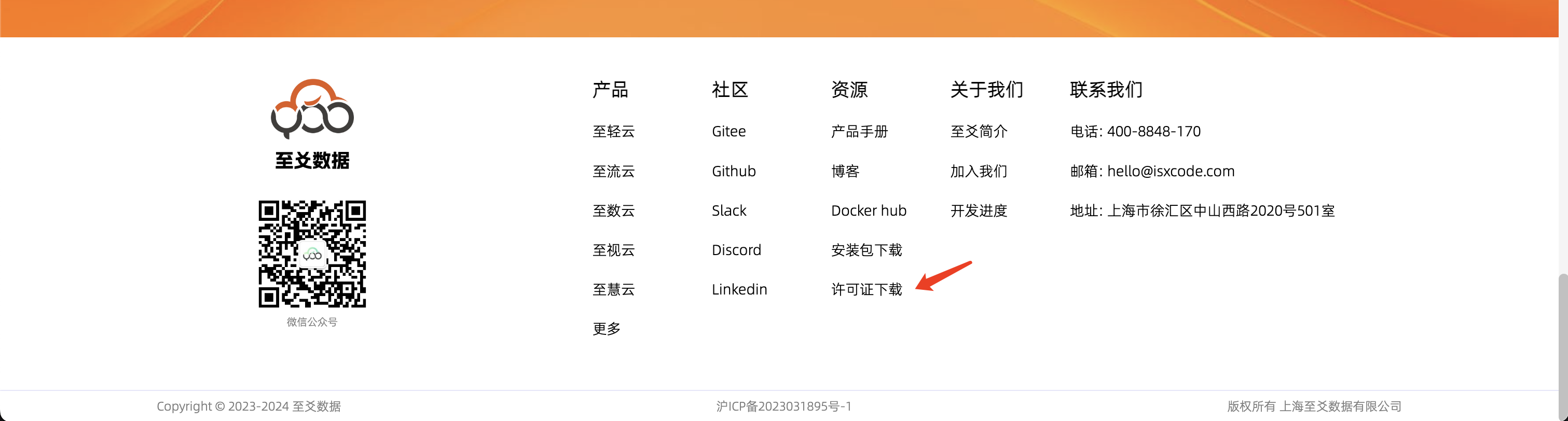
Zhiqingyun provides a free trial license with the following features: ✅ Can use all functions of the platform ✅ Automatic renewal every two months ✅ Re-download and upload to renew
Method 1: Official website download
- Visit the official website: https://zhiqingyun.isxcode.com/
- Find the license download link at the bottom of the page
Method 2: Direct download
add license
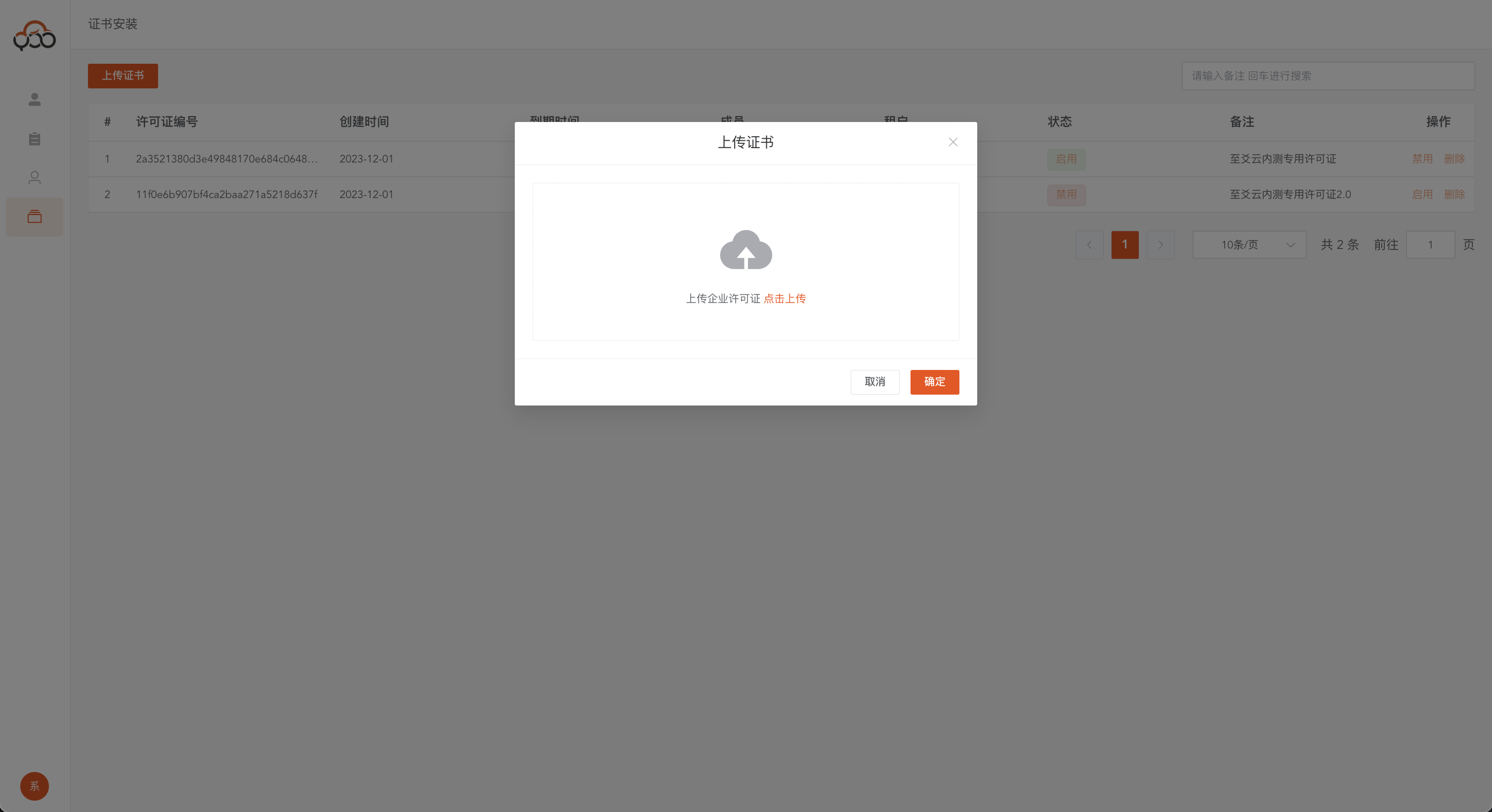
- On the certificate installation page, click the Upload Certificate button
- Drag the downloaded license file to the upload area
- After confirming that the file information is correct, click the OK button to complete the installation.
Note on usage
📌 Only one license can be enabled on the platform at the same time 📌 The new license will automatically replace the old license after installation 📌 It is recommended to renew the license in advance before it expires
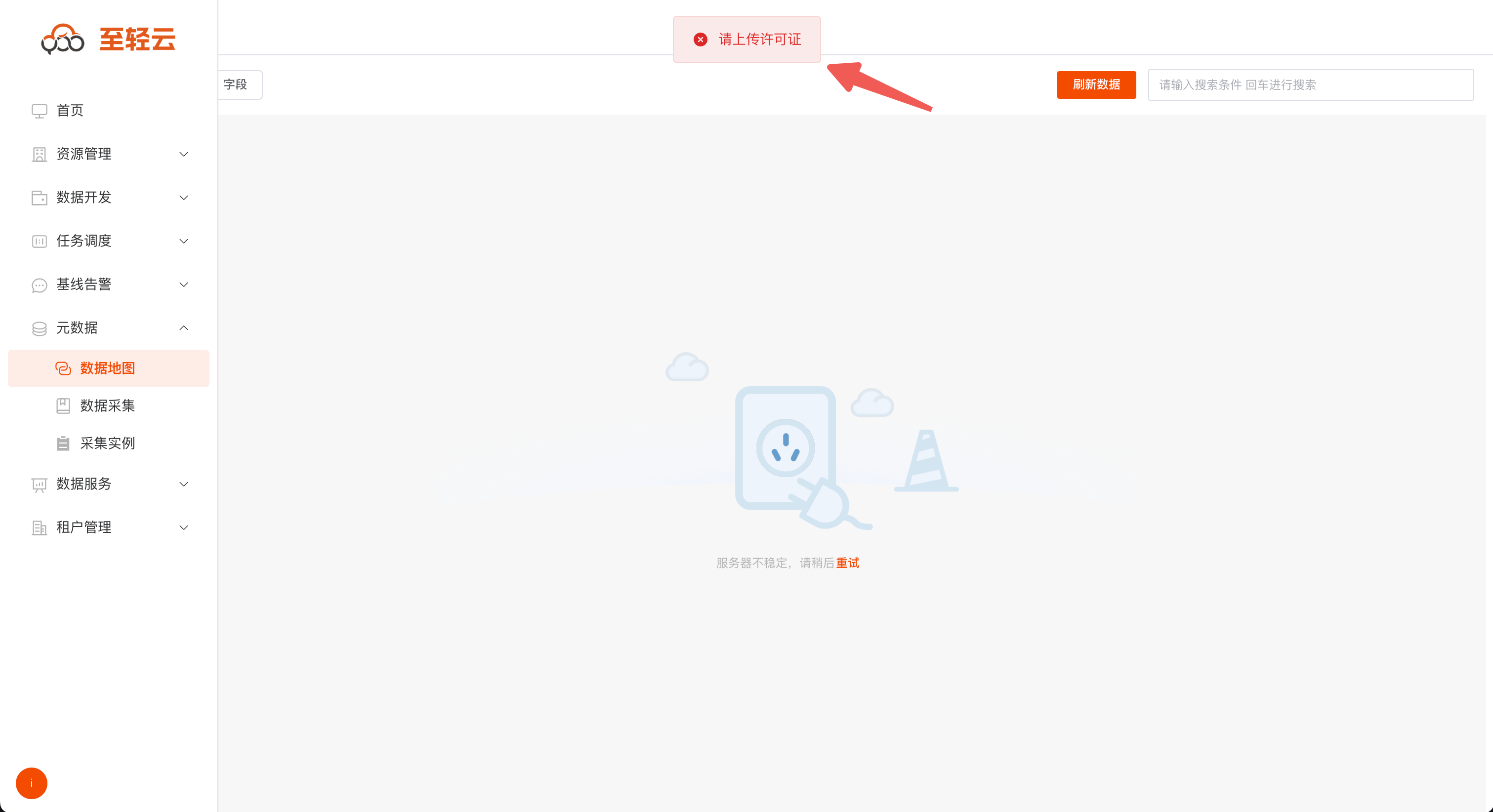
Functional limitations
When the license expires or is not installed, the following commercial features will not be available:
| Function module | Restrictions |
|---|---|
| Job posting | Unable to publish job flow for scheduling |
| metadata | Unable to use metadata map feature |
| Big data screen | Unable to create and view data screens |
| Interface service | Unable to publish data API service |
| data planning | Unable to manage data hierarchically |
| share form | Unable to create data collection form |