
Password-free login module
This article explains the usage scenarios, operation procedures, and configuration items of the password-free login function to help users standardize platform operations.
Currently, two types of SSO password-free single sign-on are supported, including Github and Keycloak.
Github documentation: https://docs.github.com/en/apps/oauth-apps/building-oauth-apps/authorizing-oauth-apps Keycloak documentation: https://www.keycloak.org/documentation
Add single point configuration
Log in to the system using the background administrator
adminUpload the license and click thePassword-free loginmenu
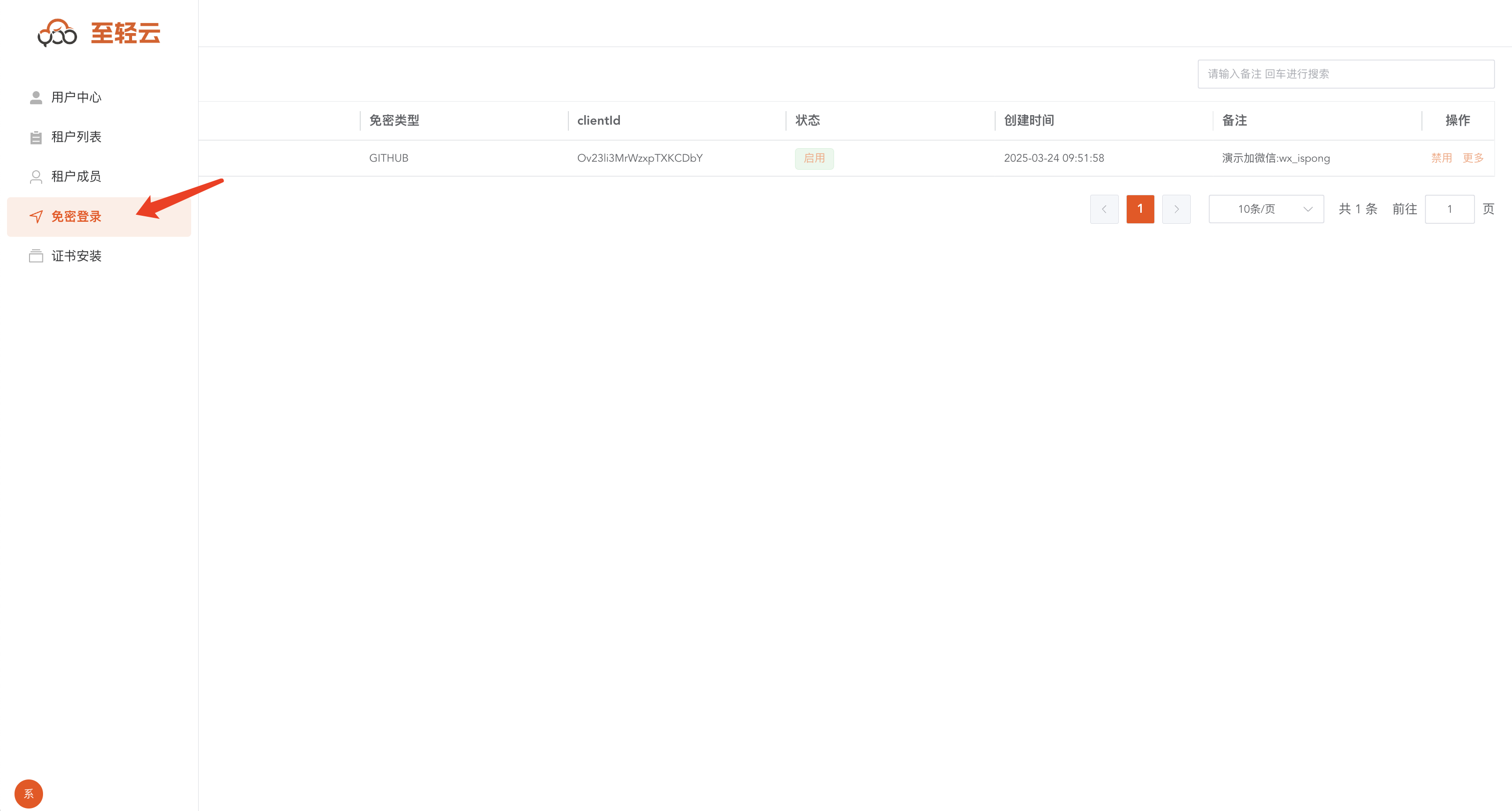
Click the
Add Configurationbutton
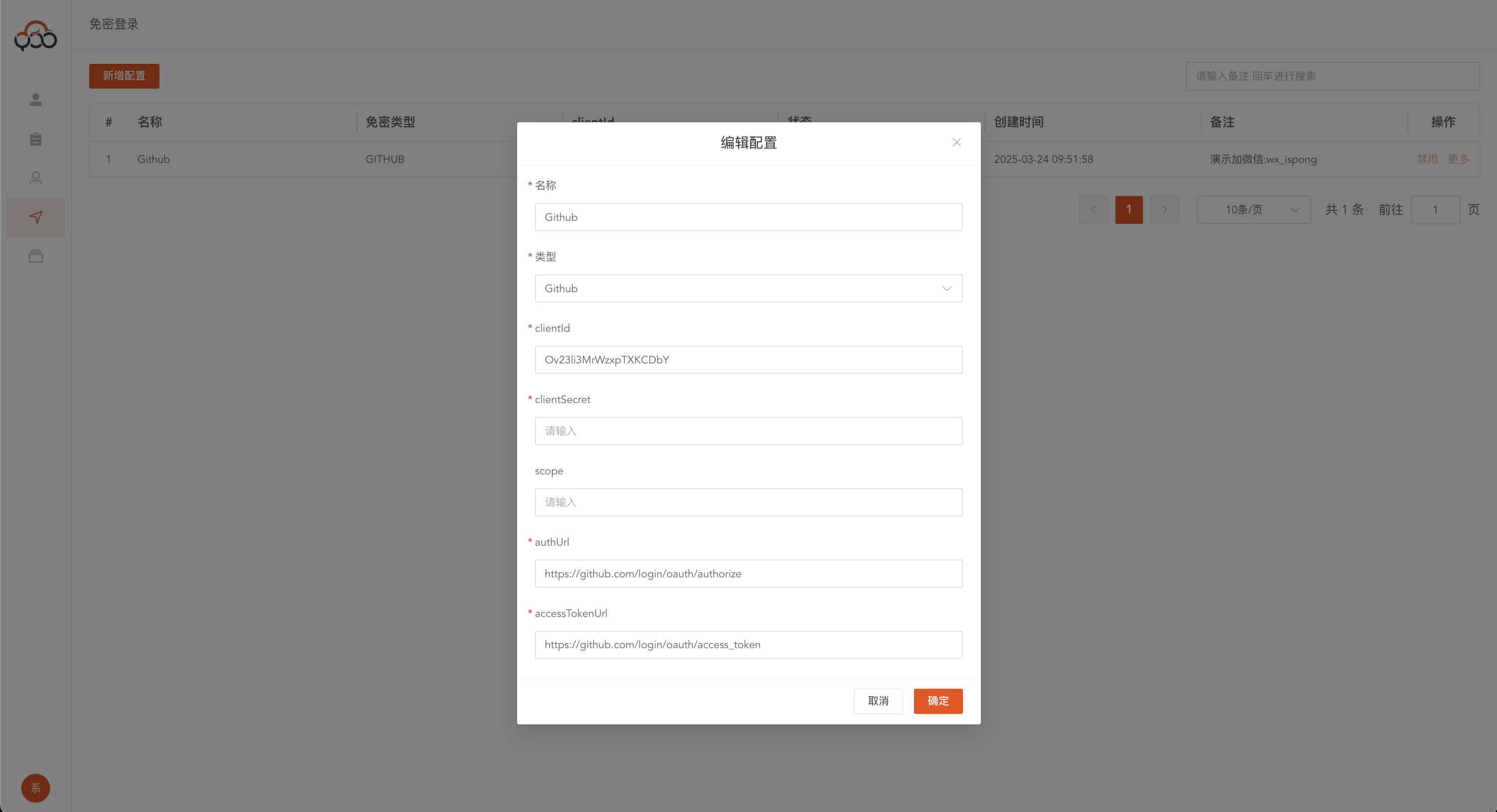
- Name: required, single-click name, a button to display this name on the login page
- Type: required, single point type
- clientId: required, single-point clientId, obtained from the corresponding authentication platform
- clientSecret: required, single-point clientSecret, obtained from the corresponding authentication platform
- scope: Optional, single-point parameter, it is recommended to fill in according to the corresponding platform. If it is Keycloak type, it is recommended to fill in
openid - authUrl: required, fill in the authorization_endpoint address, the authentication address of the authentication platform, and the address to obtain the code
- accessTokenUrl: required, fill in the token_endpoint address, and obtain the token address through code
- redirectUrl: required, fill in http://xxx/ssoauth?clientId=${clientId} Note: Be sure to add the value corresponding to clientId at the end, and the callback address configured on the authentication platform must be consistent with this address. For example: https://zhiqingyun-saas.isxcode.com/ssoauth?clientId=Ov23li3MrWzxpTXKCDbY
- userUrl: required, fill in the userinfo_endpoint address, and obtain the user information address through token
- authJSONPath: required, parses to obtain user JSON information through
userUrl request, and authenticates by matching withZhiqingyun accountFor example: If you want to authenticate users throughphonemobile phone number, fill in$.phone
{
  "username": "ispong",
  "phone": "13131341223"
}
- Remarks: Optional
Copy jump links with one click
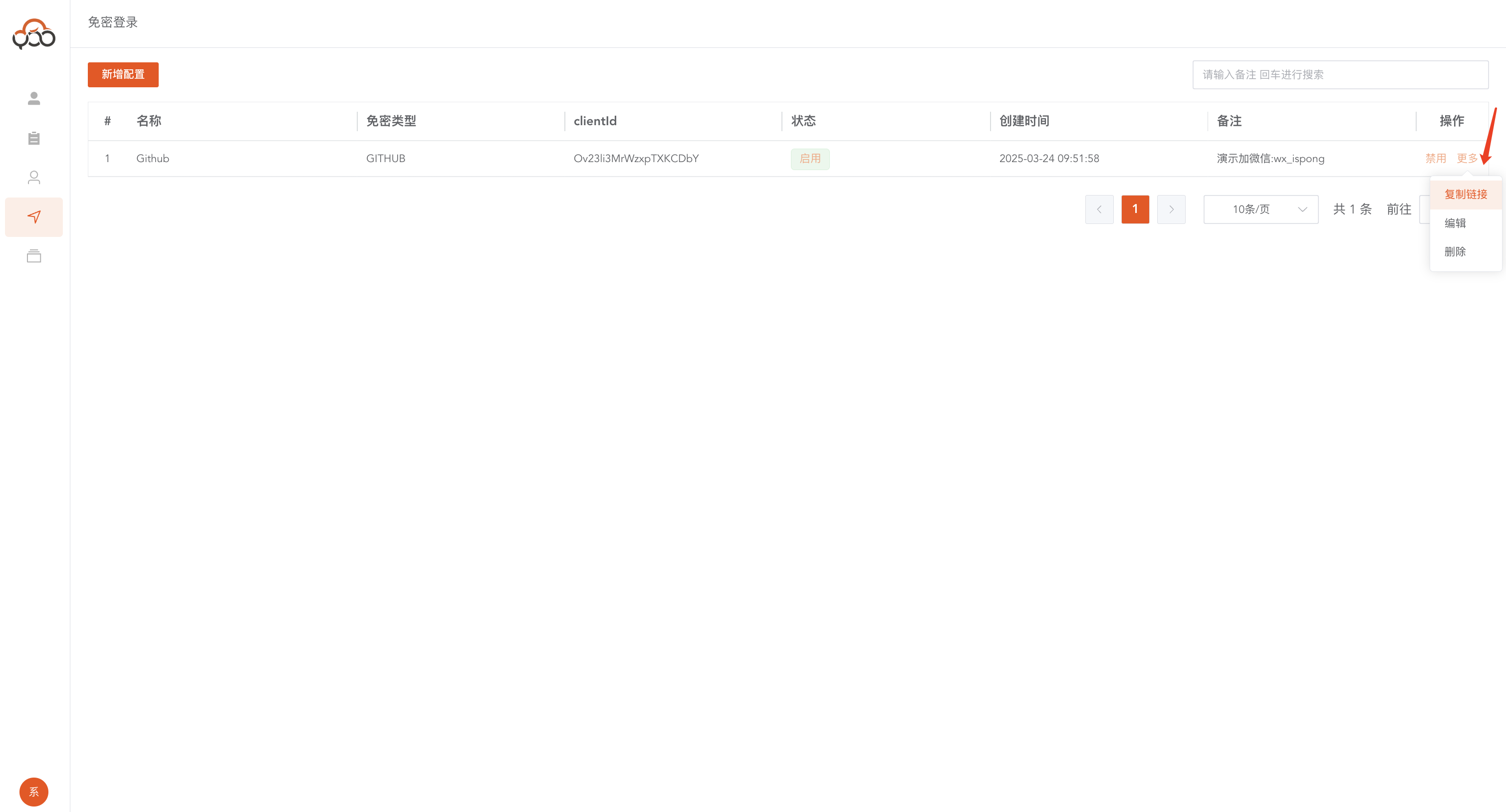
Copy the content as follows: https://github.com/login/oauth/authorize?client_id=Ov23li3MrWzxpTXKCDbY&redirect_uri=https://zhiqingyun-saas.isxcode.com/ssoauth?clientId=Ov23li3MrWzxpTXKCDbY Through the copied content, you can jump directly to log in without a password.
Password-free login
Click the
Password-free loginbutton on theLogin pageto jump to theSingle sign-in page, which supports multiple single sign-in methods.

Github configuration reference
authUrl:https://github.com/login/oauth/authorize
accessTokenUrl:https://github.com/login/oauth/access_token
userUrl:https://api.github.com/user
redirectUrl:http://xxx/ssoauth?clientId=${clientId}
authJSONPath:$.login
Keycloak configuration reference
Get the corresponding address through the platform
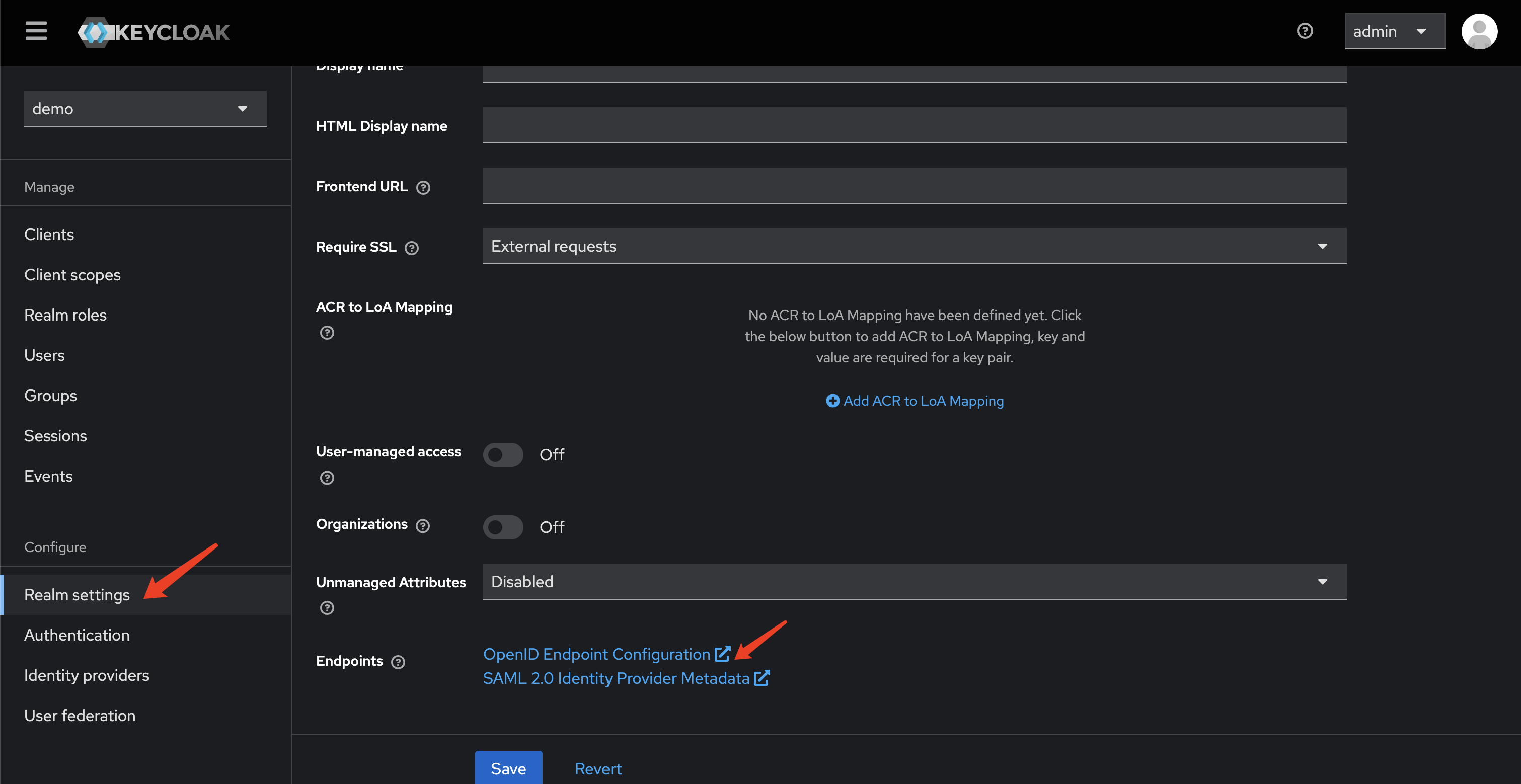
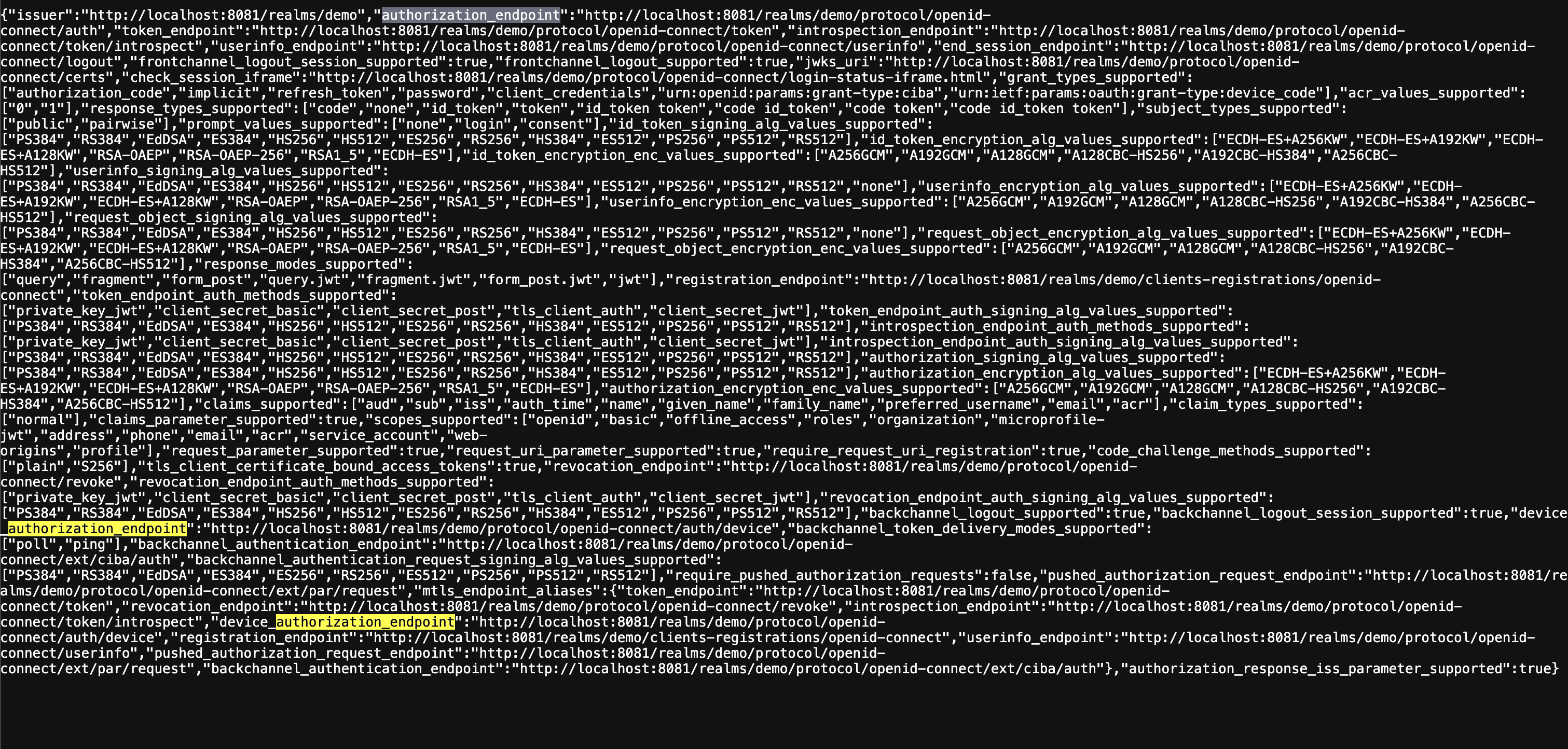
authUrl: search element authorization_endpoint
accessTokenUrl: search element token_endpoint
userUrl: search element userinfo_endpoint
scope:openid
redirectUrl:http://xxx/ssoauth?clientId=${clientId}
authJSONPath:$.preferred_username