Data card module
This article explains the usage scenarios, operation processes and configuration items of the data card function to help users standardize platform operations.
Build visual charts through SQL and provide them to the data screen to build enterprise large-screen displays
view card
Support name and remark search
Create new card
Click the
Add Cardbutton
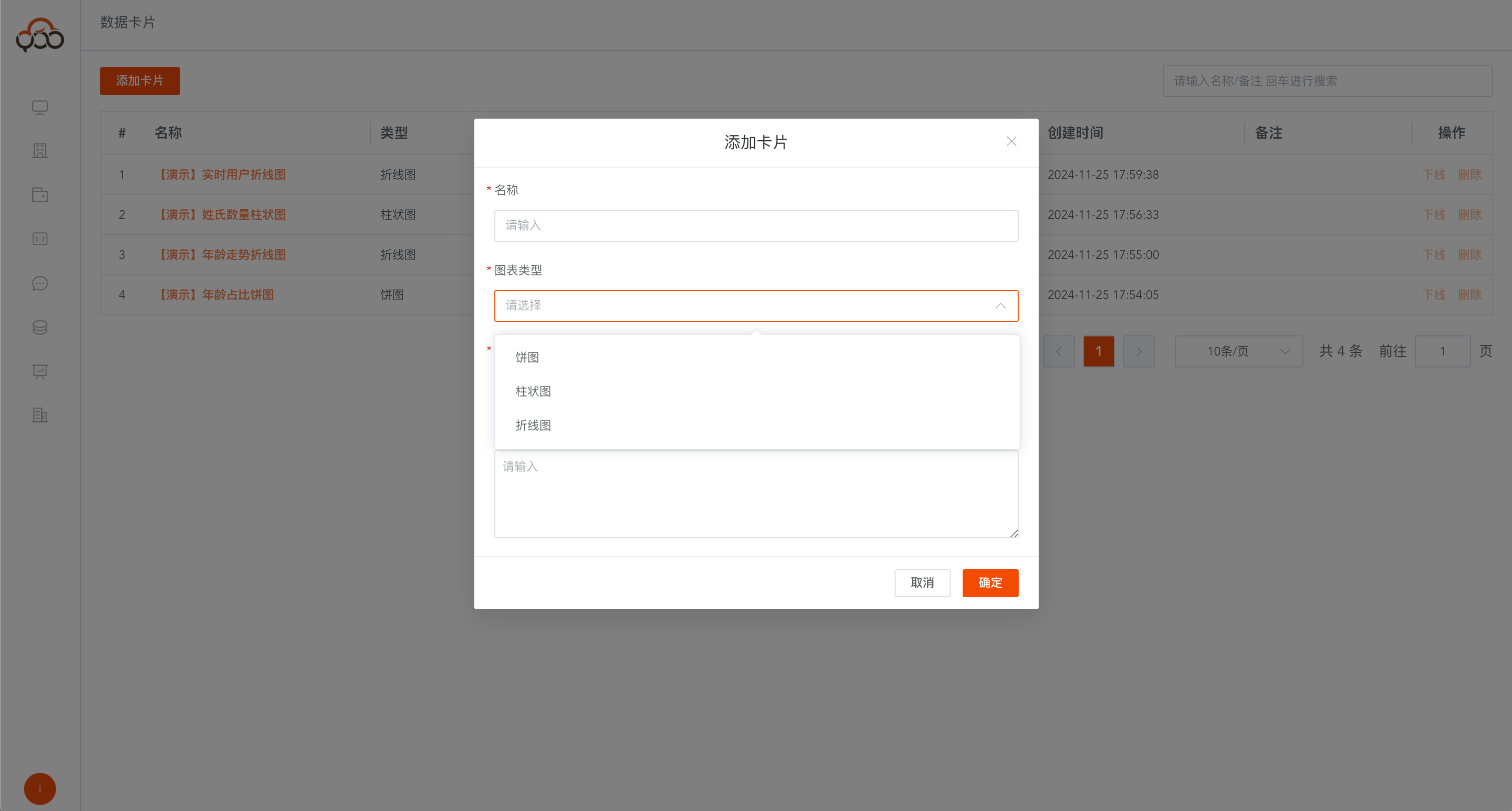
- Name: card name
- Chart type: Currently supports three basic types
pie chart,bar chartandline chart, which can be customized and developed - Data source: Specify the data source for executing sql
- Remarks: Optional
Edit card
Obtain data by writing aggregation sql Example: select x,y from (table data)
Refresh Databutton saves chart data to the card preview
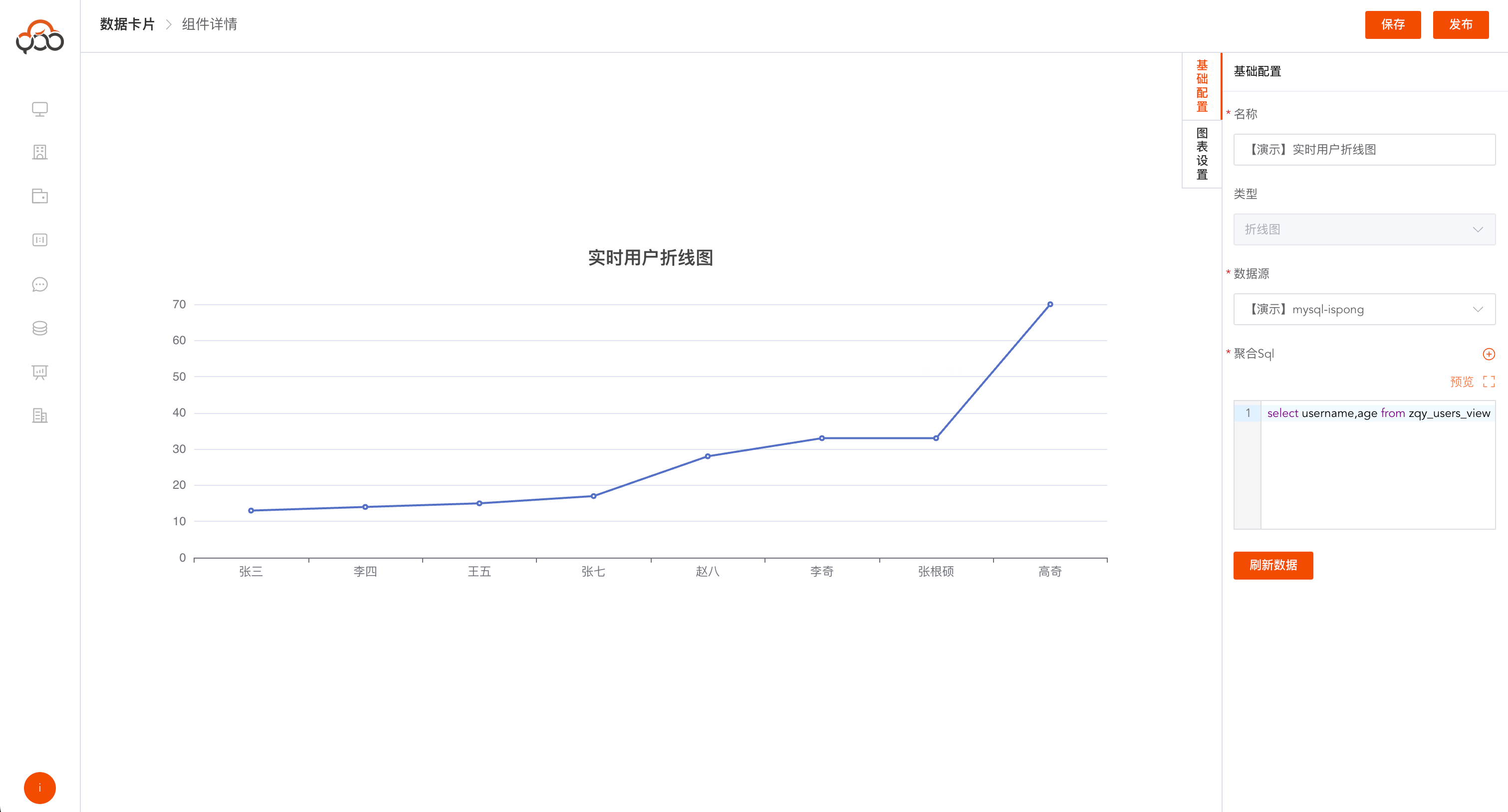
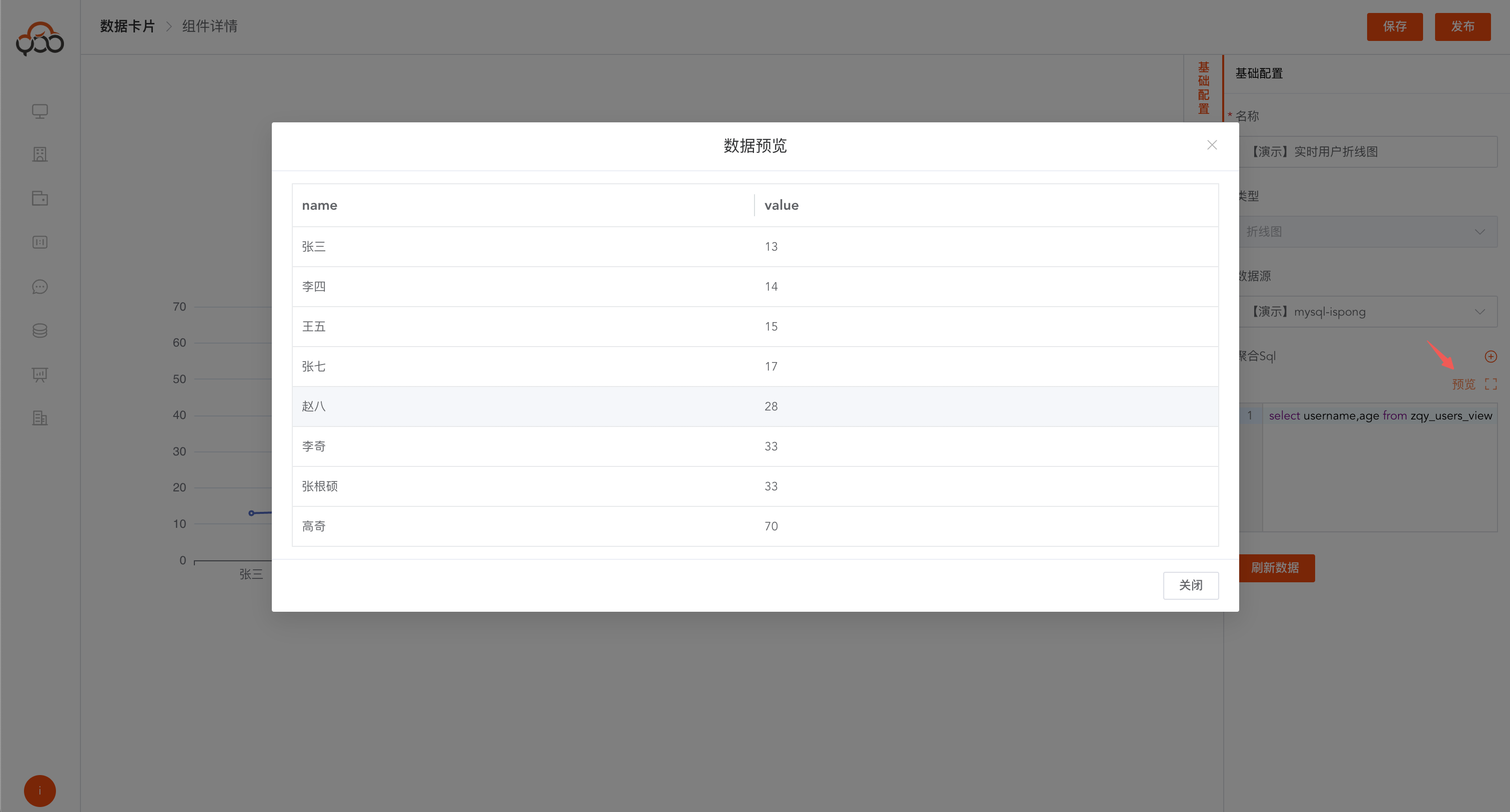
Preview data
Preview the data corresponding to sql by clicking the
Previewbutton
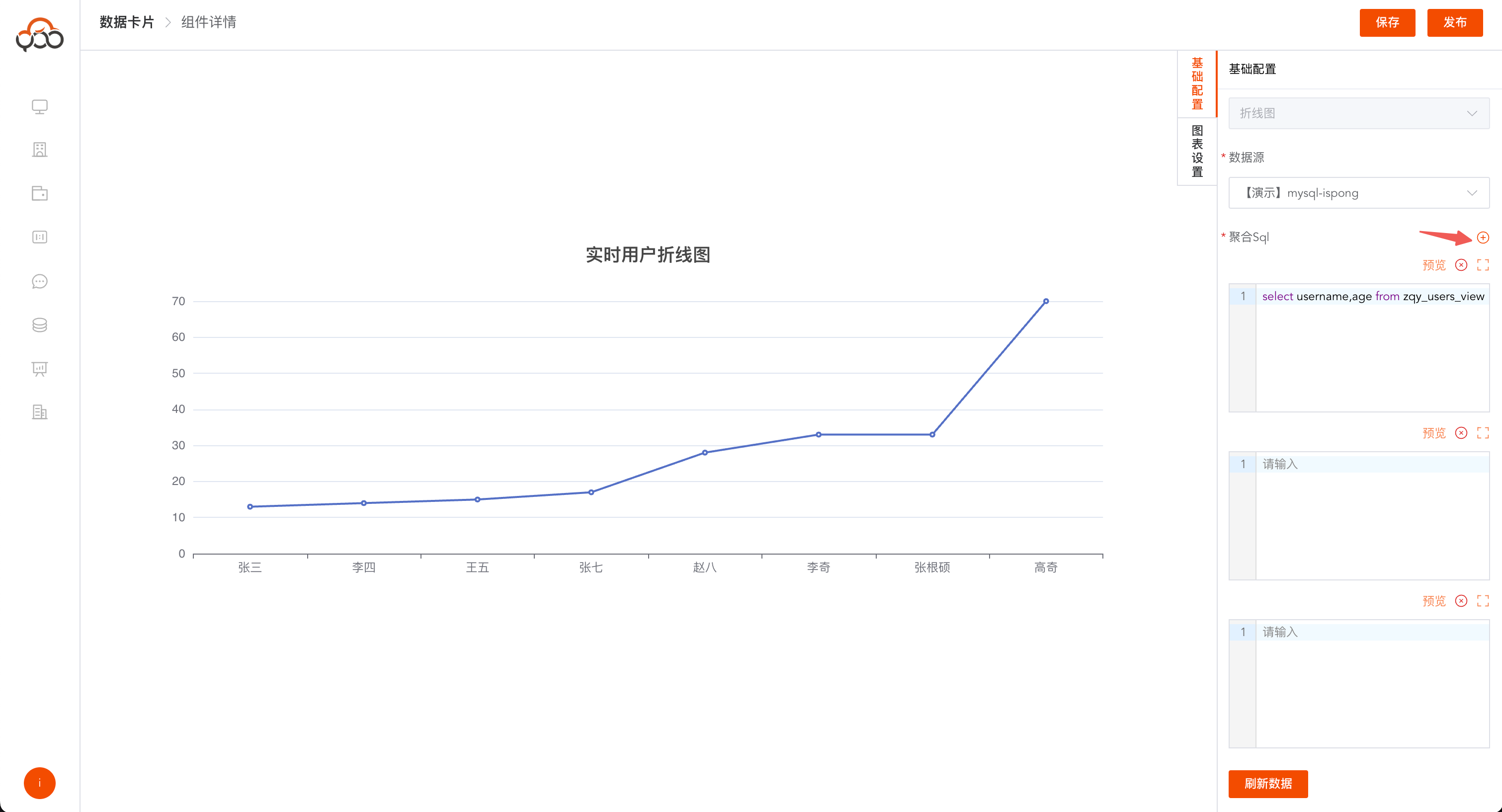
multi-aggregation sql
Click on the
plus signSupport multiple SQL query merge results
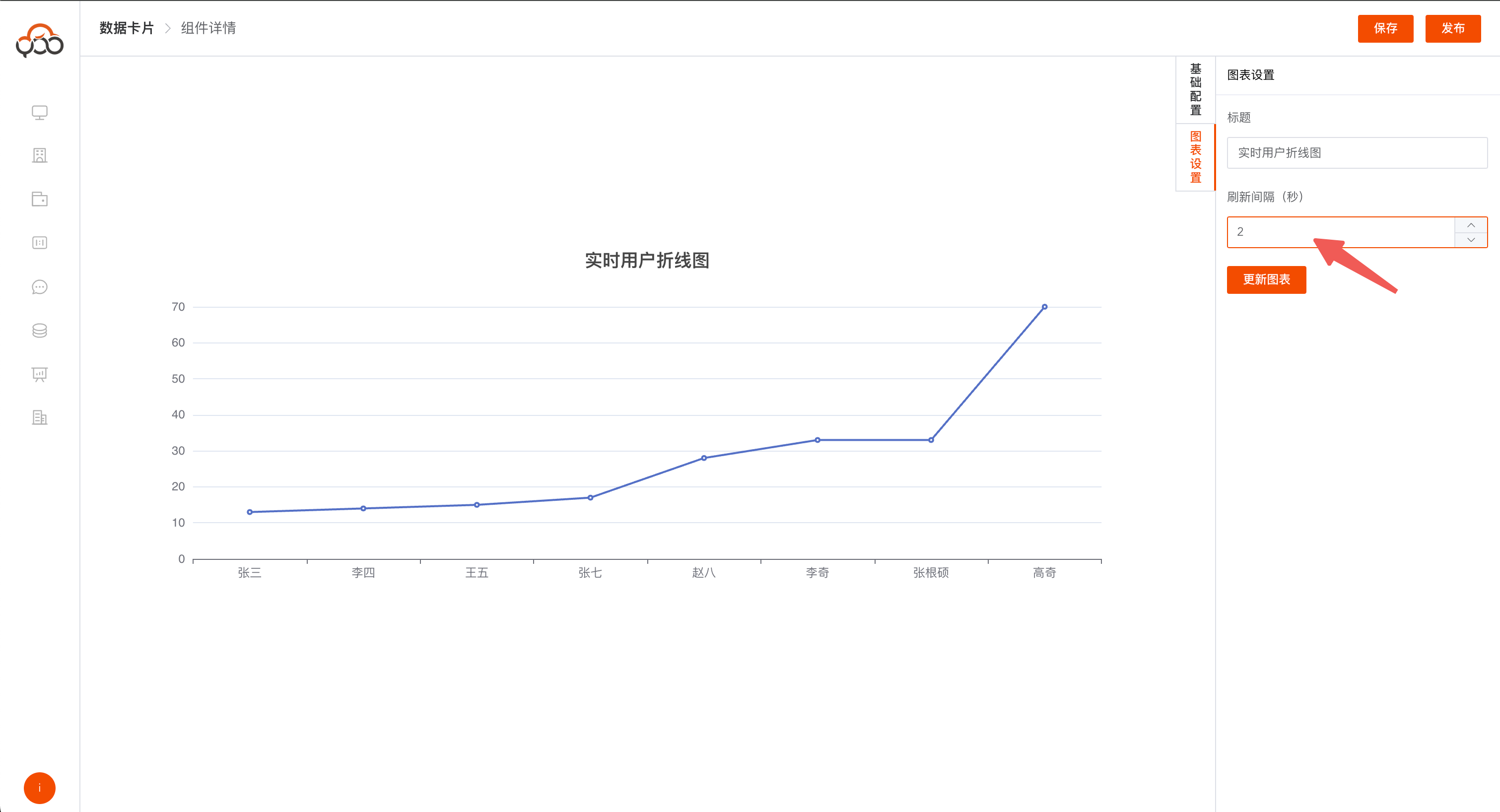
Data refresh
Click on
Chart SettingsEditable card title and refresh interval
- Card title: the title displayed on the large screen
- Refresh interval: The interval between card data refresh in the large screen, the default is 60s
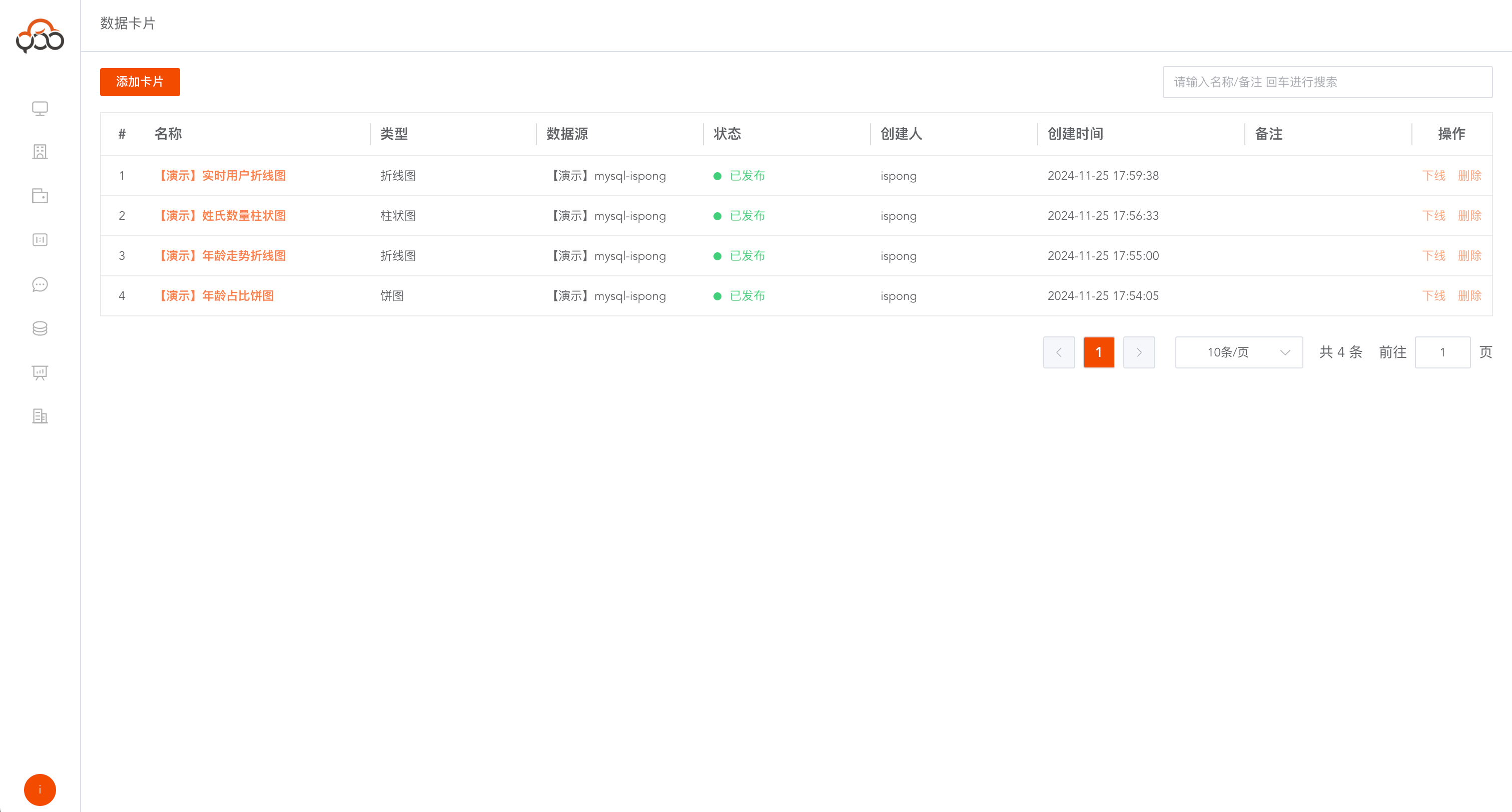
post card
Only cards that are being published can be used in the data screen