Baseline alarm
This article introduces the usage scenarios, operation procedures, and key configurations of the baseline alarm function to help users complete daily management and business operations.
Baseline alarm
Used in job flow scheduling to specify events and send messages to specified people. Sending method: Ali SMS, email Events include: before the job/job flow runs, after the job/job flow runs, the job/job flow runs successfully, and the job/job flow fails.
View message body
Baseline Alarm > Message Body Support Alibaba SMS and email message body
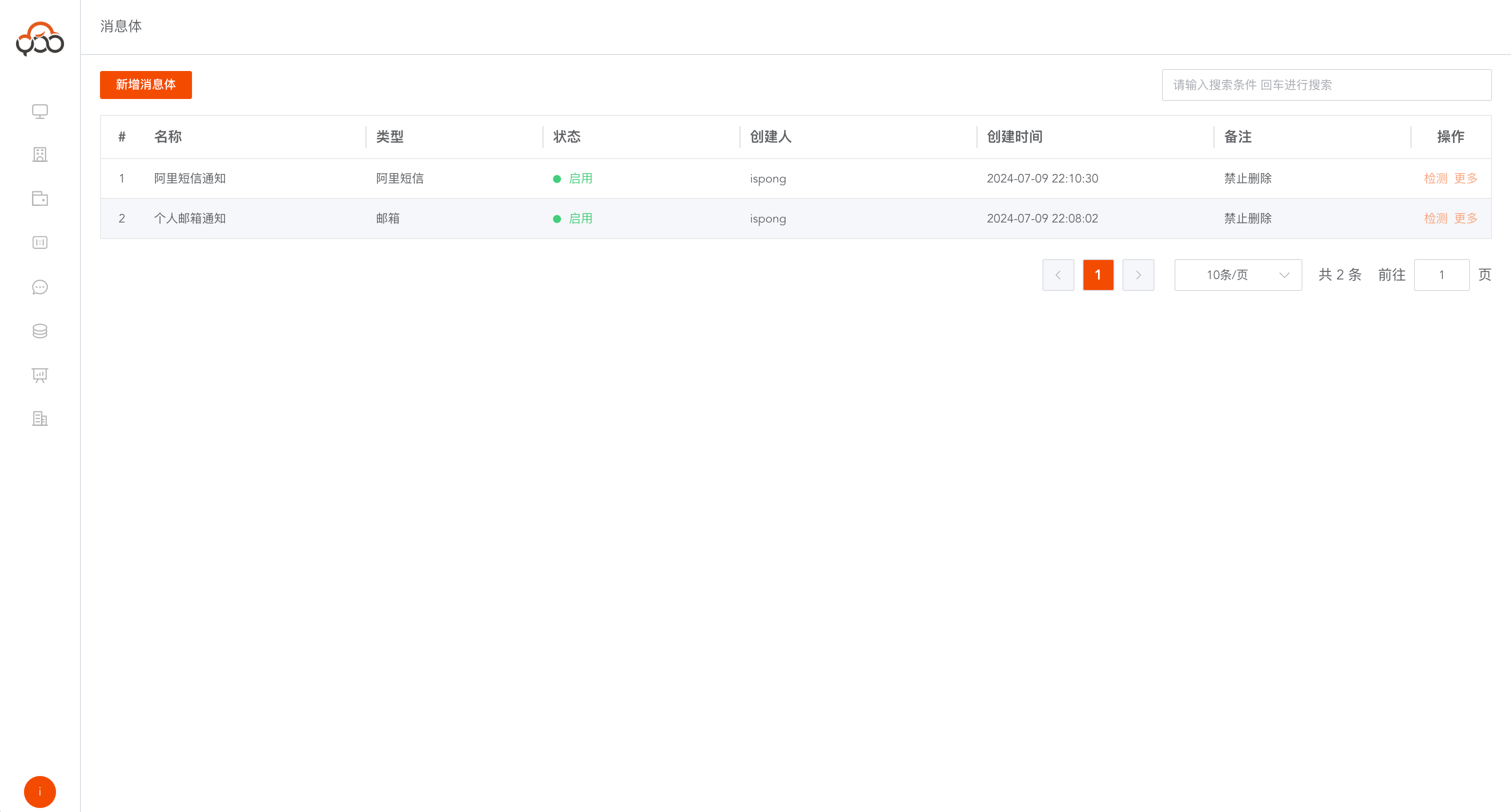
Create a new Ali SMS message body
Select the type of
Alibaba SMS
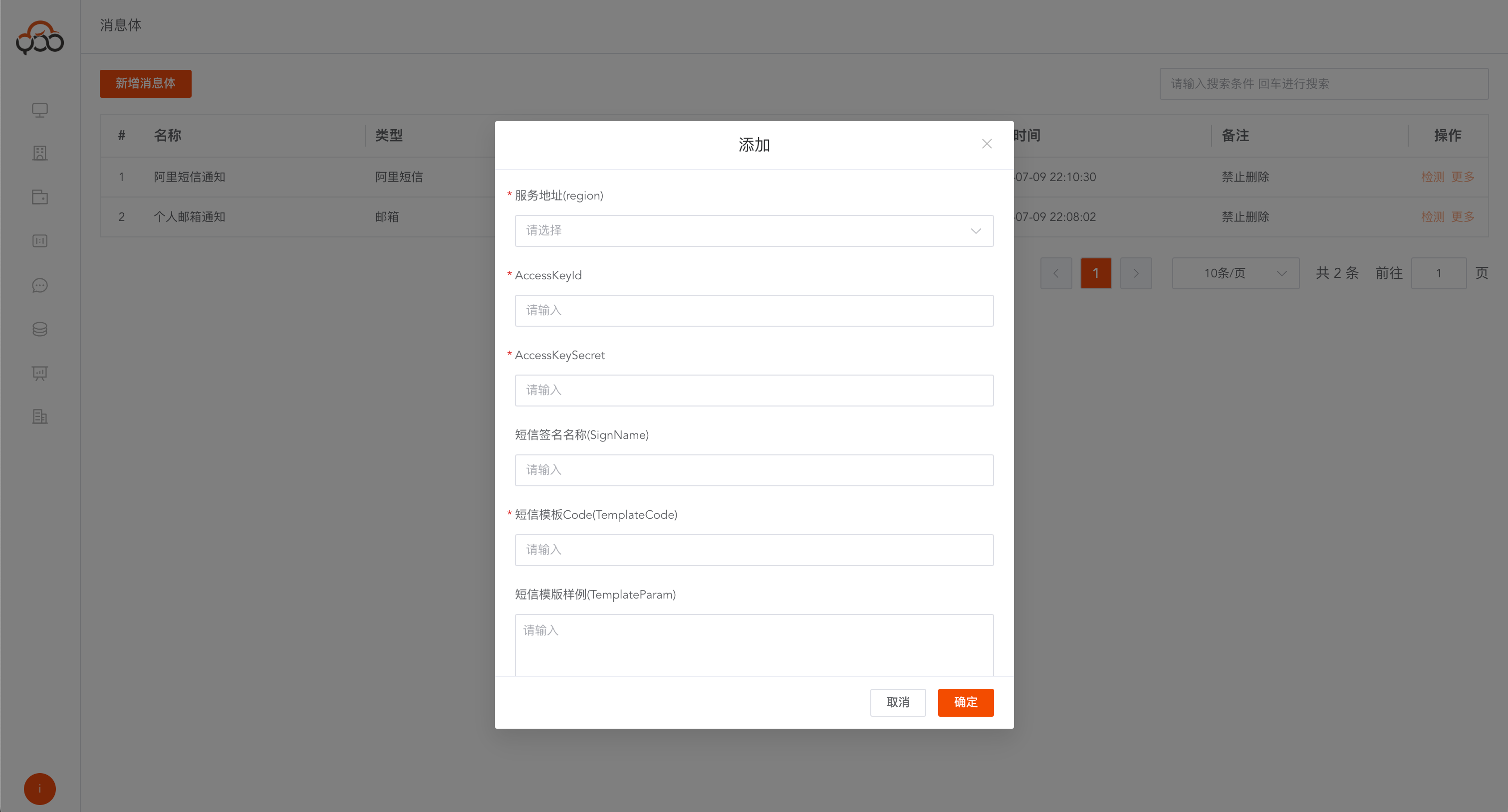
Alibaba SMS configuration reference document:
https://next.api.aliyun.com/api/Dysmsapi/2017-05-25/SendSms?RegionId=cn-hangzhou-finance
- Service address (region): required, select the server address where the SMS service is located
- AccessKeyId: required, Alibaba Cloud account AccessKeyId
- AccessKeySecret: required, Alibaba Cloud account AccessKeySecret
- SMS signature name (SignName): required, SMS signature
- SMS Template Code (TemplateCode): Required, the template code of Alibaba Cloud SMS
- SMS Template Sample (TemplateParam): Required, request parameter of Alibaba Cloud template SMS
- Remarks: Optional
The request parameters of Alibaba Cloud template SMS have different JSON request bodies according to different templates.
{
  "code": "123456"
}
Create a new email message body
Select
Mailboxtype
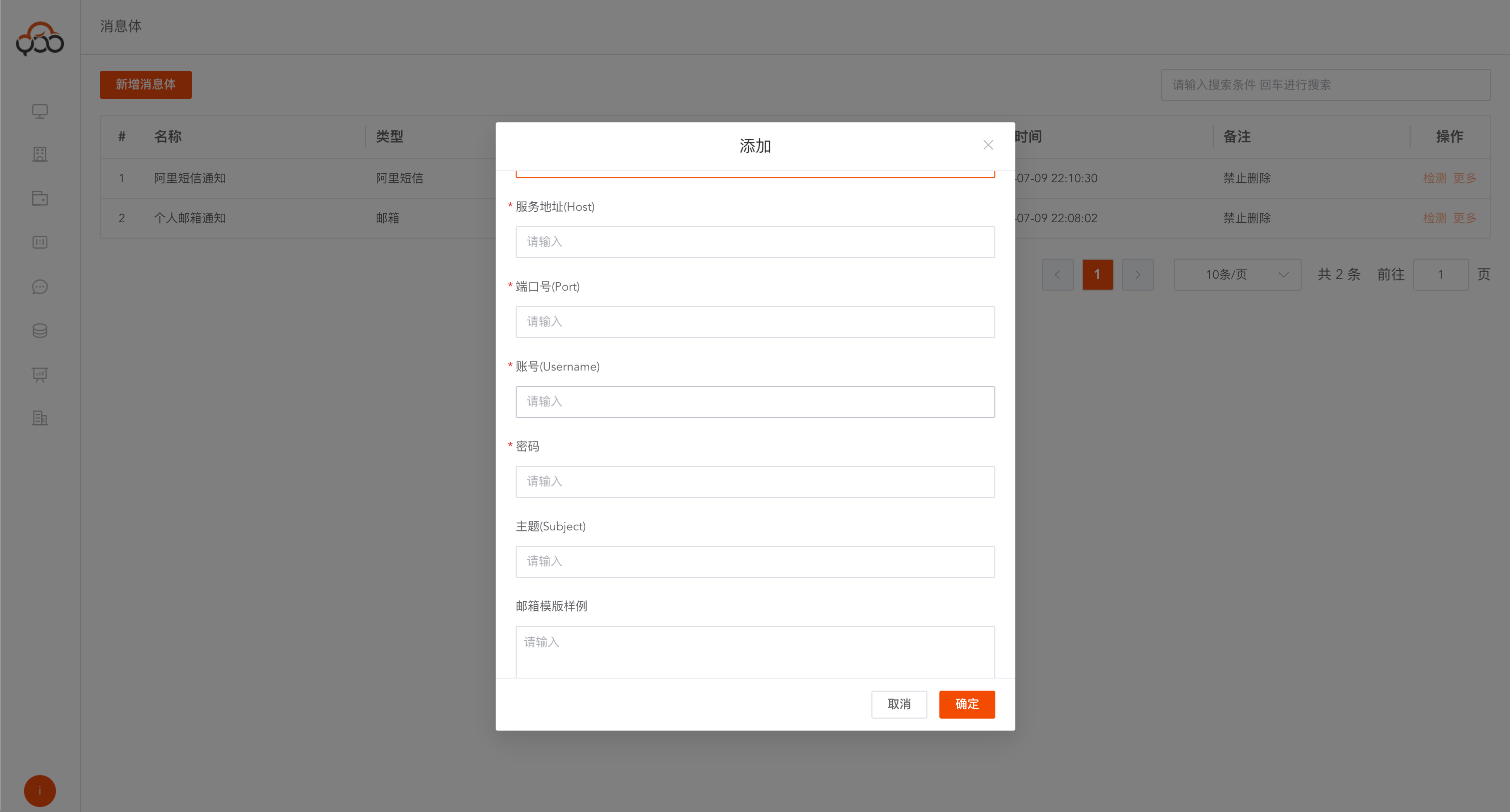
- Service Address (Host): Required, the host address of the email server
- Port: required, the port number of the mailbox service, the default for qq mailbox is
587 - Account (Username): Required, email server account
- Password: Required, email server account password
- Subject: required, the subject of the email
- Email template sample: required, email content template
- Remarks: Optional
Detect message body
Click the
Detectbutton Check whether the message body can send SMS normally Need to specify the sending object and notification content
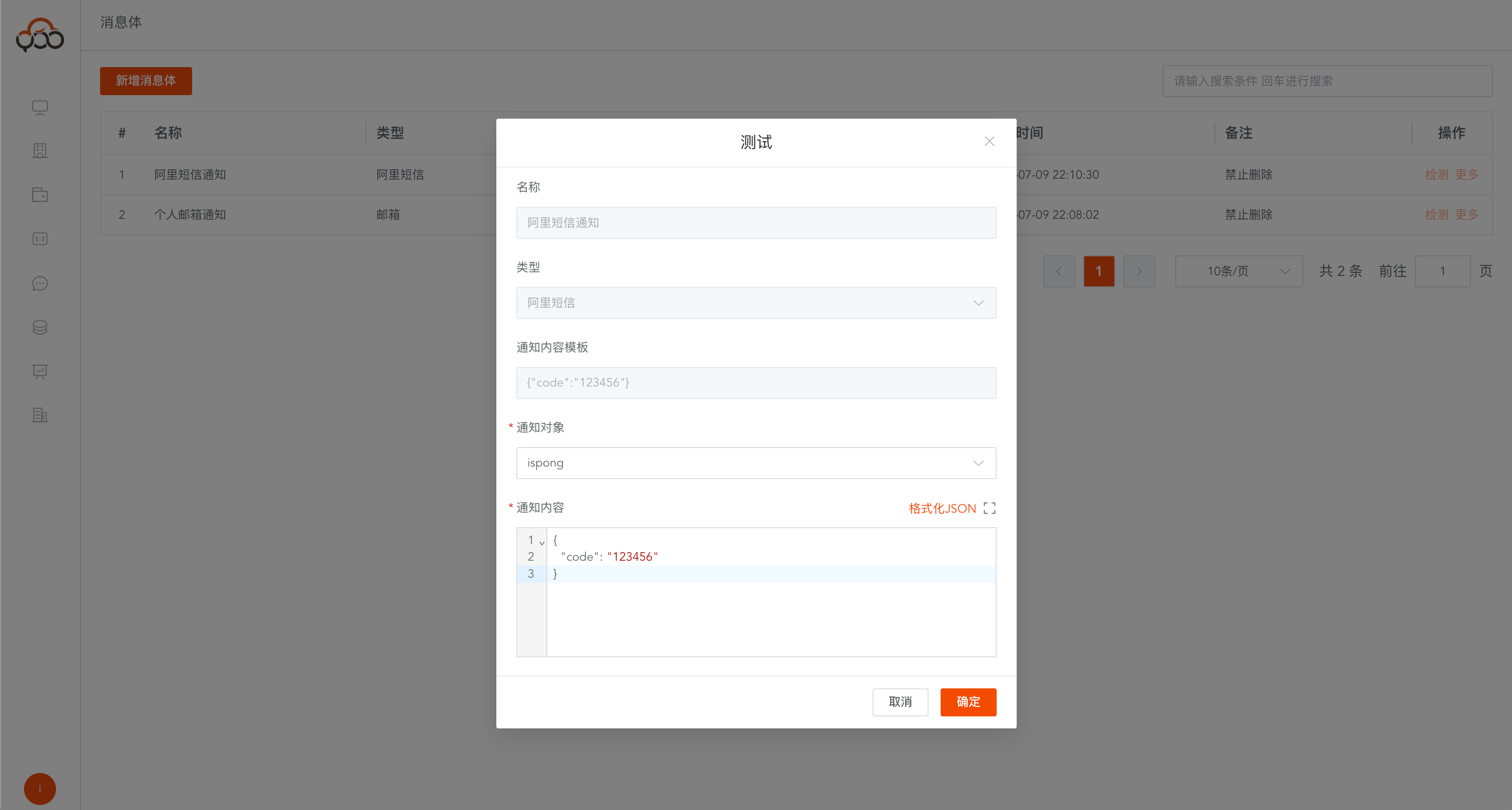
If the notification is sent normally, it will change to
detection successfulstatus.
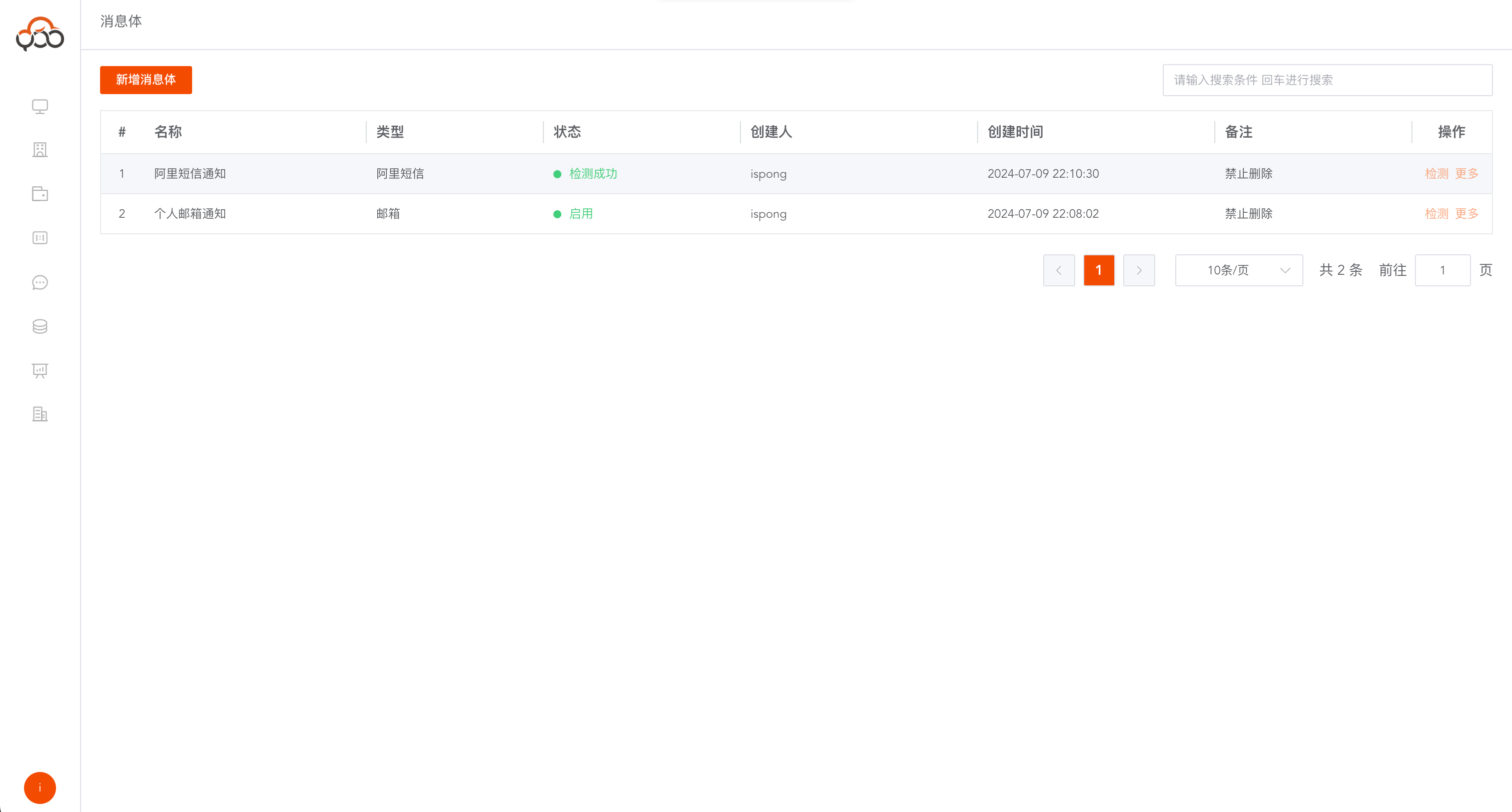
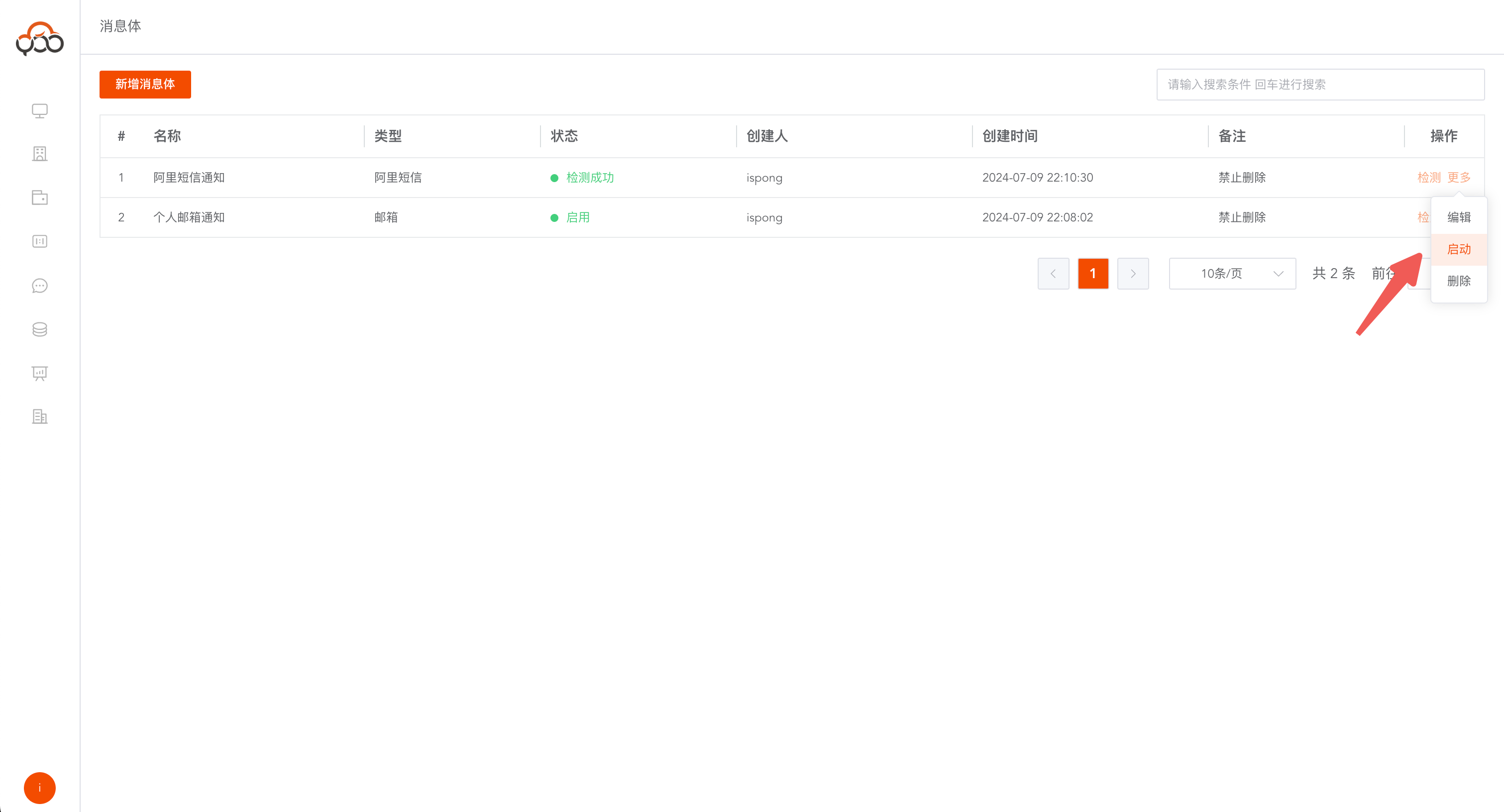
Start message body
The message body in the
Detection Successfulstate cannot be used normally, and the message body needs to be started.
Baseline configuration
Baseline Alarm > Baseline Configuration Specify the event, specify the sending object, and specify the sending content
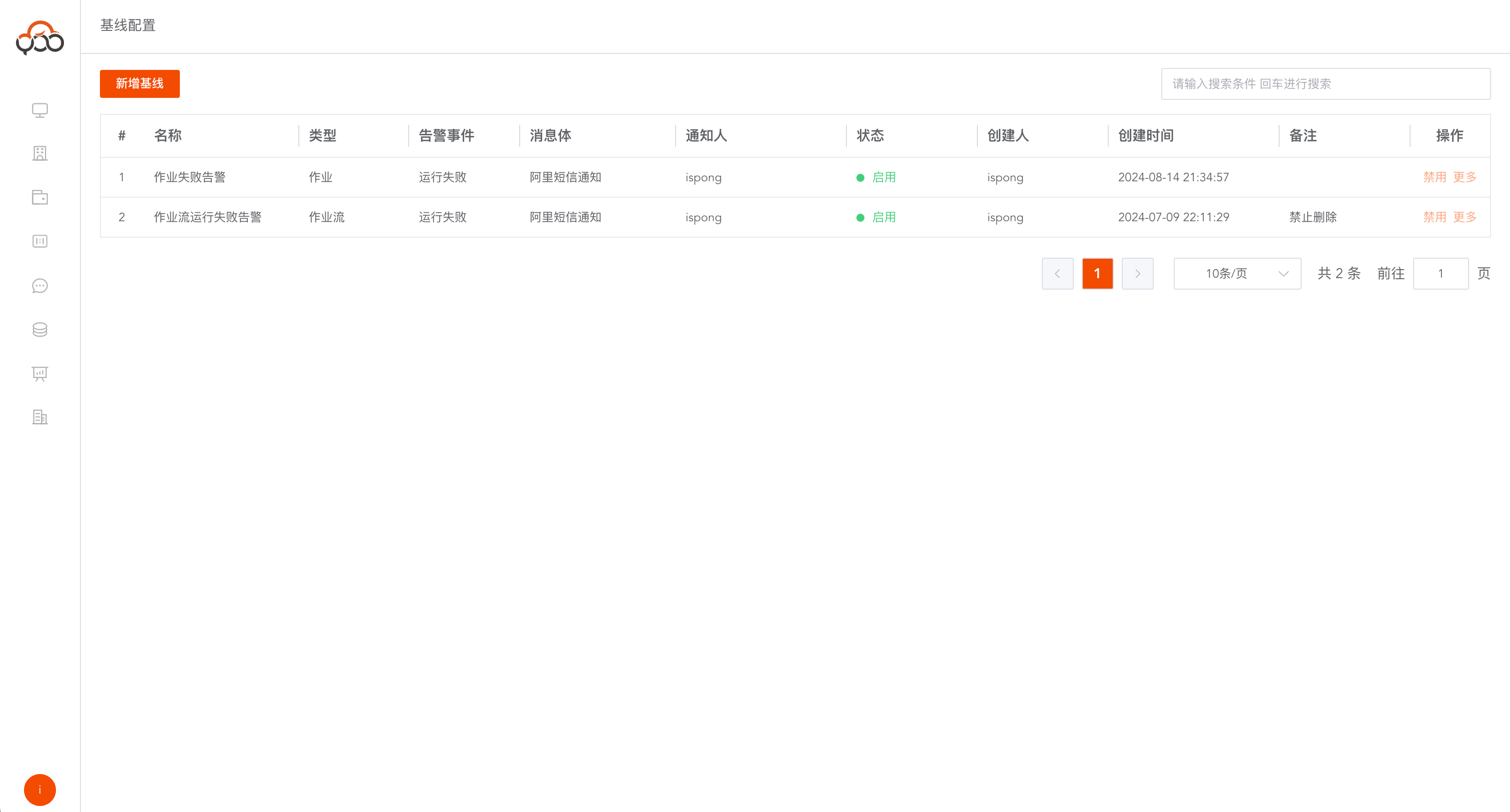
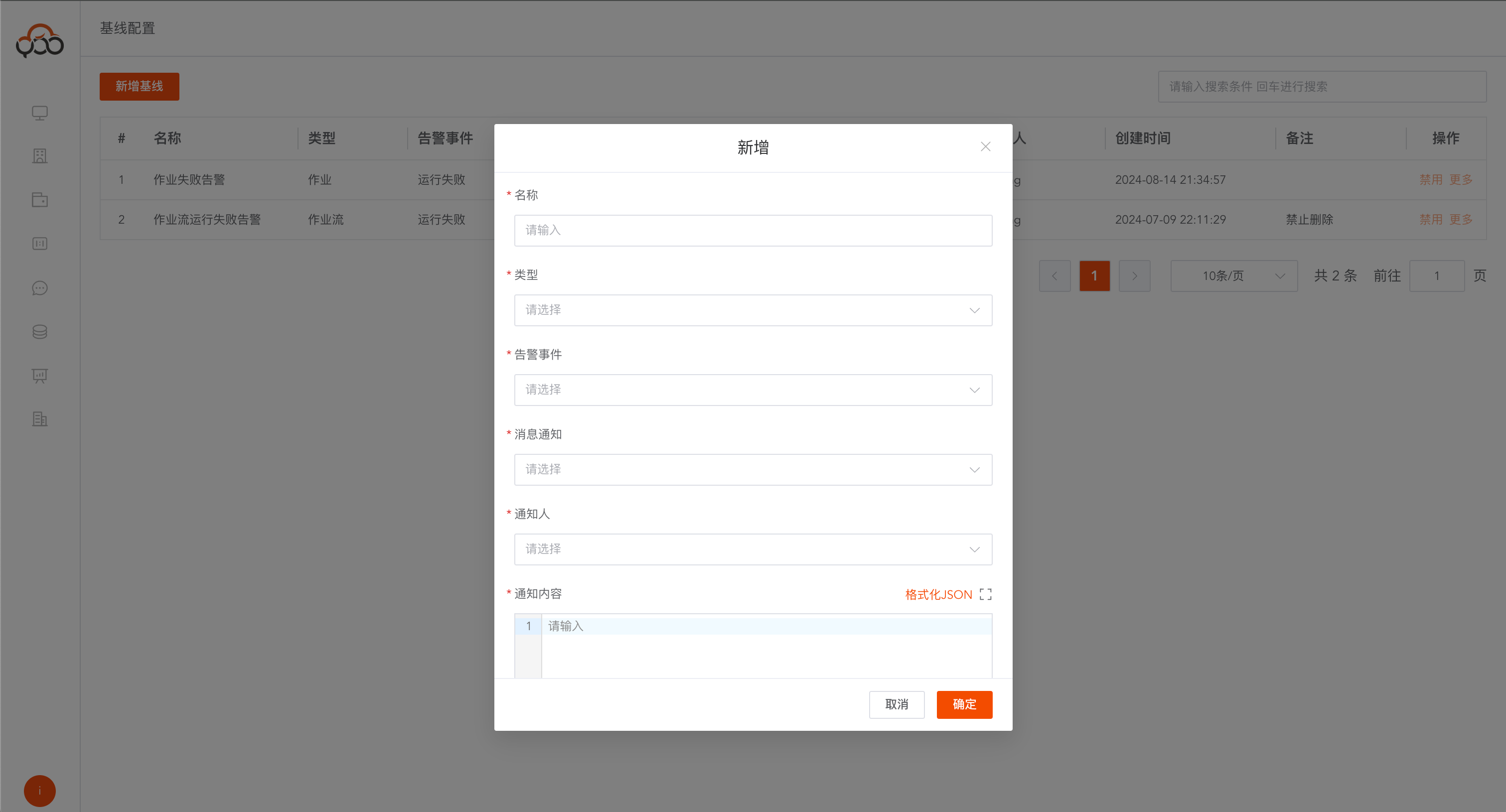
- Name: Required, the name of the baseline, the name is unique within the tenant
- Type: required, including
job,job flow - Alarm event: required, including
Start running,Run completed,Run successfully,Run failed - Message Notification: Required, select the enabled message body in
Message Body - Notifier: required, multiple select members within the tenant
- Notification content: required, the content of the message sent
- Remarks: Optional
Notification content description
Support function templates
| parameters | Parameter description |
|---|---|
| ${qing.work_name} | Job name |
| ${qing.work_id} | job id |
| ${qing.workflow_name} | Job stream name |
| ${qing.workflow_id} | Job stream id |
| ${qing.work_instance_id} | Job instance id |
| ${qing.workflow_instance_id} | Job flow instance id |
| ${qing.current_datetime} | Current time (yyyy-MM-dd HH:mm:ss) |
| ${qing.current_date} | Current time (yyyy-MM-dd) |
Reference template
您好,您创建的【${qing.workflow_name}】作业流下的【${qing.work_name}】作业,在【${qing.current_datetime}】时间运行失败了,
请及时处理。作业流实例id为【${qing.workflow_id}】,运行失败的作业实例id为【${qing.work_instance_id}】。
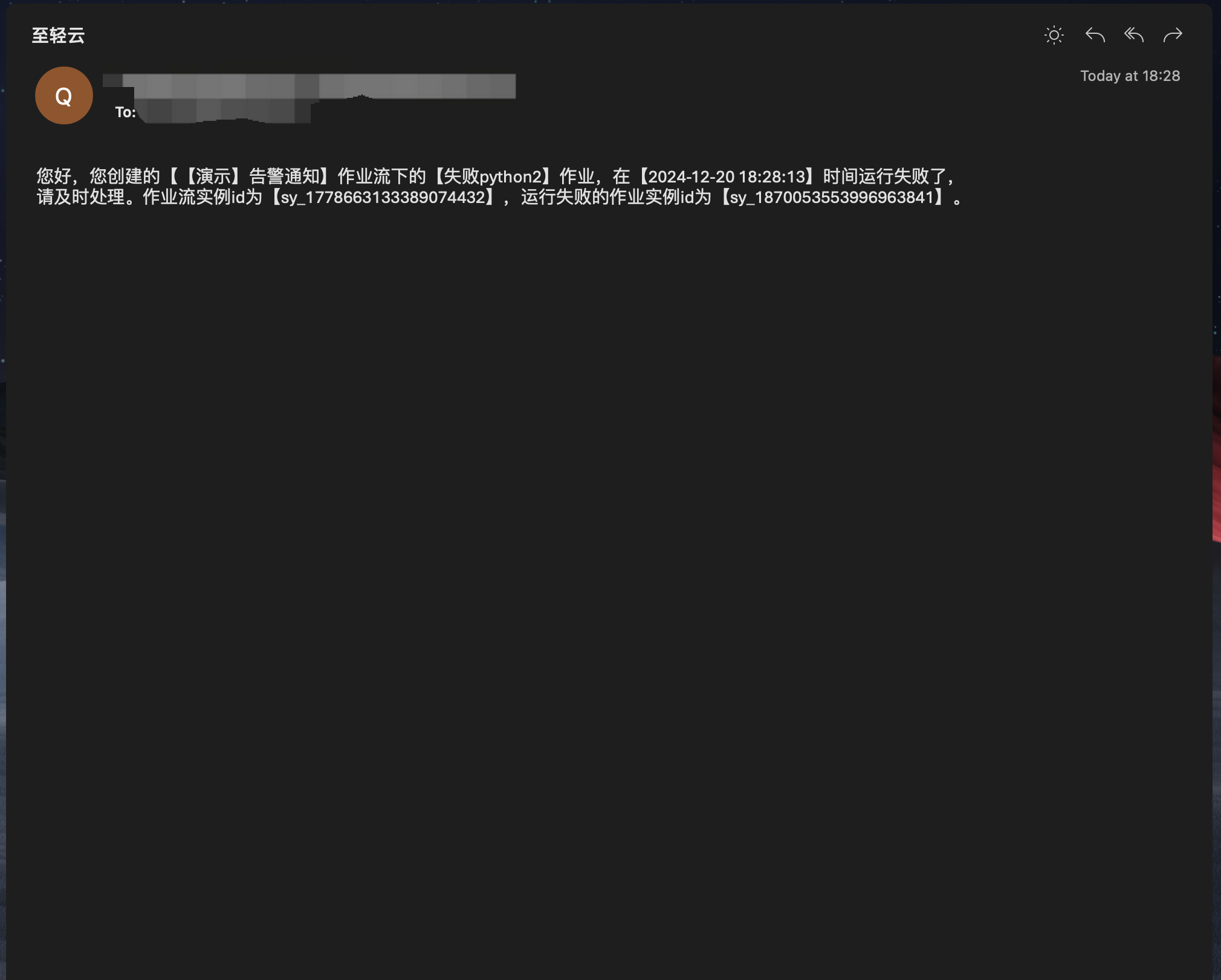
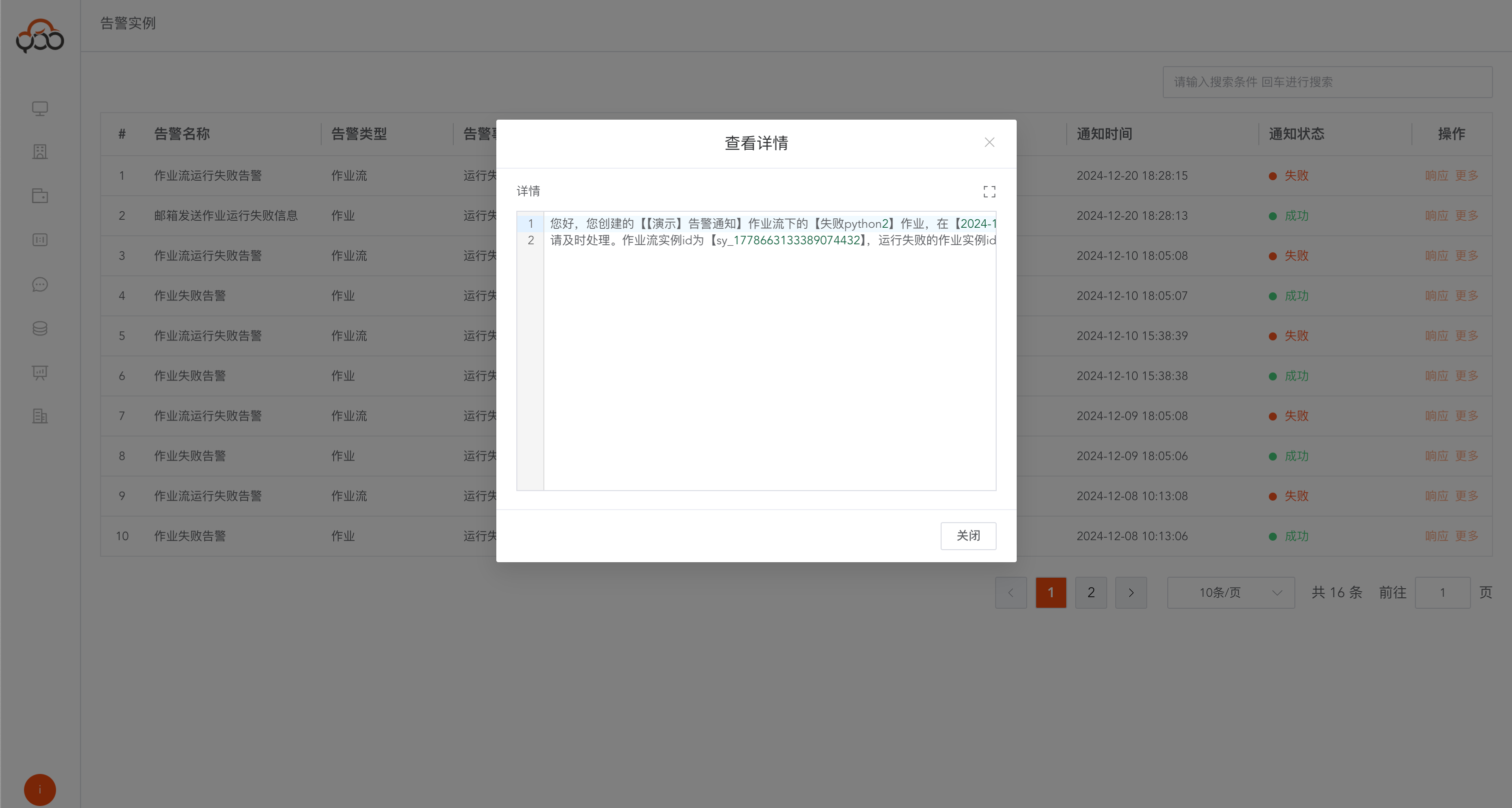
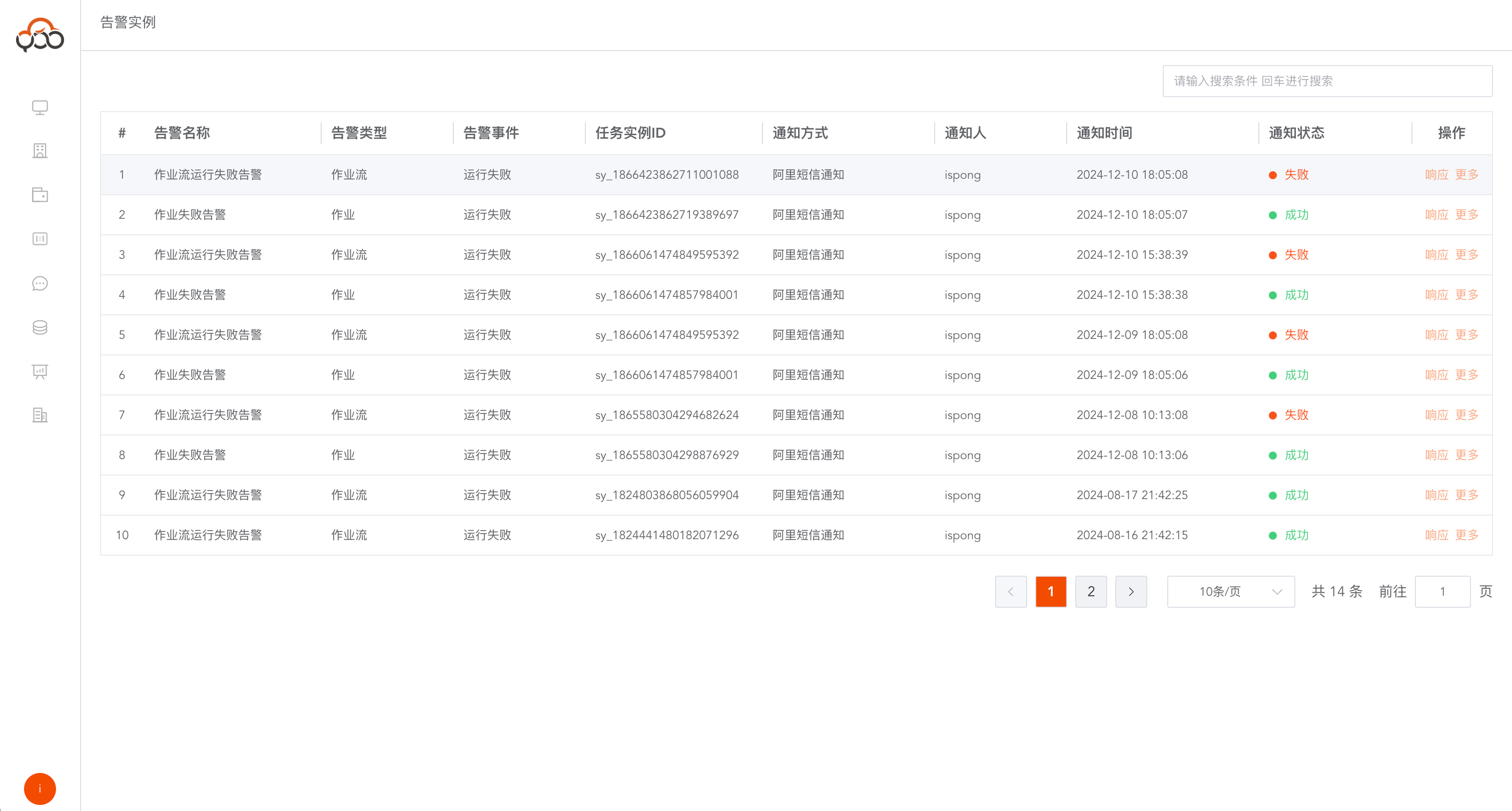
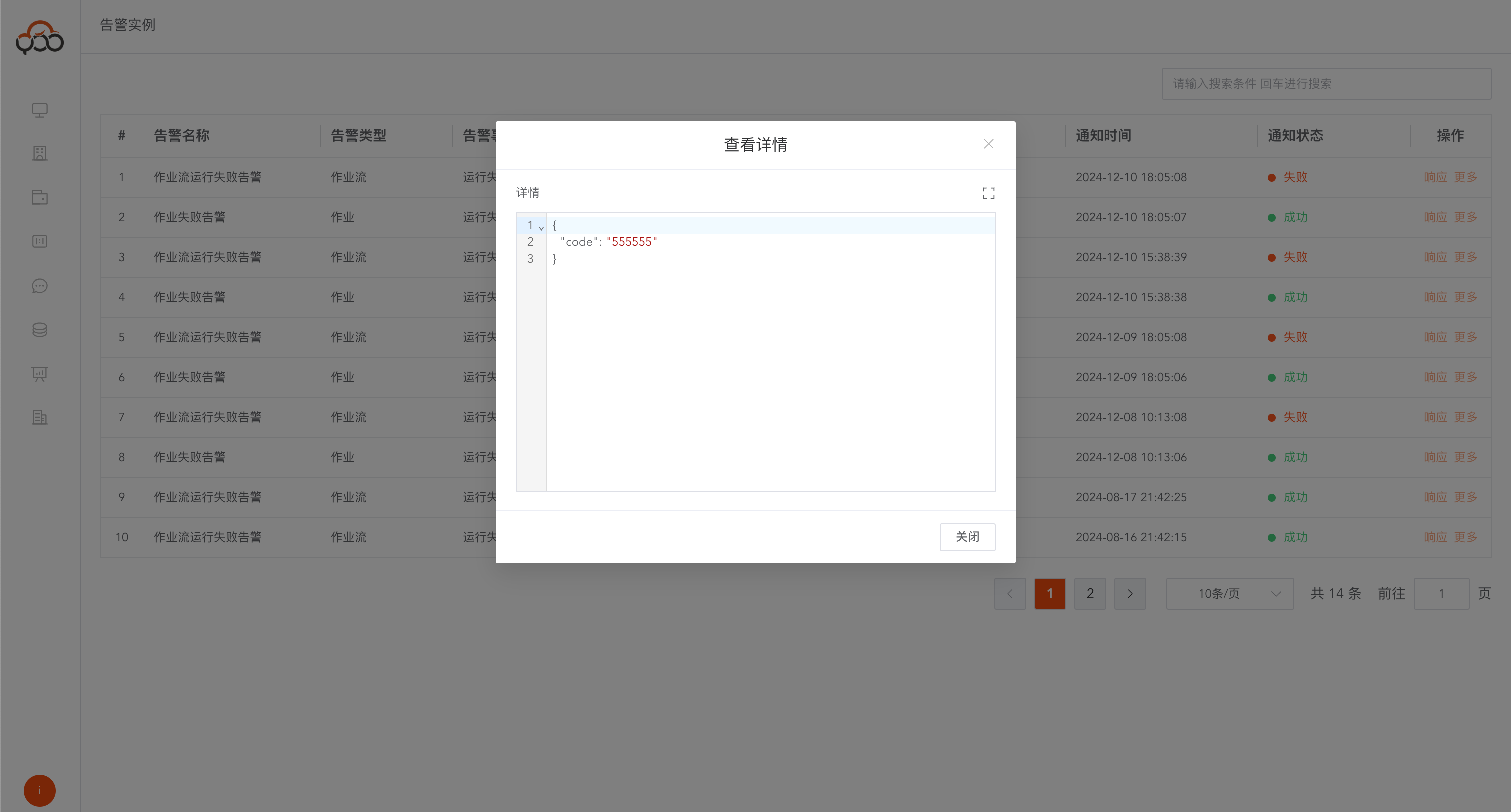
Alarm example
Record the specific details of sending notifications, including
notification status,response content,notification content, etc.
Response information sent by Ali SMS
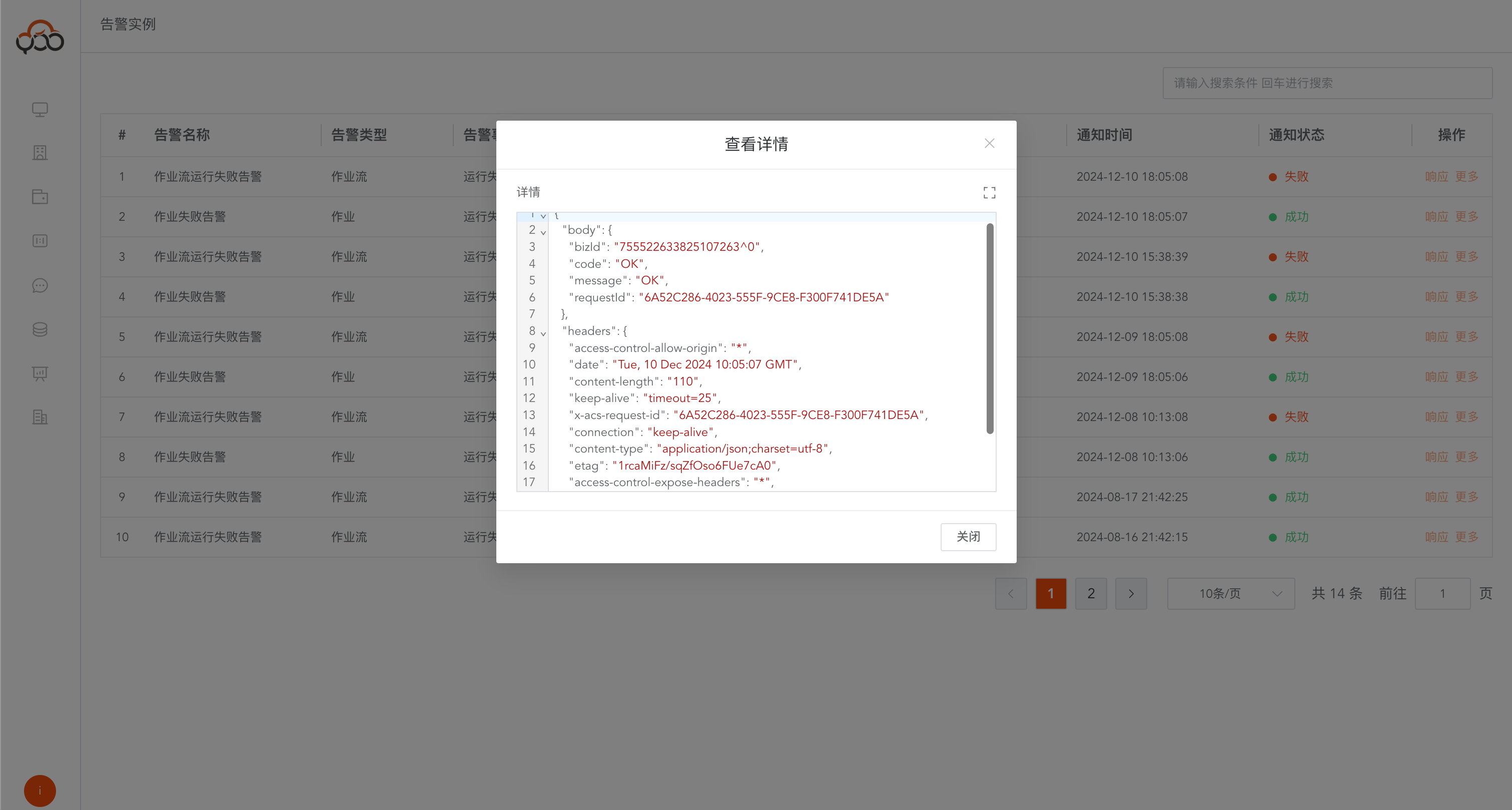
Contents sent by Ali SMS
Email content