
compute container
This article introduces the usage scenarios, operating procedures, and key configurations of the computing container function to help users complete daily management and business operations.
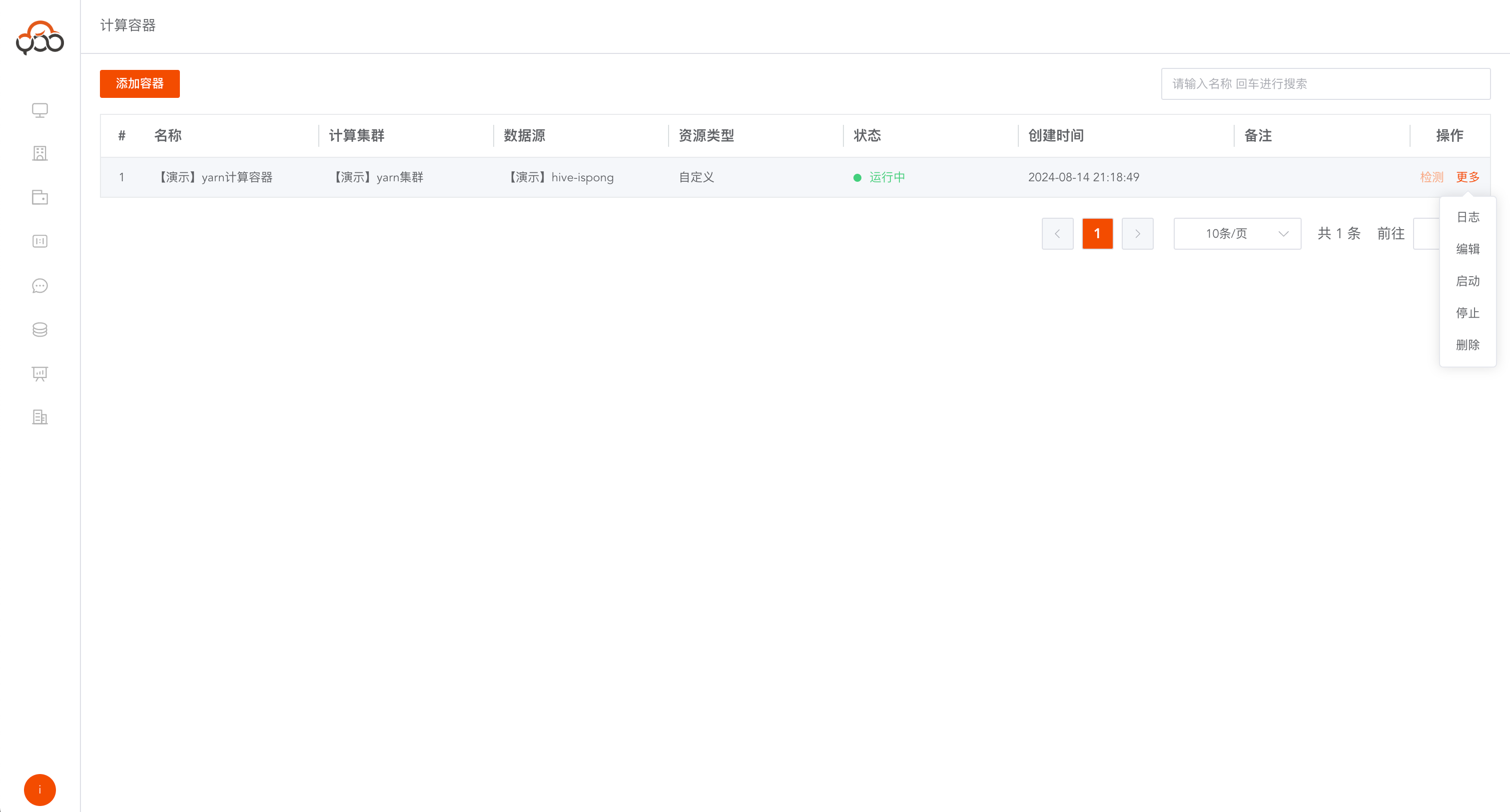
View compute containers
Computing containeris a container concept unique to Zhiqingyun Multiple spark services will be started that will not stop. The service will cache data in memory to improve query speed. Support name search Use theDetectbutton to refresh whether the current container is running normally.
Create a new computing container
Click the
Add Containerbutton
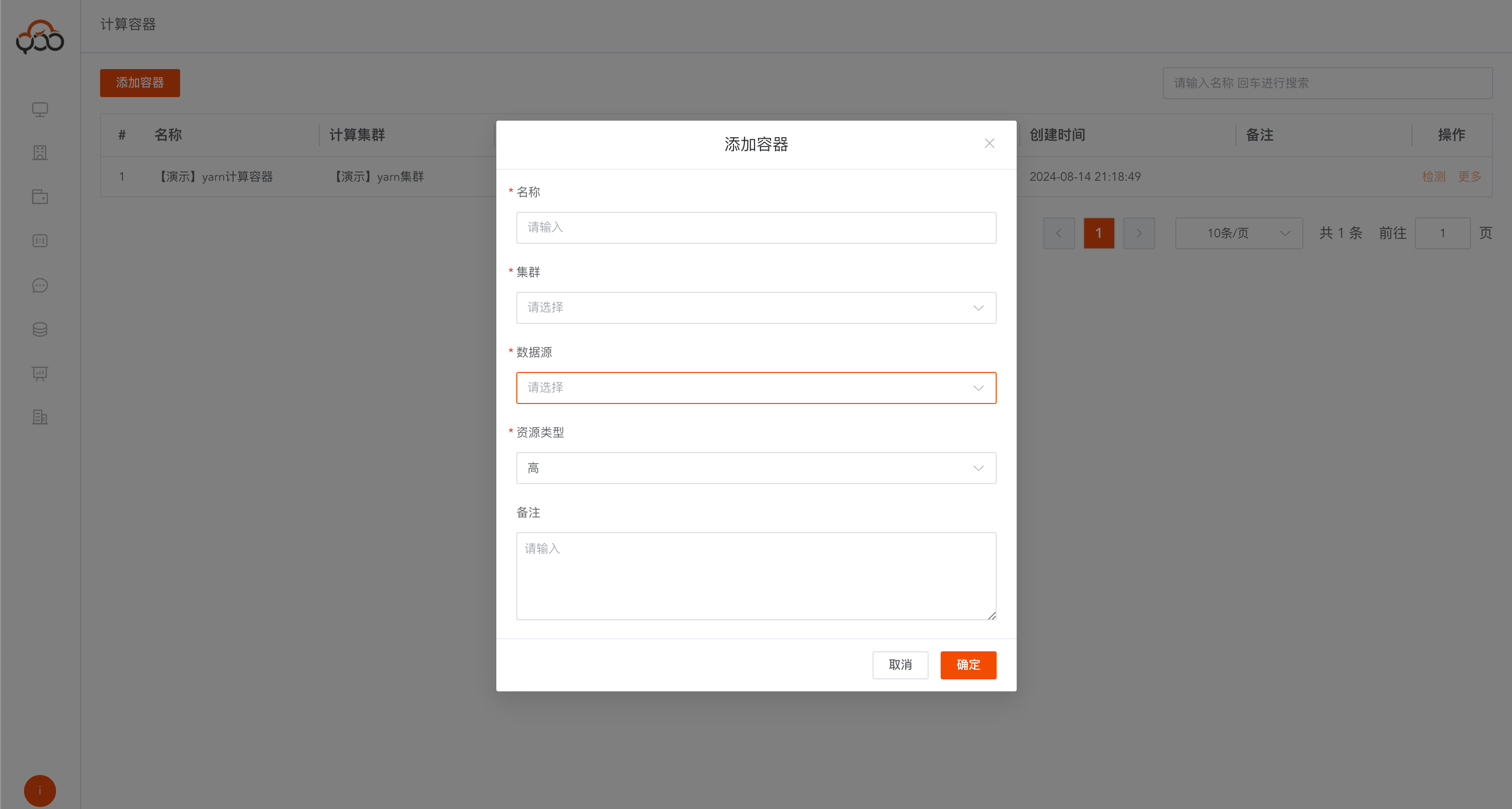
- Name: required, unique name within the tenant
- Cluster: Required, select the computing cluster that provides the running container
- Data source: required, select data source
- Resource type: required, including
HighMediumLowCustom - Remarks: Optional
Resource Type Description
- High: 8GB
- Medium: 4GB
- Low: 2GB
- Customization: Customize SparkConfig configuration, configuration reference address: https://spark.apache.org/docs/3.4.1/configuration.html
{
  "spark.cores.max": "1",
  "spark.driver.cores": "1",
  "spark.driver.extraJavaOptions": "-Dfile.encoding=utf-8",
  "spark.driver.memory": "1g",
  "spark.executor.cores": "1",
  "spark.executor.extraJavaOptions": "-Dfile.encoding=utf-8",
  "spark.executor.instances": "1",
  "spark.executor.memory": "2g",
  "spark.sql.autoBroadcastJoinThreshold": "-1",
  "spark.sql.legacy.timeParserPolicy": "LEGACY",
  "spark.sql.parquet.datetimeRebaseModeInRead": "LEGACY",
  "spark.sql.parquet.datetimeRebaseModeInWrite": "LEGACY",
  "spark.sql.parquet.enableVectorizedReader": "false",
  "spark.sql.parquet.int96RebaseModeInRead": "LEGACY",
  "spark.sql.parquet.int96RebaseModeInWrite": "LEGACY",
  "spark.sql.parquet.writeLegacyFormat": "true",
  "spark.sql.storeAssignmentPolicy": "LEGACY"
}