
real time calculation
This article explains the usage scenarios, operation processes, and configuration items of the real-time computing function to help users standardize platform operations.
Transform and synchronize data in real-time Kafka based on Spark Streaming
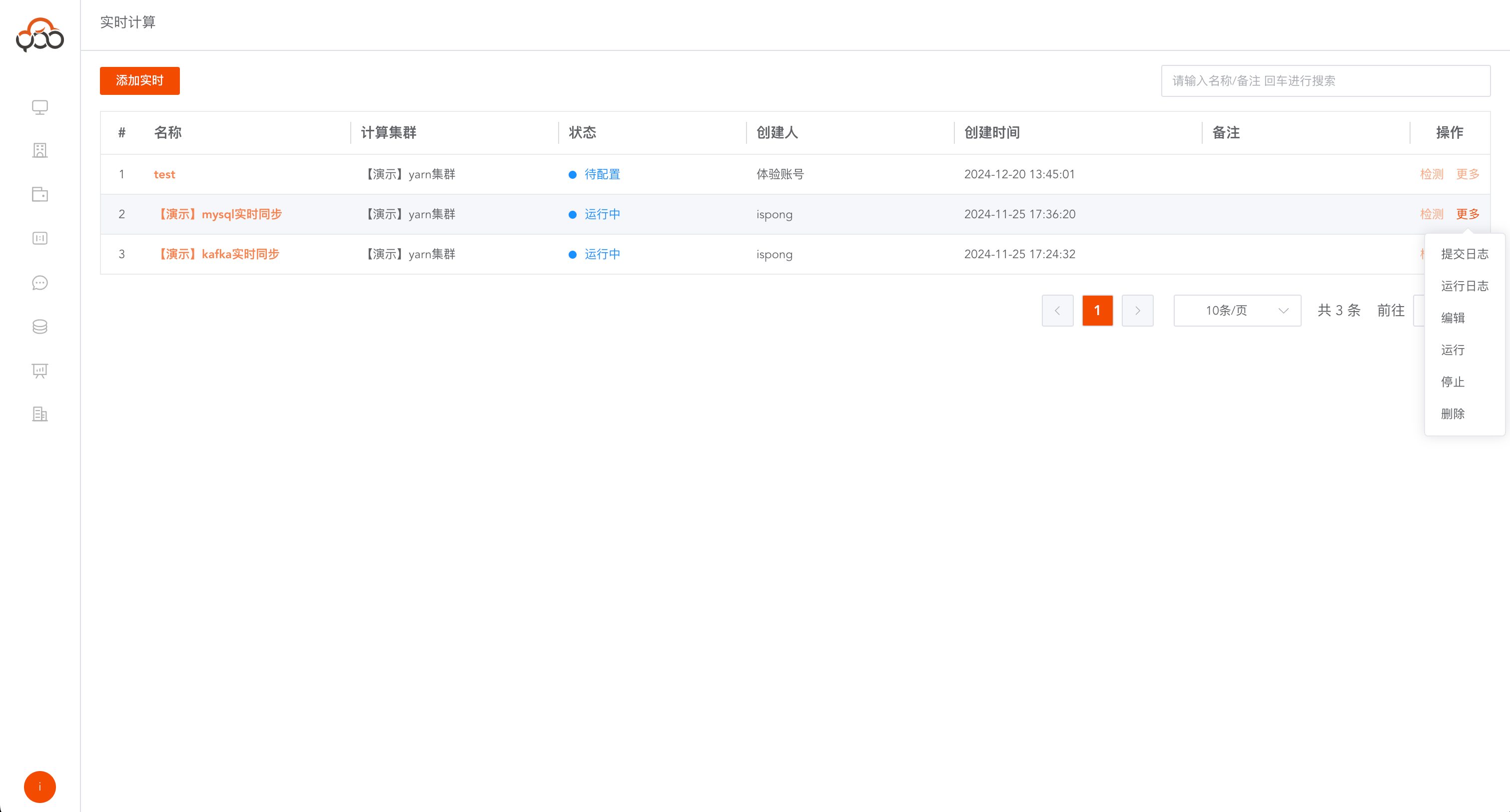
Operations support
submit log,run log,edit,run,stop,deleteoperations
- Commit Log: View real-time commit log
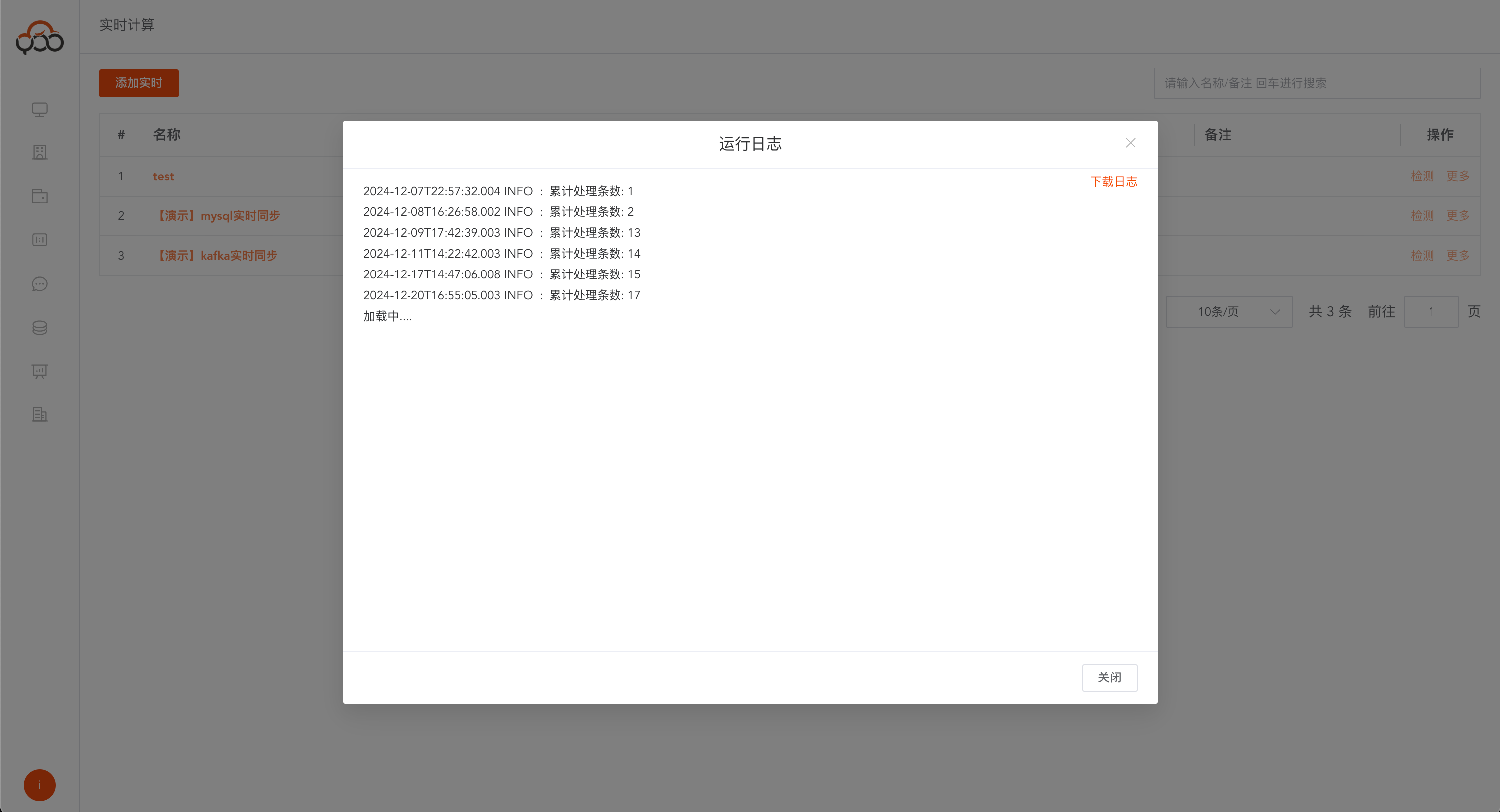
- Run log: View the number of real-time synchronization items
- Edit: Edit real-time notes and computing cluster information
- Run: Run real-time calculations
- Stop: Stop real-time calculation
- DELETE: Delete real-time calculation
View the running log to view the number of data processed in real time
Add real-time calculation
Click on
Add Live
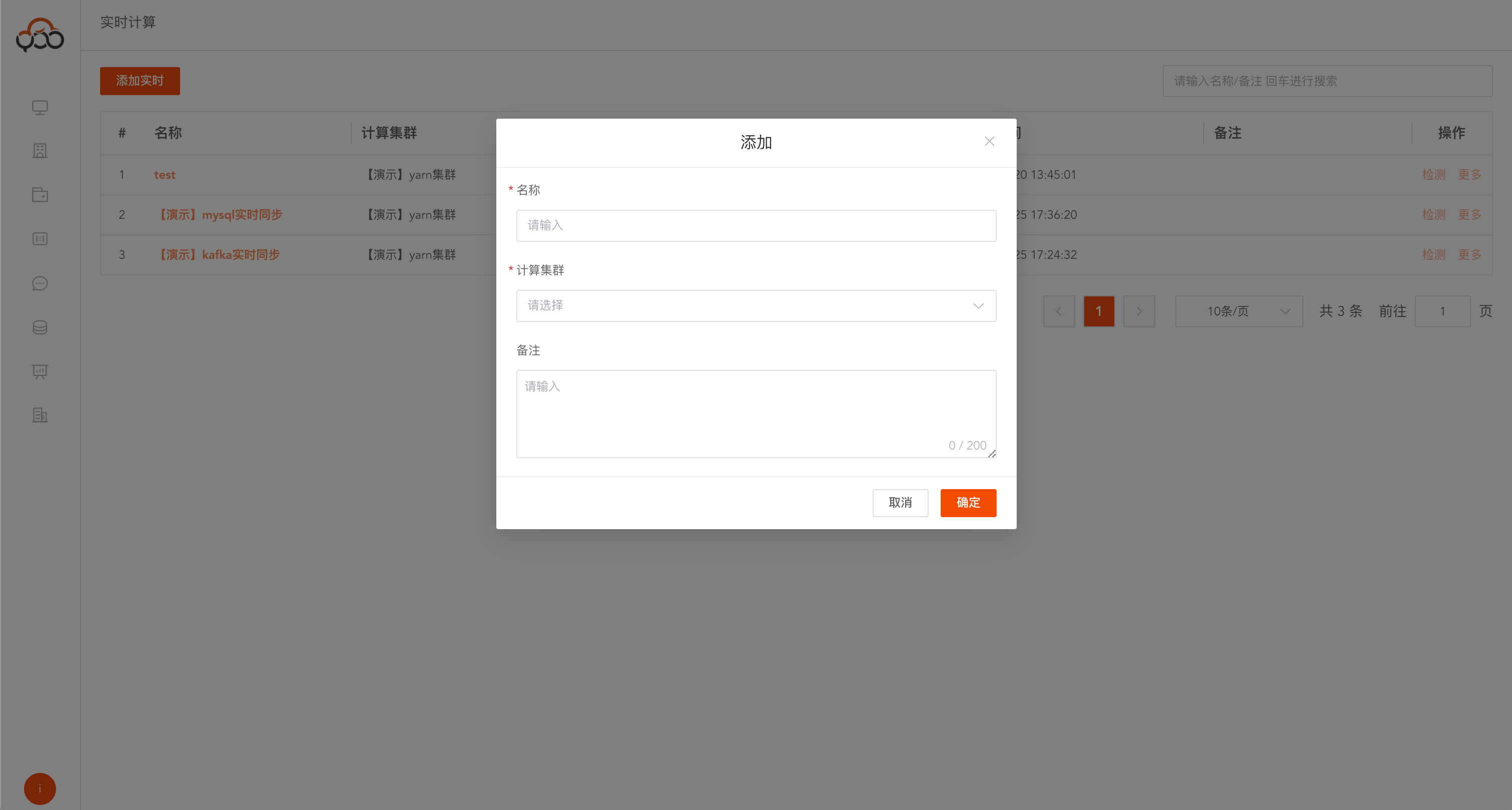
- Name: required, unique name within the tenant
- Computing Cluster: Required, specify the computing cluster that needs to submit real-time computing operations
- Remarks: Optional
Added Kafka real-time calculation
Note: Kafka service needs to be installed in advance
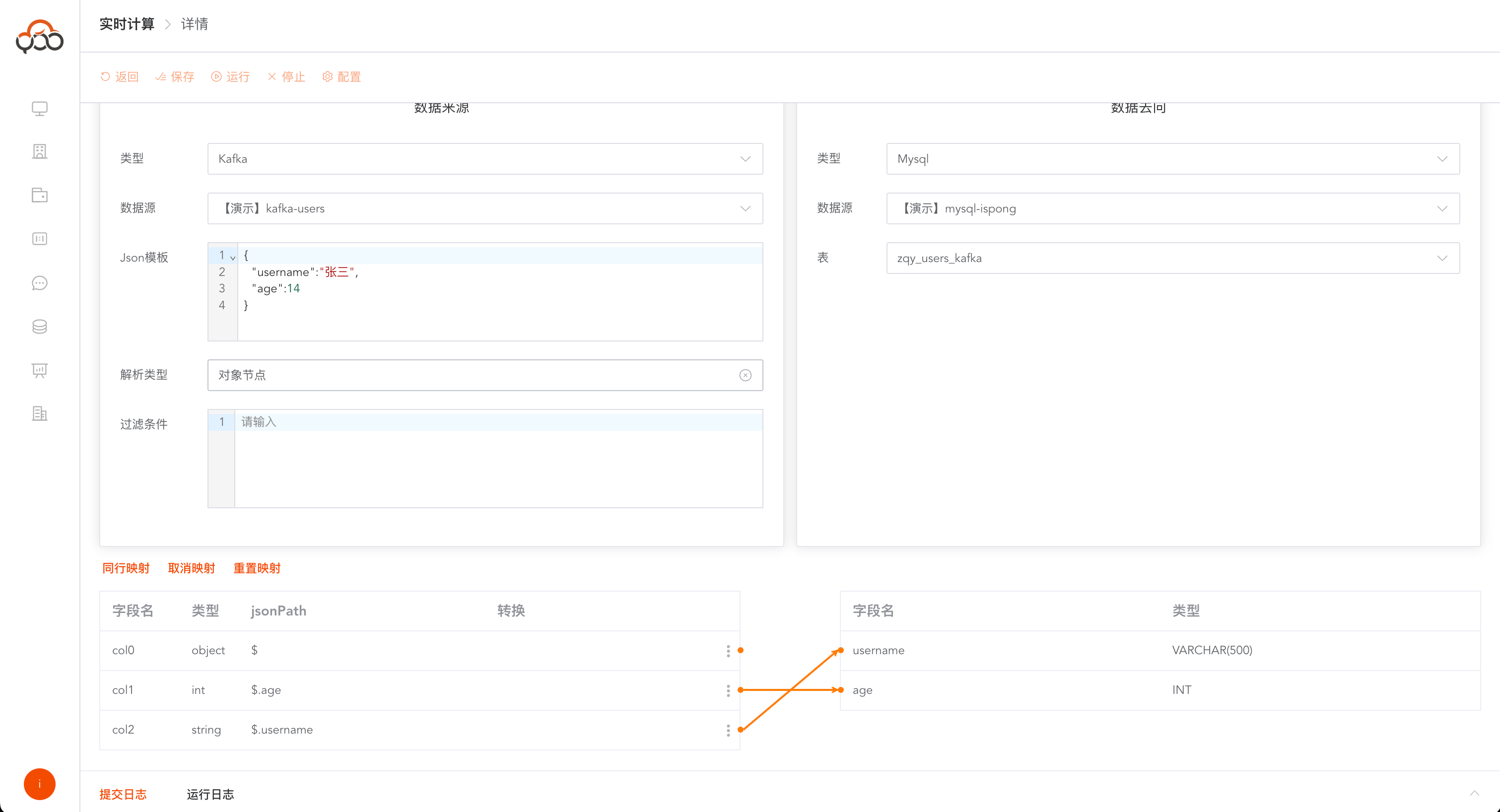
The first step is to select the kafka type and select the kafka data source The second step is to copy the JSON structure template in the kafka pipeline The third step is to select the parsing type as
object nodeStep 4: Select the target data source and target table Step 5: Connect field mapping relationships Step 6: Click the Run button
Added real-time database synchronization
Note: debezium service needs to be installed in advance
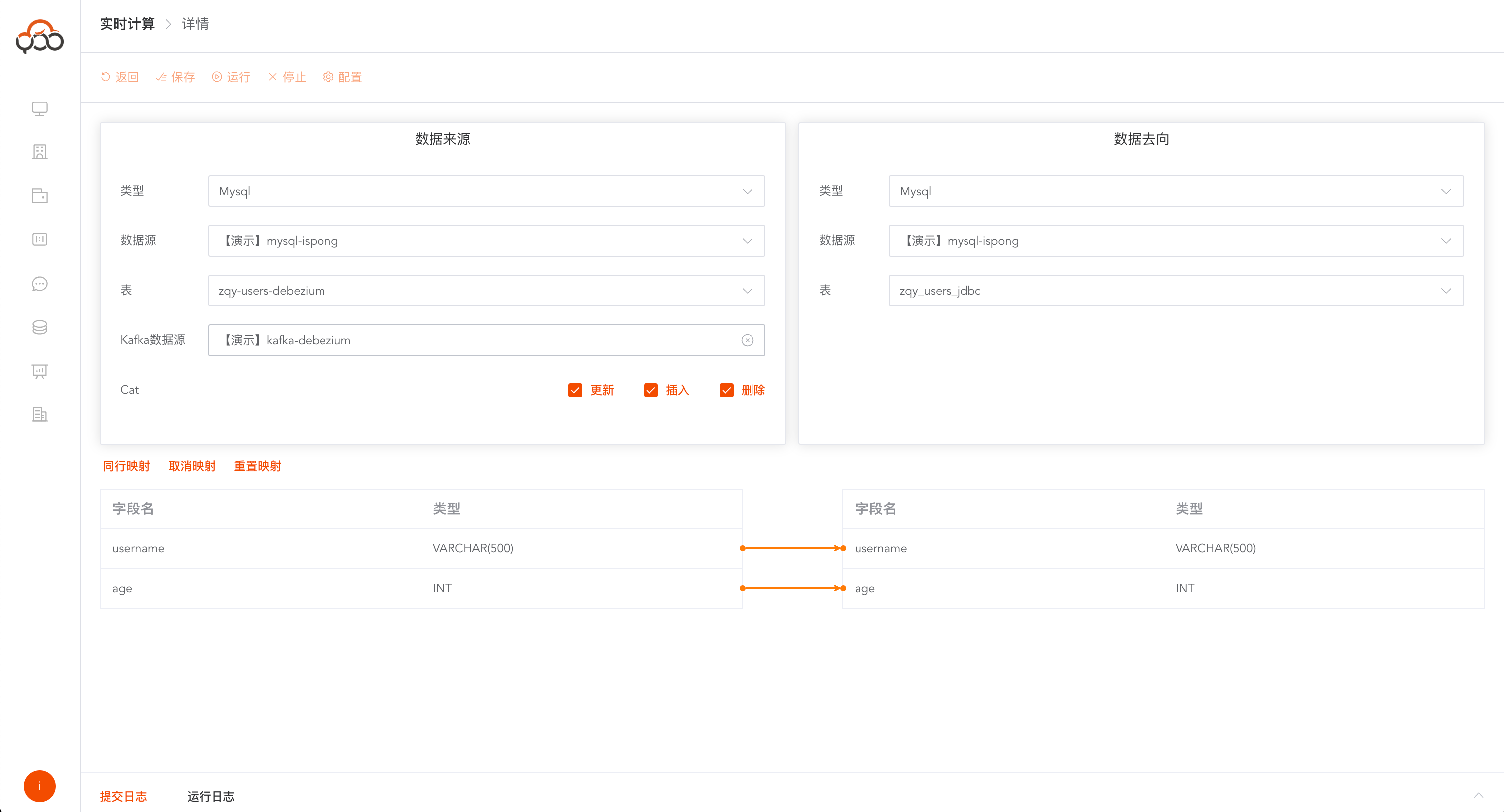
The first step is to select the data source type, select the data source and source table The second step is to select kafka corresponding to the source table. The third step is to check the Cat event to support monitoring the following events
table update,table delete,table insertStep 4: Select the target data source and target table Step 5: Connect field mapping relationships Step 6: Click the Run button