
Rancher deployment
This article introduces the operation process, configuration instructions and precautions of Rancher deployment. It is suitable for users who need to complete Zhiqingyun deployment or environment preparation.
Deploy Zhiqingyun using Rancher
Download image locally
docker pull isxcode/zhiqingyun
docker save isxcode/zhiqingyun -o /Users/ispong/Downloads/zhiqingyun-image-20251204.tar.gz
Push to mirror warehouse
scp /Users/ispong/Downloads/zhiqingyun-image-20251204.tar.gz root@120.55.168.57:/tmp
docker load -i /tmp/zhiqingyun-image-20251204.tar.gz

# 设置日期版本号
docker tag isxcode/zhiqingyun 172.19.189.246:30003/library/isxcode/zhiqingyun:20251204

# 推送到镜像仓库
docker push 172.19.189.246:30003/library/isxcode/zhiqingyun:20251204
⚠️Attention
The maximum number of open files on the server. The default is 1024. If it is too small, the job execution speed will slow down. It is recommended to change it to 65535.
# 临时配置方式
ulimit -n 65535
Create namespace
kubectl create namespace isxcode
Add image repository key
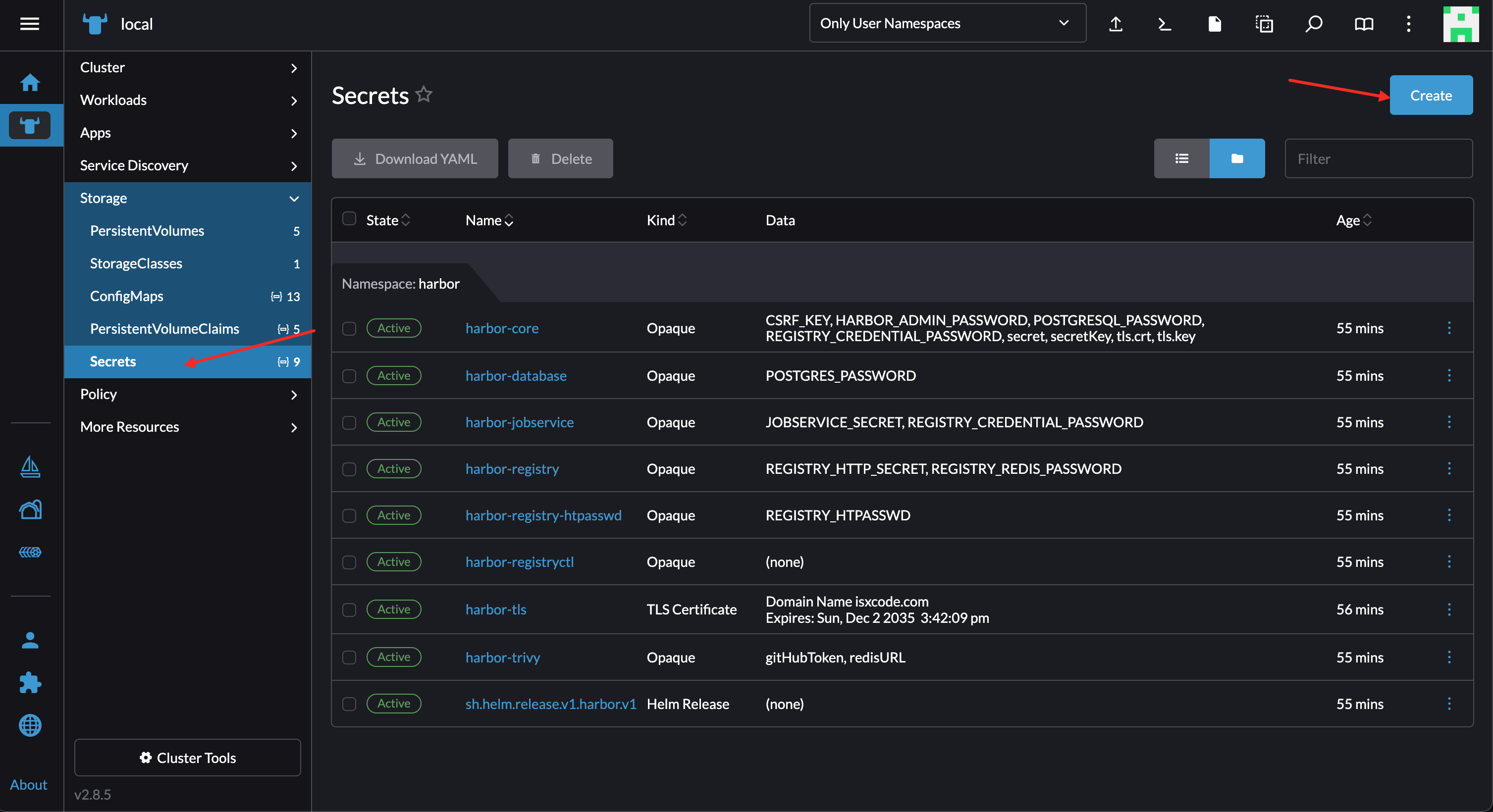
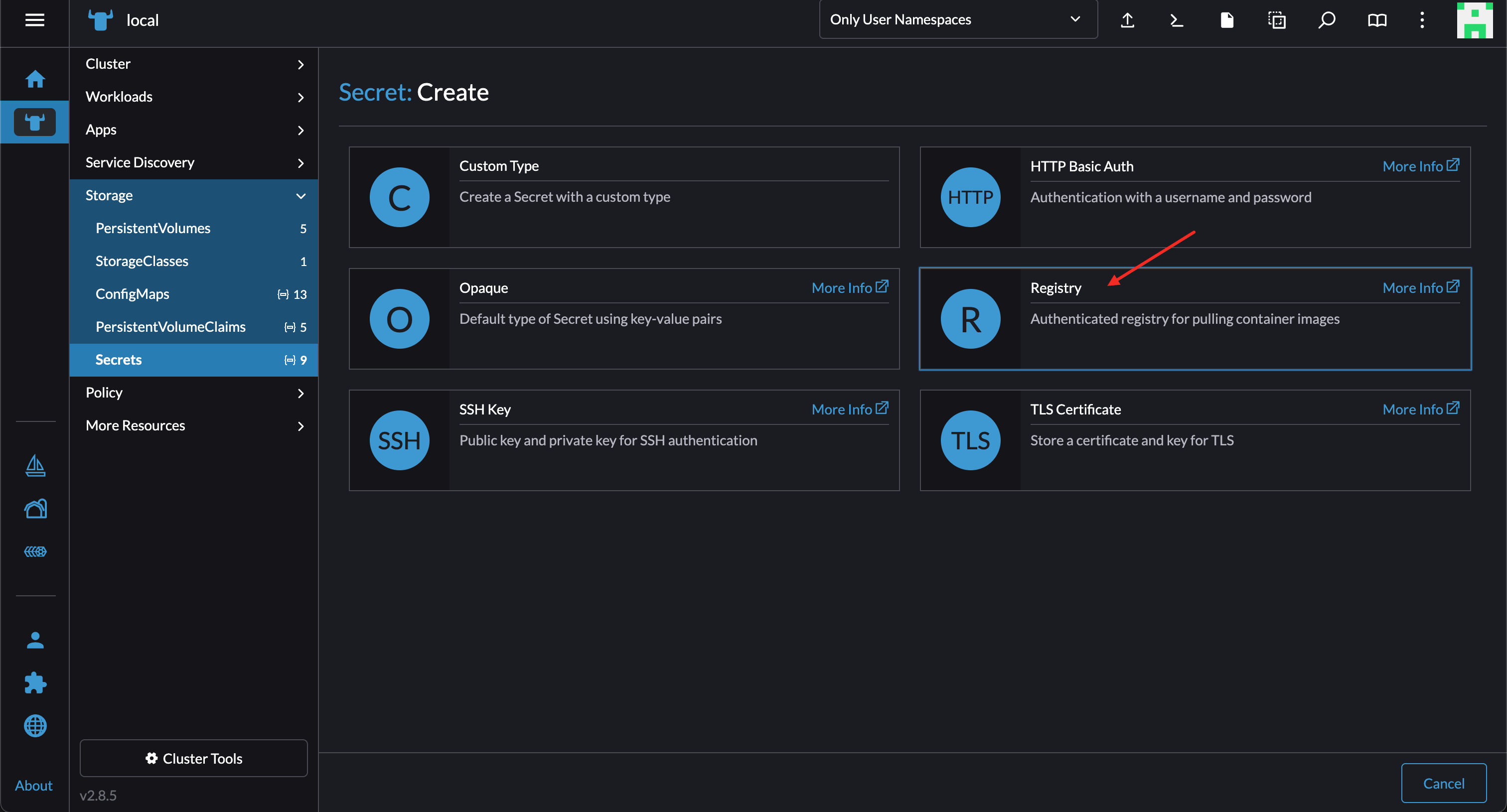
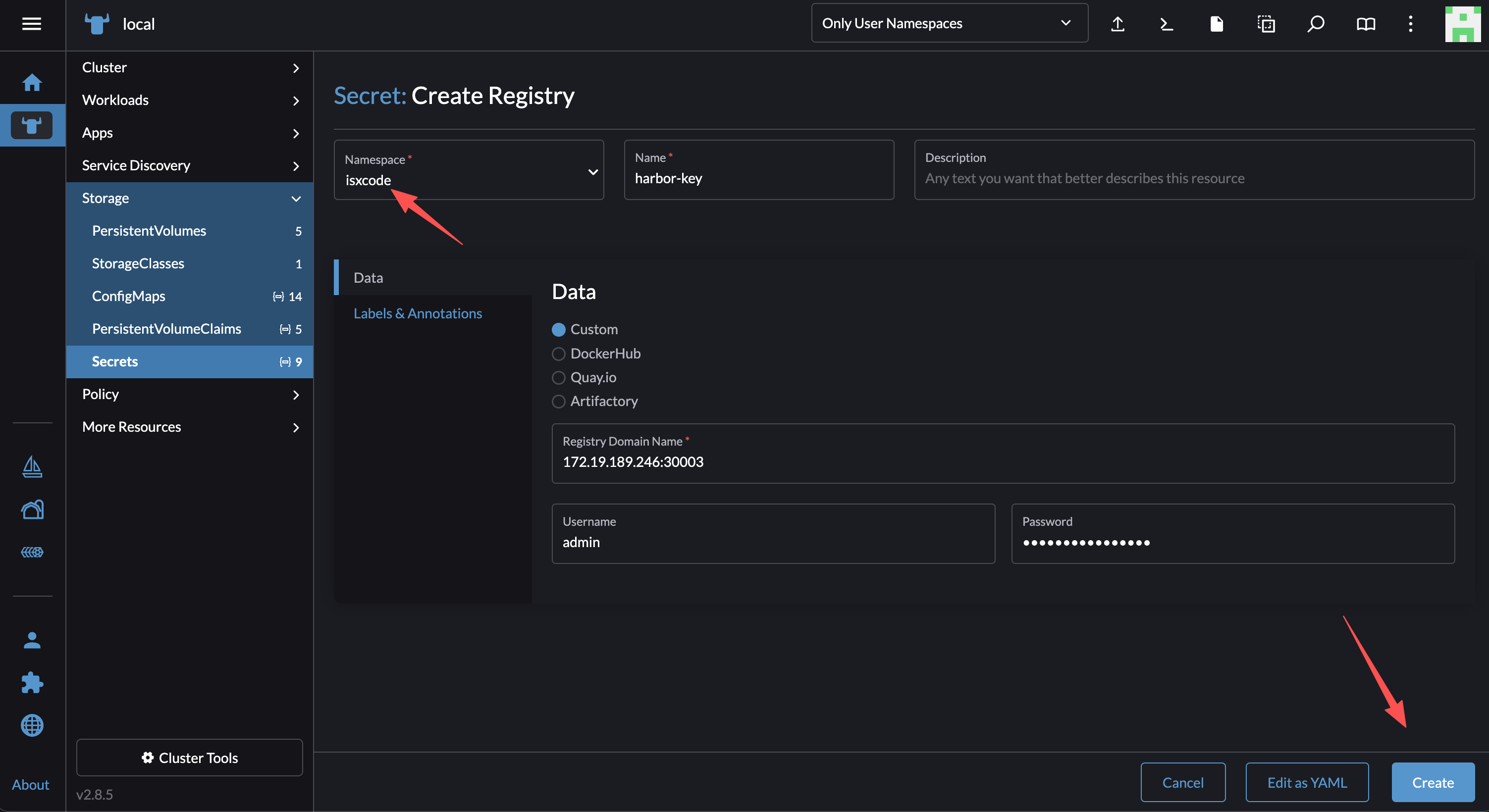
Create ConfigMap
Download configuration file
wget https://raw.githubusercontent.com/isxcode/spark-yun/refs/heads/main/backend/main/src/main/resources/application-docker.yml -O /Users/ispong/Downloads/application-docker.yml
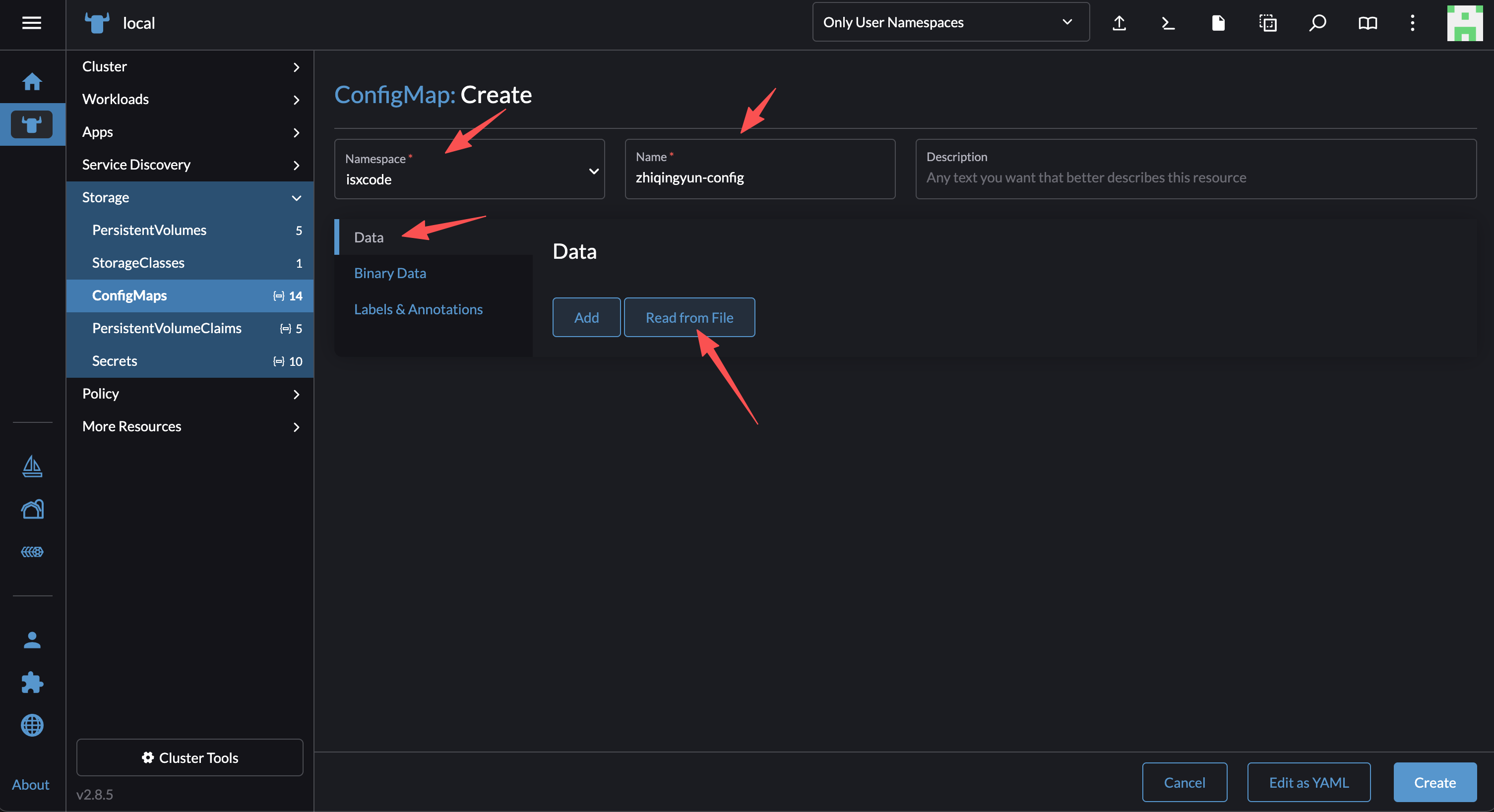
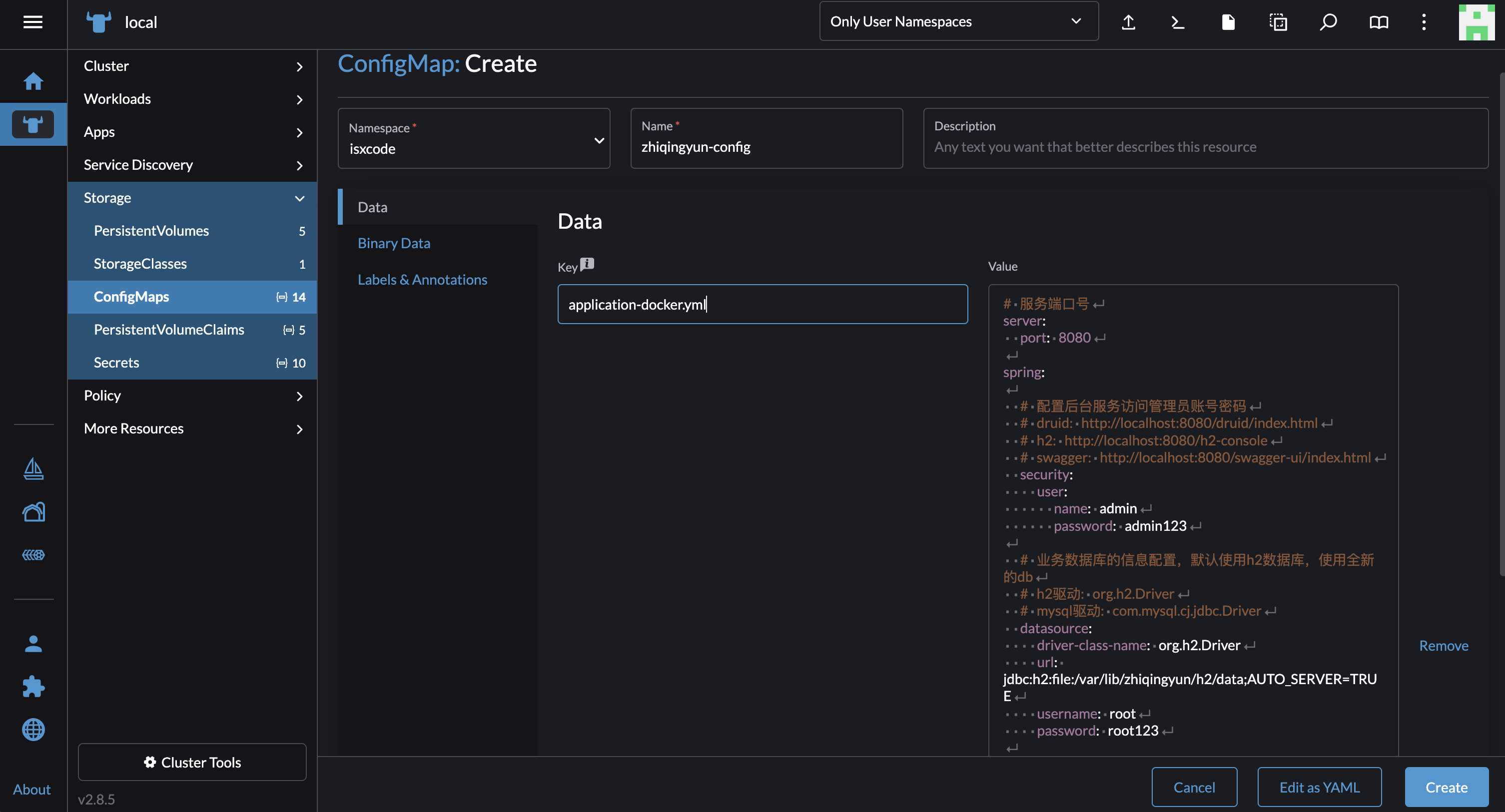
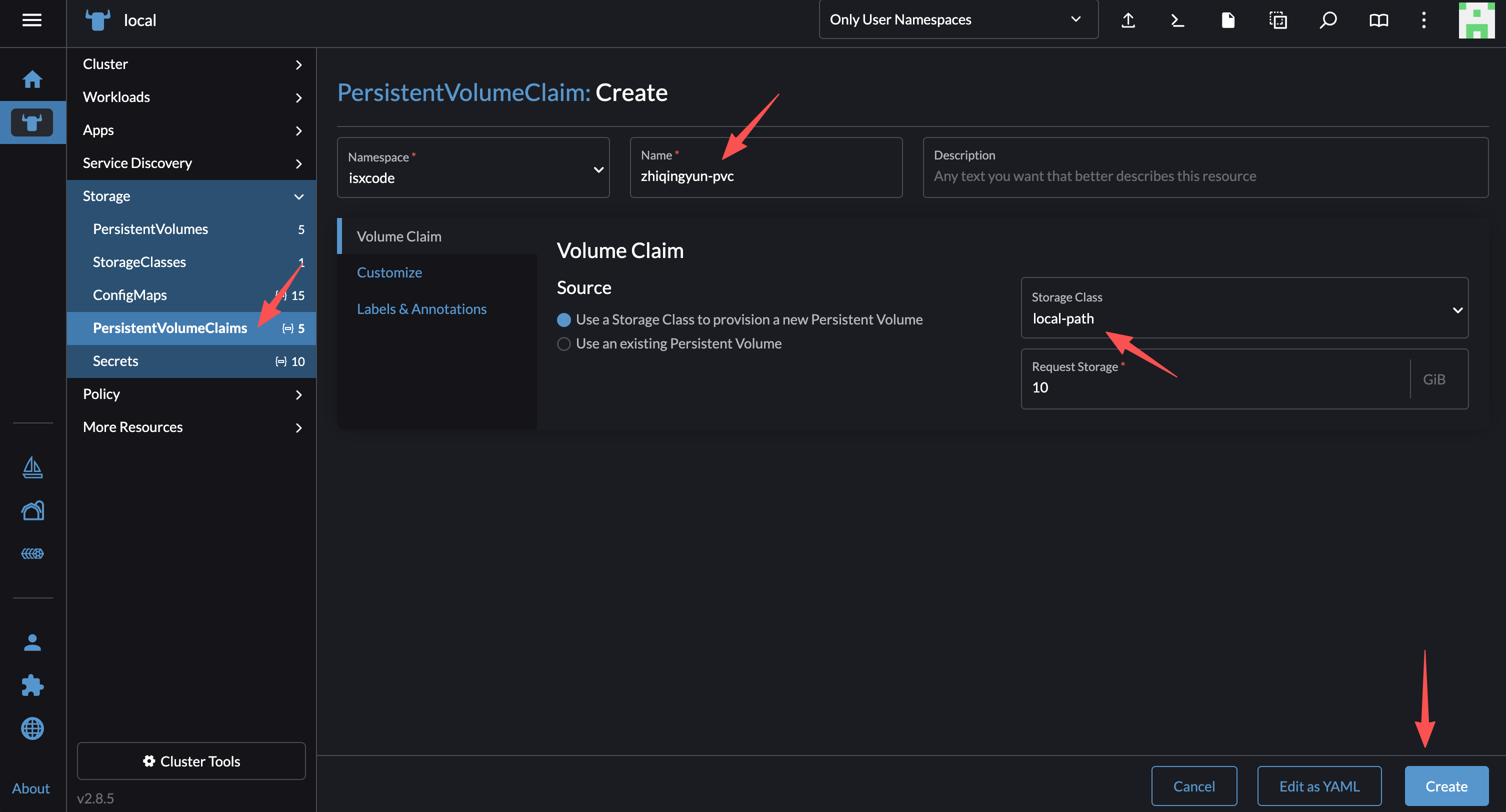
Create Pvc
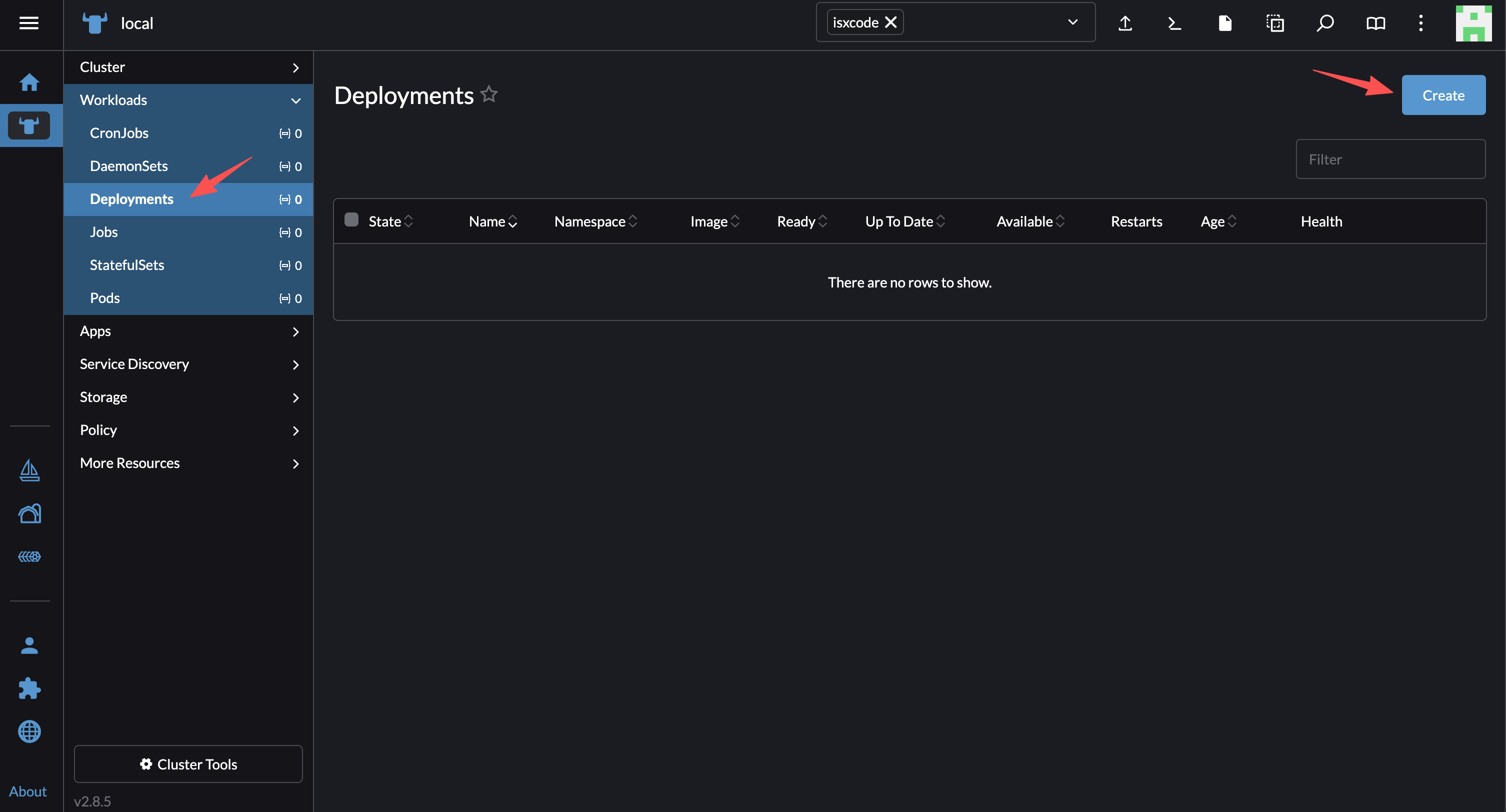
CreateDeployment
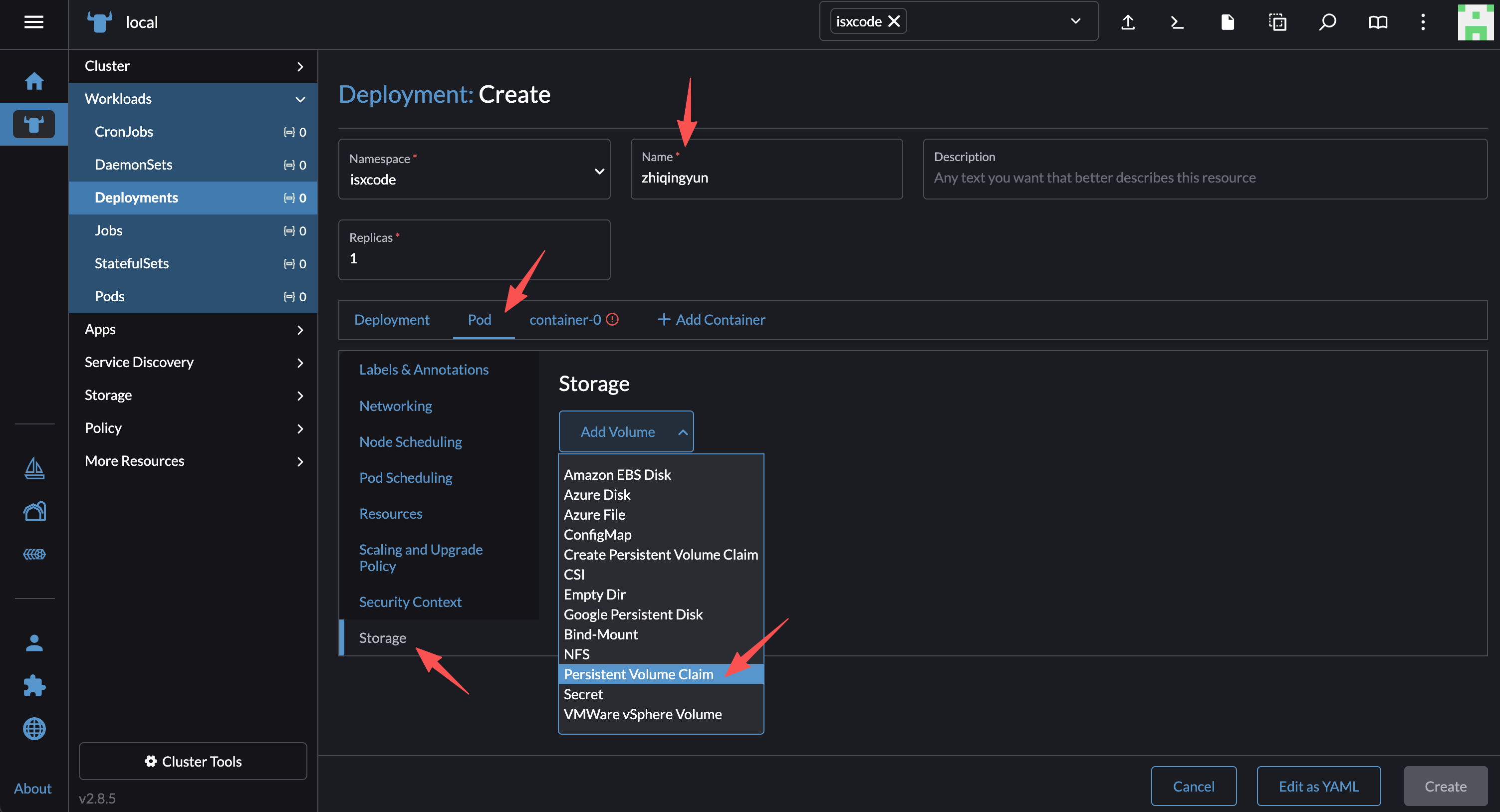
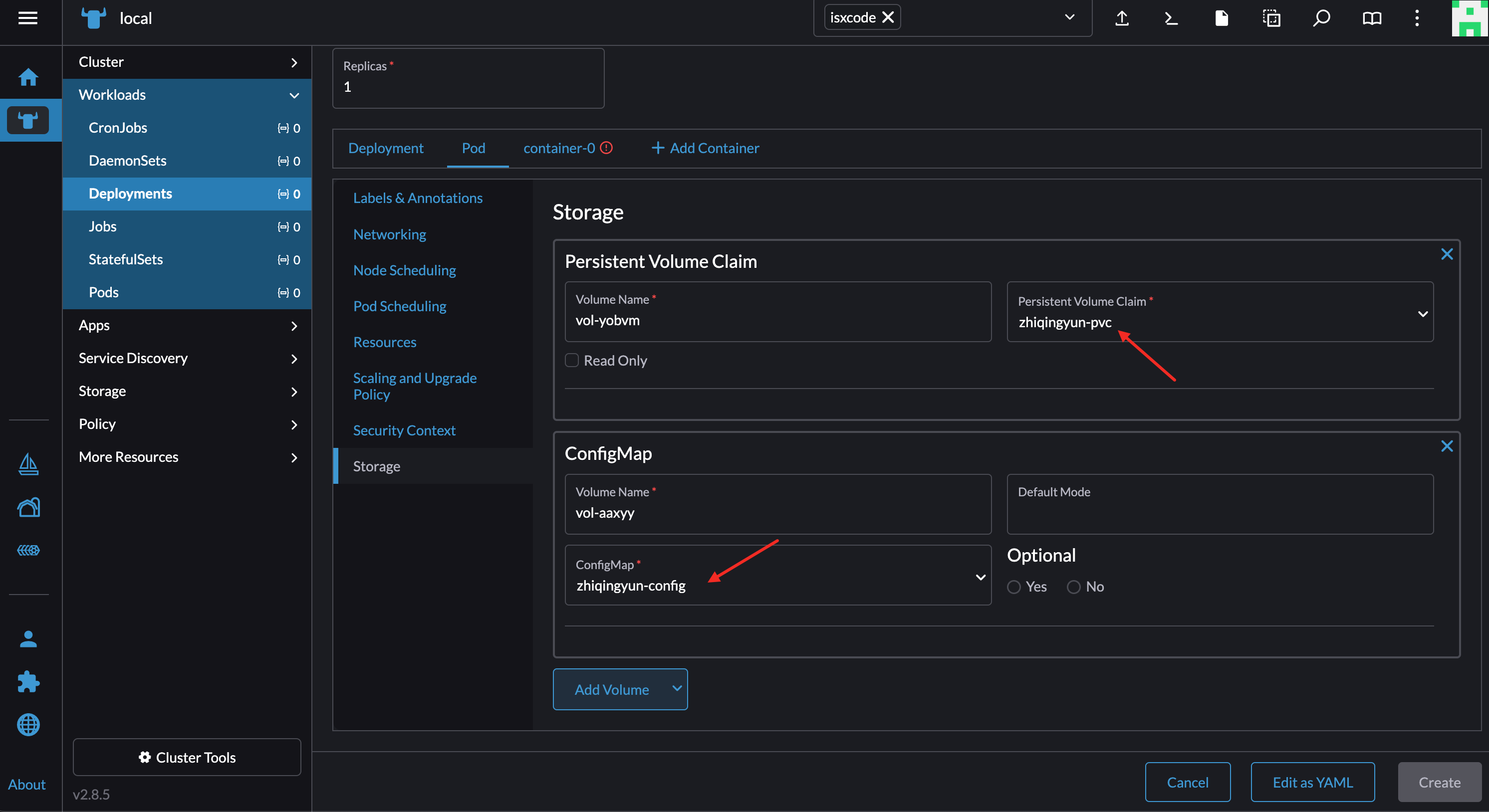
Mount storage
mount pvc
Mount configMap
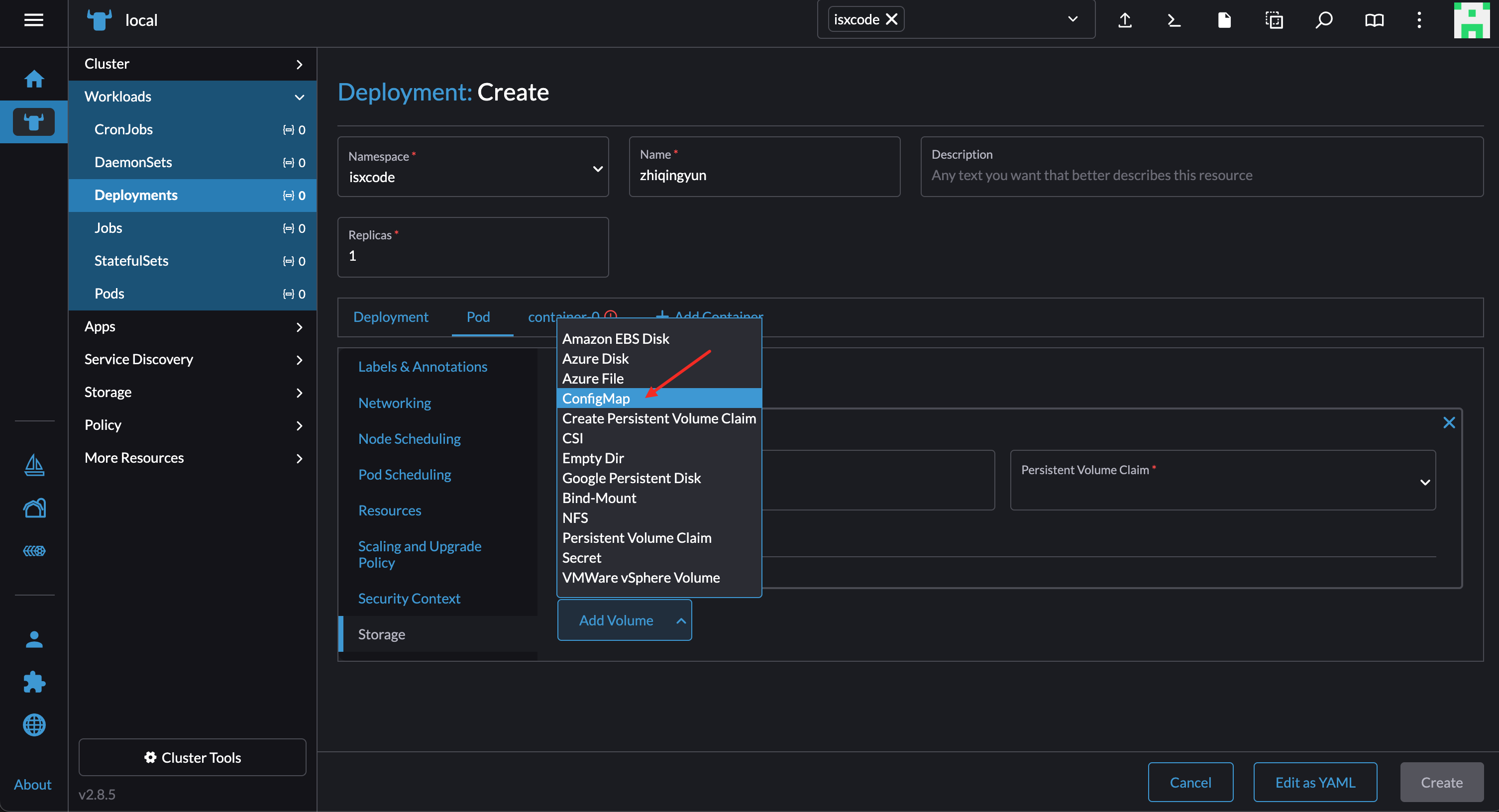
Select the corresponding configuration zhiqingyun-pvc and zhiqingyun-config
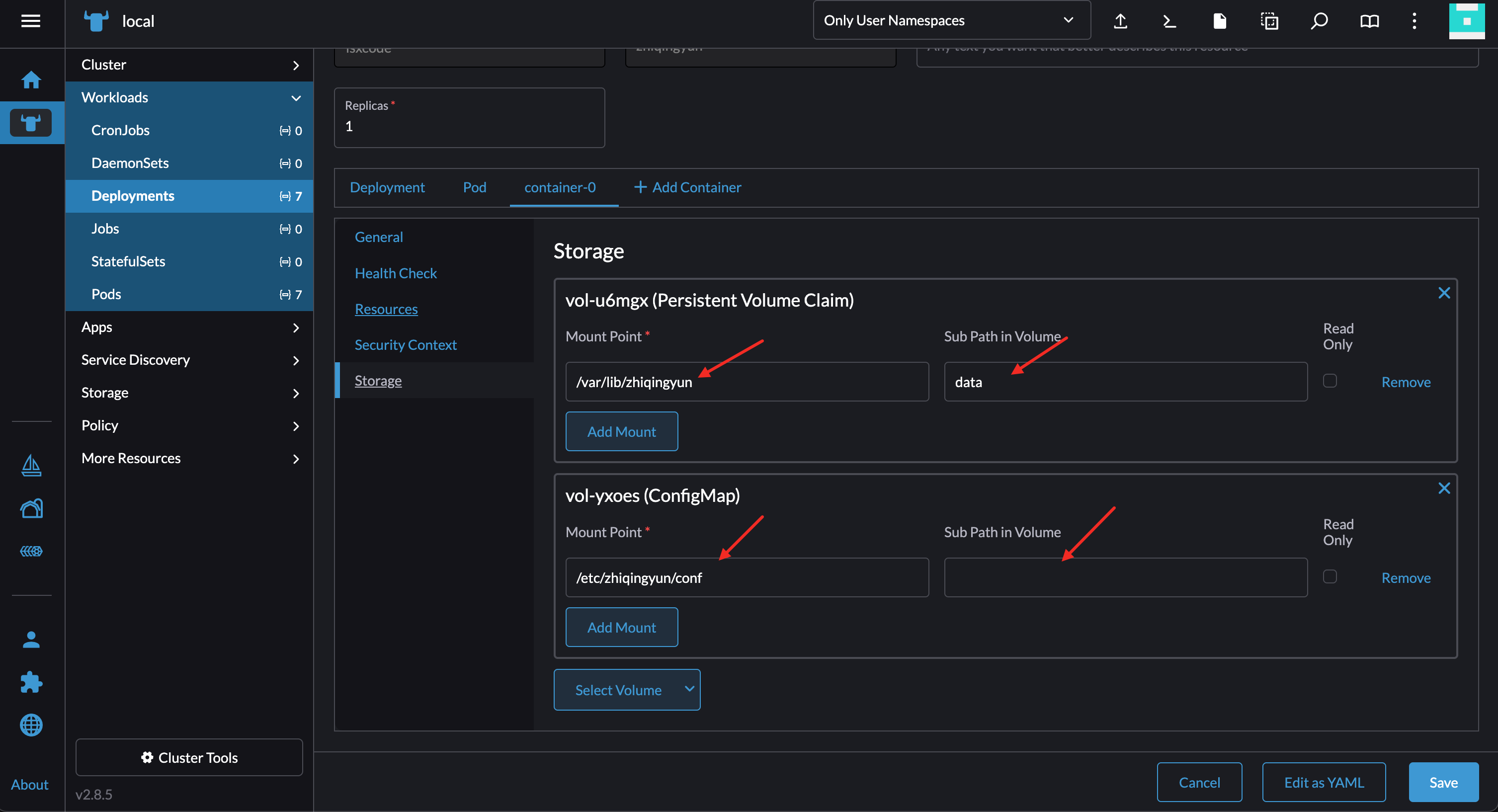
mapped storage
pvc mapping /var/lib/zhiqingyun --> data (/data/local-path-provisioner/data) configMap mapping /etc/zhiqingyun/conf Note: The mapping here can only be a directory
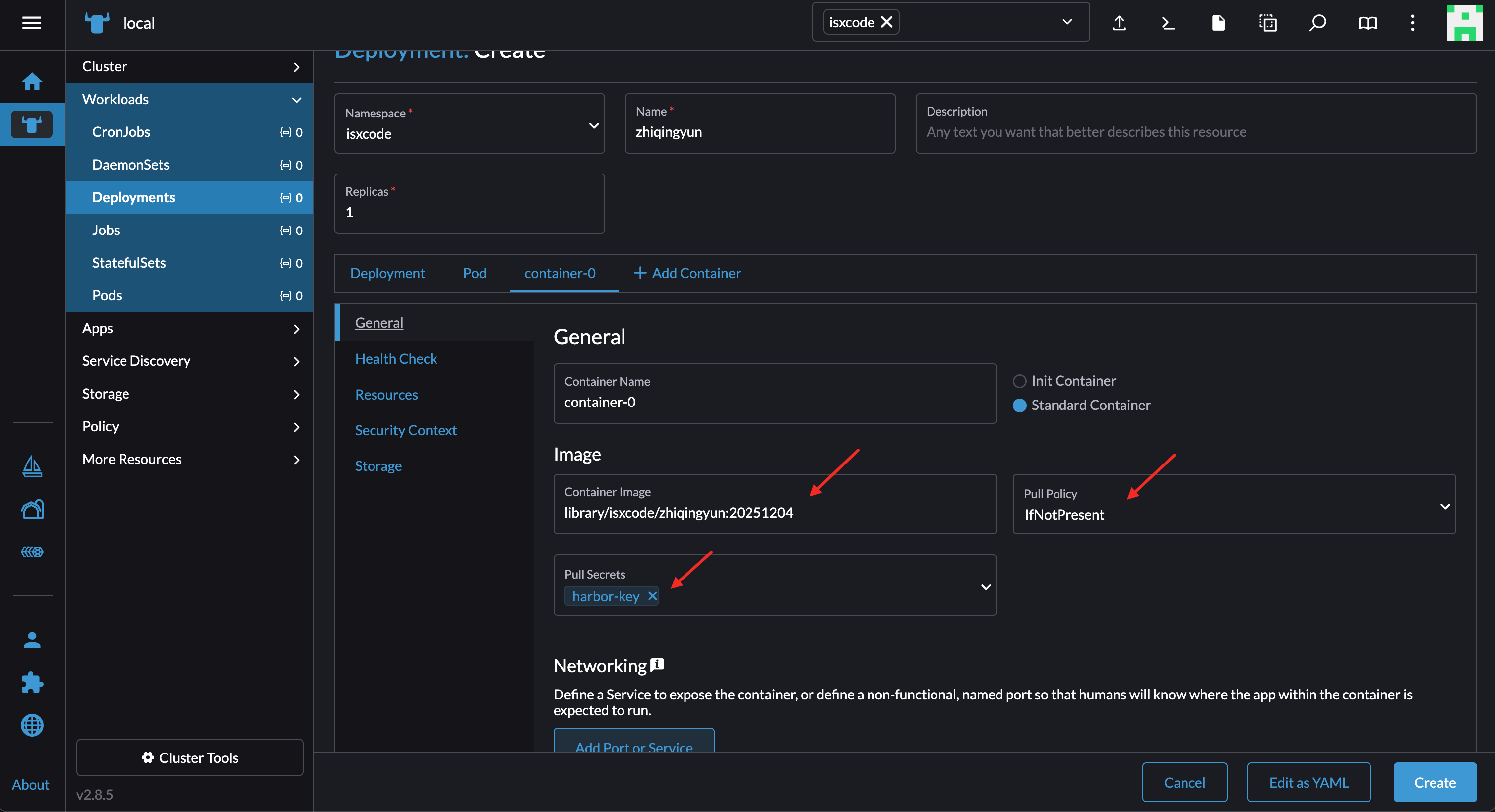
Configure image
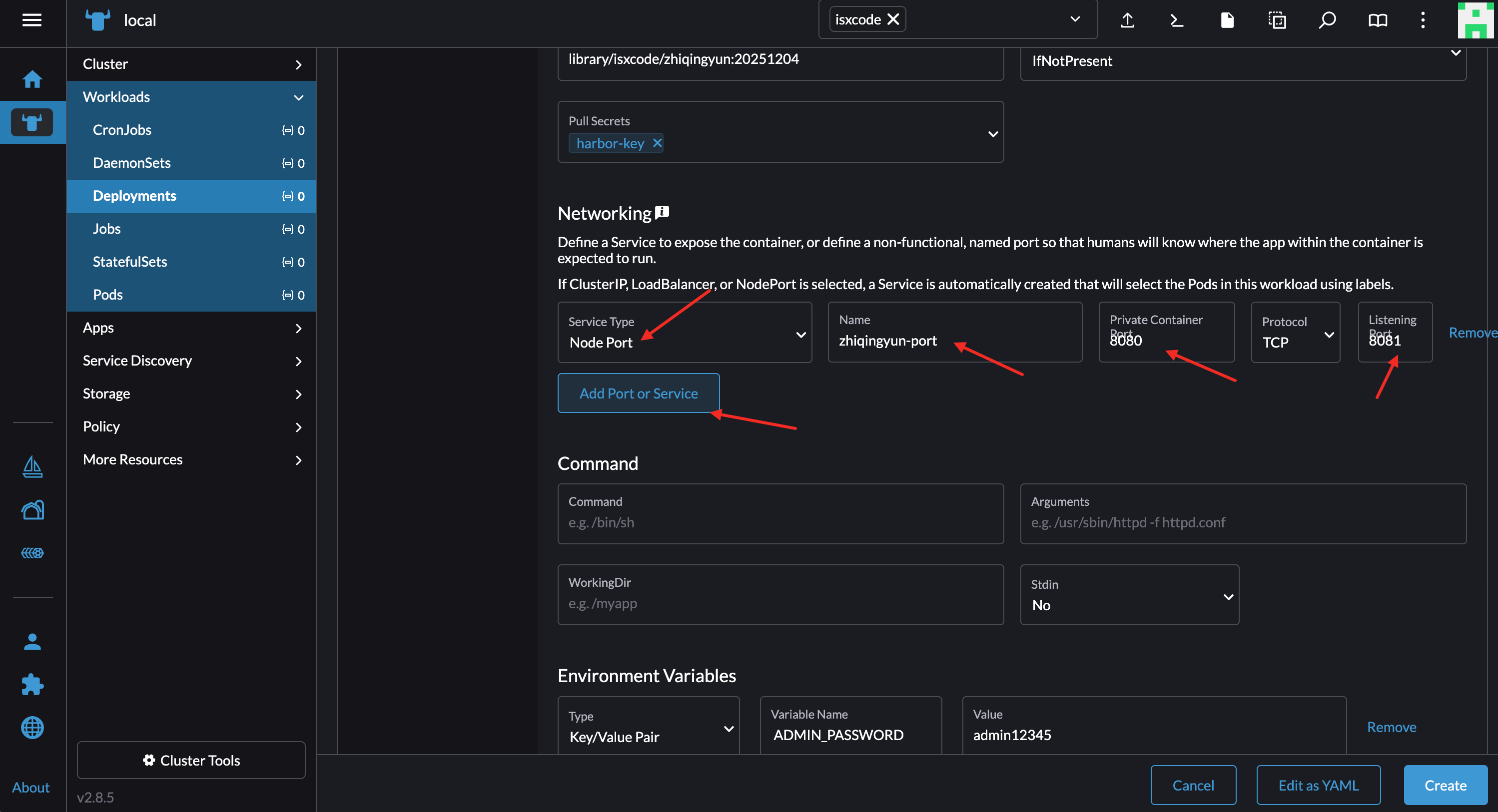
Mirror: 172.19.189.246:30003/library/isxcode/zhiqingyun:20251204
Port number mapping
Node Port : zhiqingyun-port 8080 > 30167
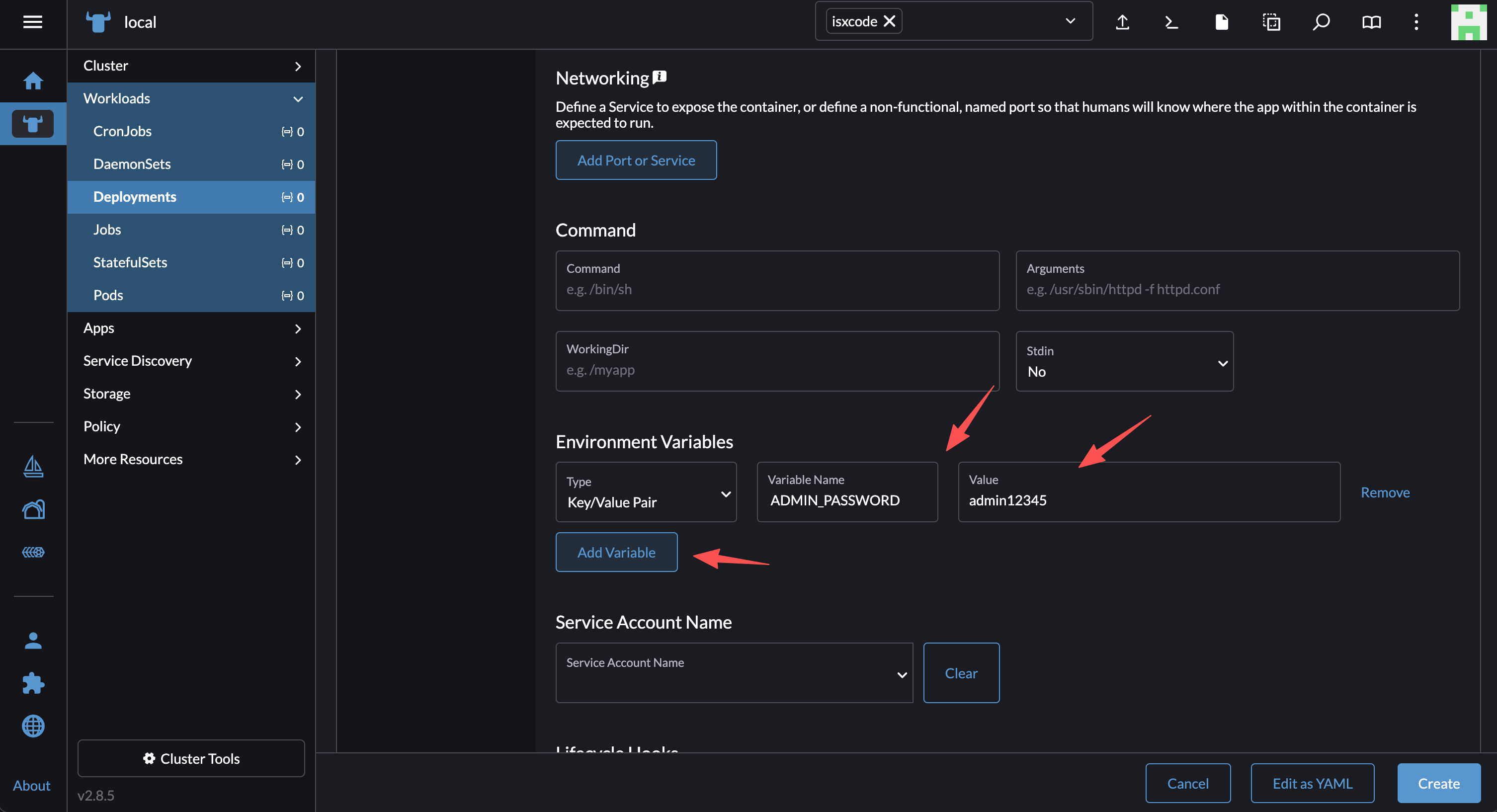
environment variables
ADMIN_PASSWORD : admin12345
Visit project
- Access address: http://120.55.168.57:30167
- Administrator account: admin
- Configuration password: admin12345